SPDF (MF Model Only)
SM 4-55 D0AP/D0C4/D0C5/D0C6/M0BQ/M0D1
&
4.8.2 ORIGINAL FEED UNIT
Before replacing the original feed unit, reset the PM counter.
1. Turn the power ON and enter the SP mode.
2. Execute the following SPs to reset the PM counter.
- SP7-804-008 (Reset PM Counter: ADF Pickup)
- SP7-804-009 (Reset PM Counter: ADF Feed)
3. Turn the power O F F.
1. Open the SPDF top cover.
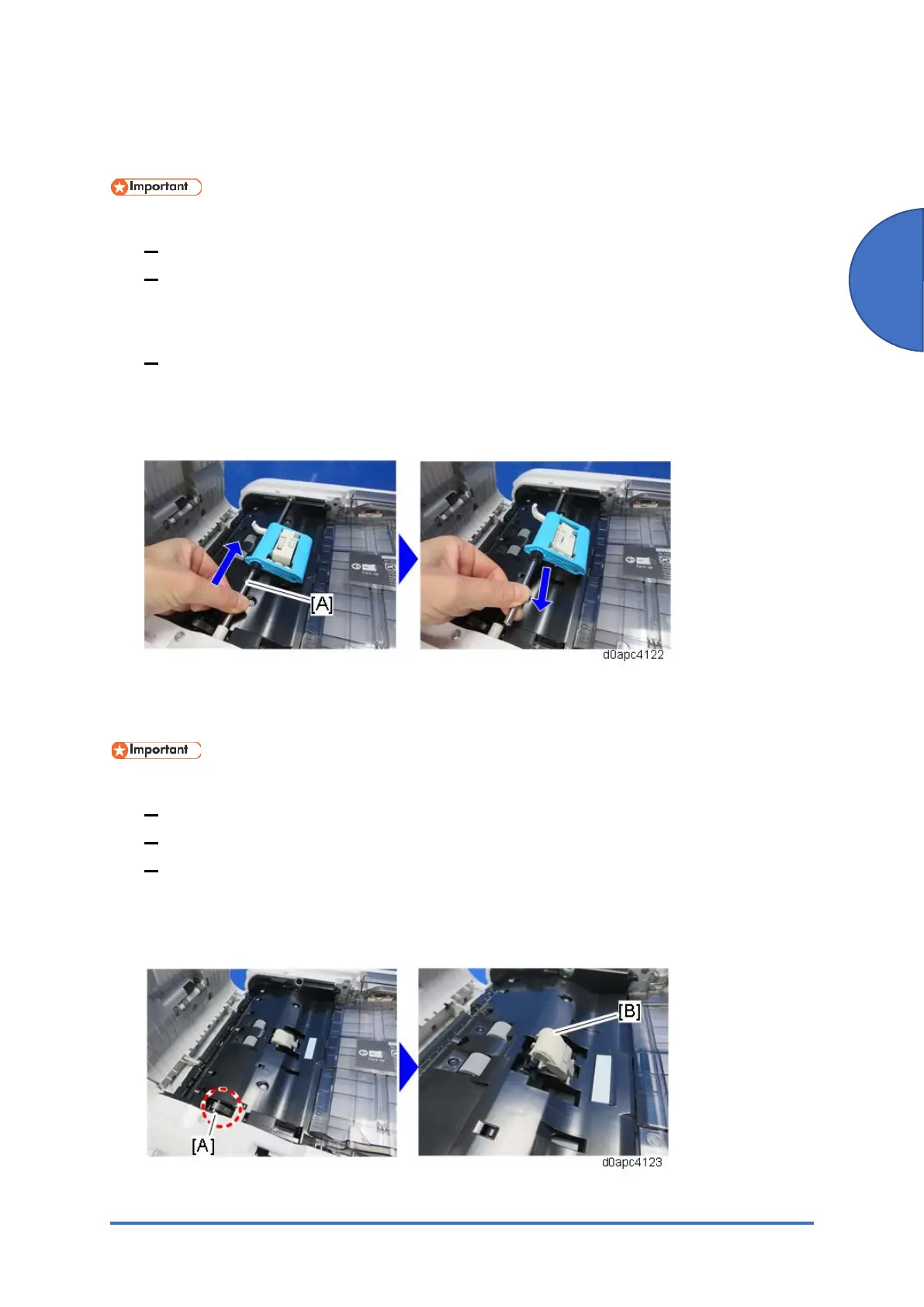
2. Slide the shaft [A] of the original feed unit toward the rear and remove it.
4.8.3 SPDF FRICTION PAD
Before replacing the SPDF friction pad, reset the PM counter.
1. Turn the power ON and enter the SP mode.
2. Execute the SP7-804-007 (Reset PM Counter: ADF Pad) to reset the PM counter.
3. Turn the power O F F.
1. Remove the original feed unit. (Original Feed Unit)
2. Push the lock lever [A] and then remove the SPDF friction pad [B].



 To Next Page