RemoteConnect Support Settings (MF Model Only)
D0AP/D0C4/D0C5/D0C6/M0BQ/M0D1 2-152 SM
2.32 REMOTECONNECT SUPPORT SETTINGS (MF
MODEL ONLY)
2.32.1 OVERVIEW
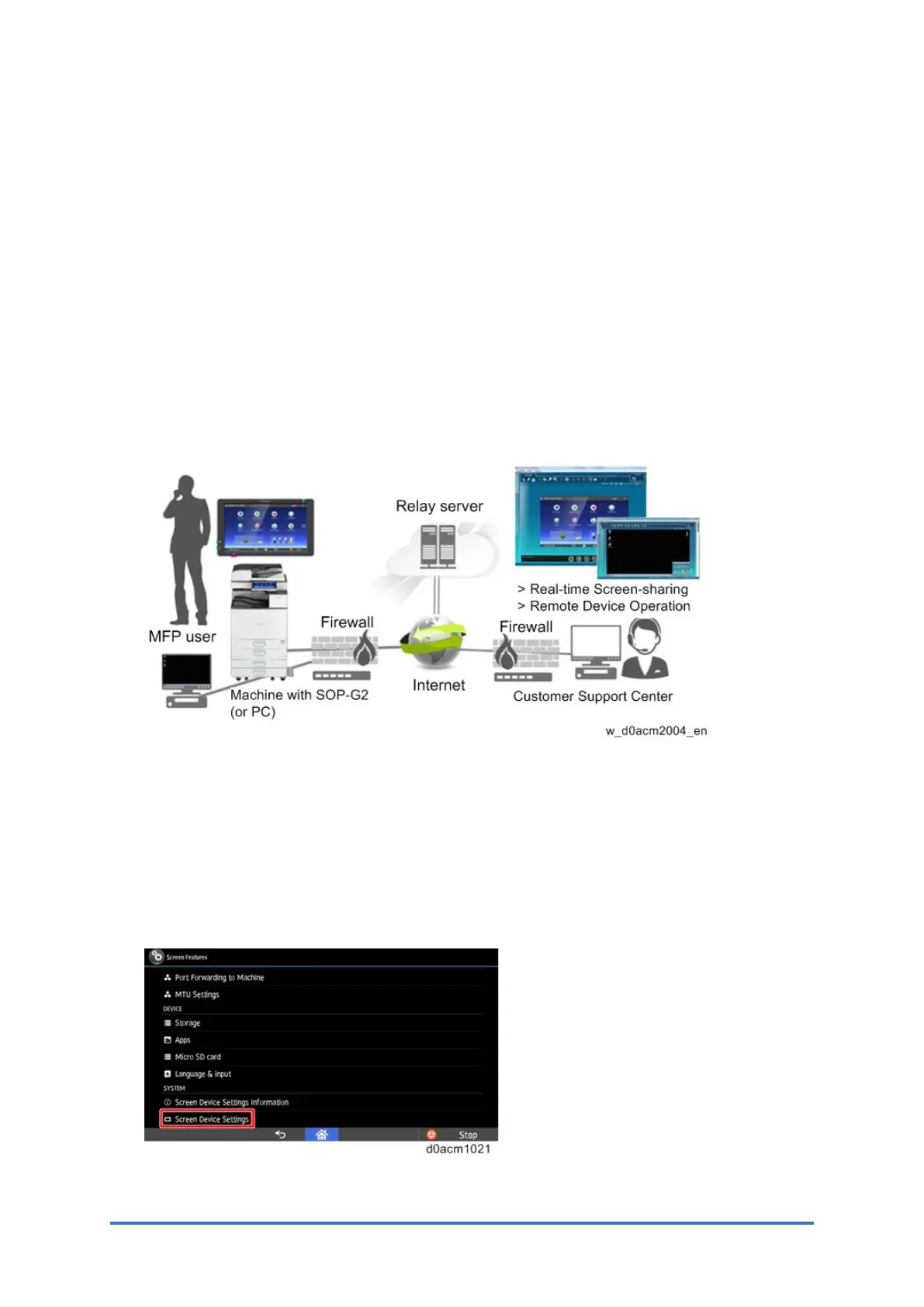
The RemoteConnect Support function allows monitoring and remote control of the customer’s
machine’s control panel.
• Allow a customer support operator to remotely connect with client's machine equipped with
the Smart Operation panel (SOP-G2), or PC over the internet.
• Enable the support center to diagnose and resolve the issue through real-time screen
sharing, remote guidance, and operation.
The function was enabled by default. So, it’s necessary to confirm with customers whether
enabling the remote function is acceptable. If after explaining the function and benefits, the
customer does not agree, then disable it via SP mode.
2.32.2 HOW TO ENABLE/DISABLE REMOTECONNECT SUPPORT
1. Log in to Screen SP mode.
2. Select "Screen Device Settings".



 To Next Page