Scanner (MF Model Only)
D0AP/D0C4/D0C5/D0C6/M0BQ/M0D1 4-68 SM
4.9 SCANNER (MF MODEL ONLY)
4.9.1 SCANNER FRONT COVER
1. Remove the right cover. (Right Cover (Printer), Right Cover (MF))
2. Remove the PCDU. (PCDU)
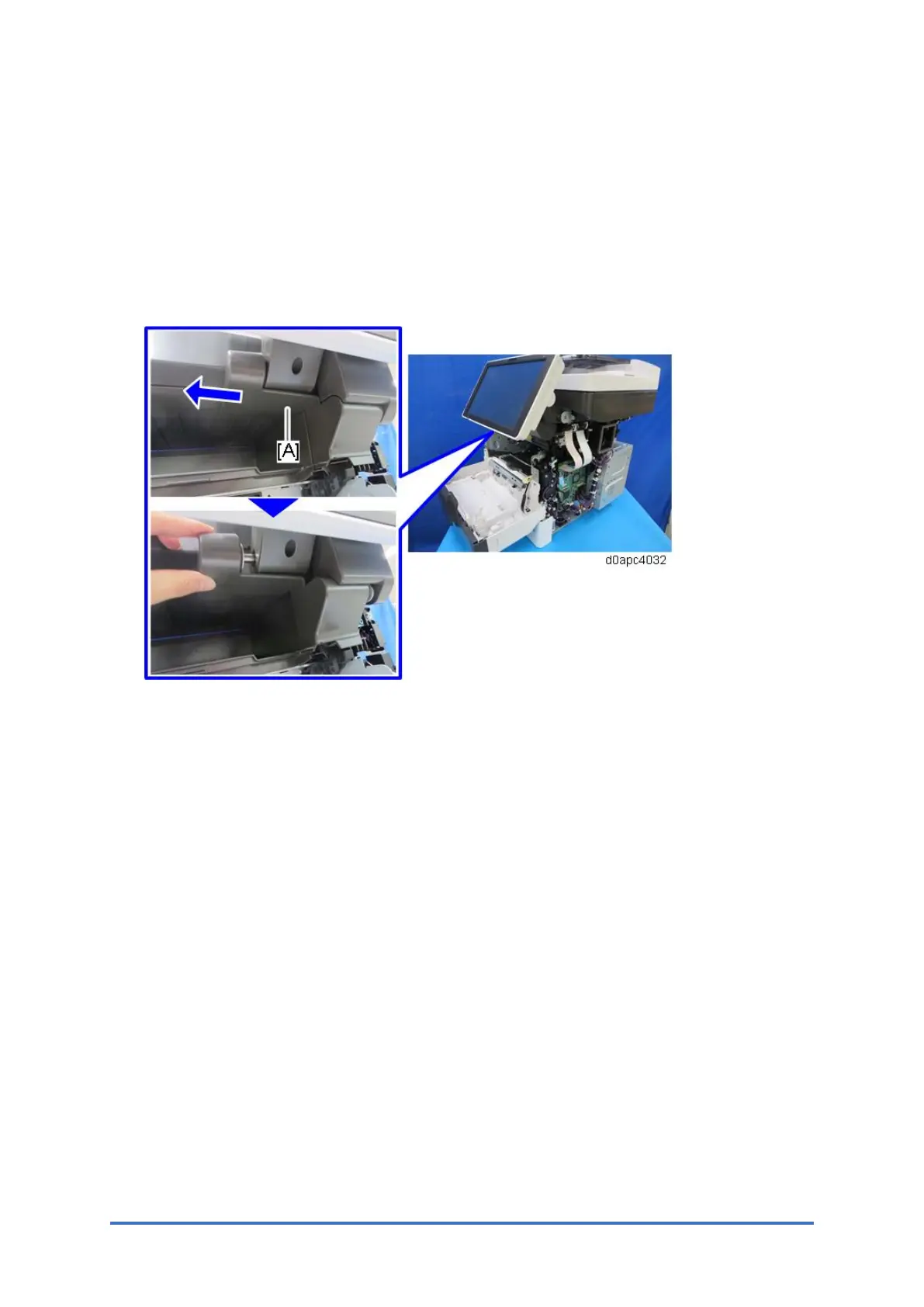
3. Slide off the operation panel lower cover [A] to remove it.
4. Open the SPDF.
5. Release the three hooks with a small flathead screwdriver, and then remove the scanner
front cover [A].
Remove the cover while raising it from the front side.


 To Next Page