Service Program Mode
D0AP/D0C4/D0C5/D0C6/M0BQ/M0D1 5-2 SM
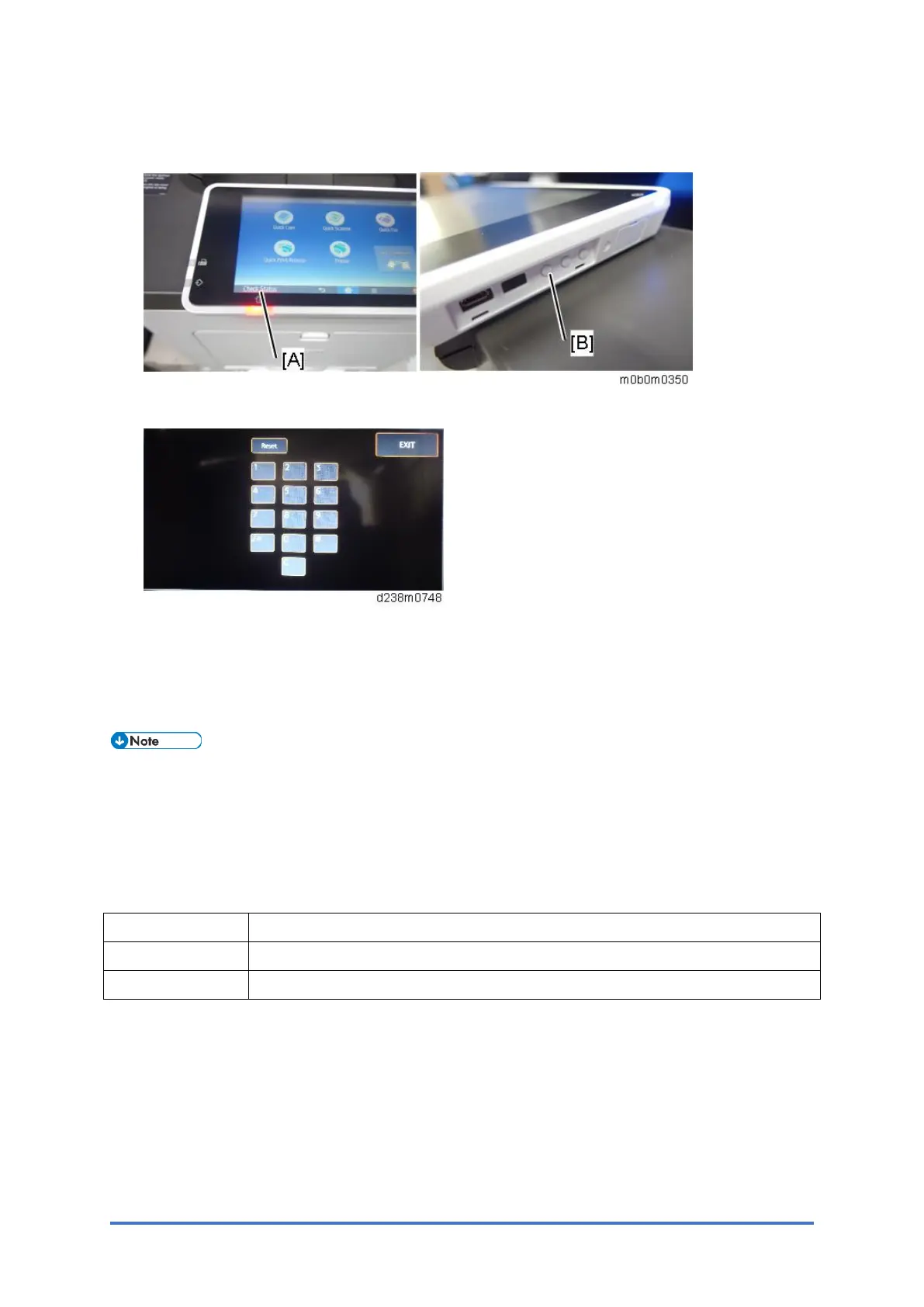
1. Press and hold the button [B] located at the right side of the operation panel and "Check
Status [A]" at the same time, until the number keyboard is displayed.
2. Enter the key code for SP mode.
Exiting SP Mode
Press "Exit" on the LCD twice to return to the user screen.
In the printer model, press the [Escape] key.
• To make the settings effective, turn the main power switch off and on after exiting
service mode.
5.1.3 TYPES OF SP MODES
For Printer Model
Type Description
Service SP SP modes related to the controller/printer functions
Engine SP SP modes related to the engine functions
Select one of the Service Program modes (Service, or Engine) with "Up/Down" keys, and then
push the "OK" key.



 To Next Page