Main Machine Installation (P 502/501)
D0AP/D0C4/D0C5/D0C6/M0BQ/M0D1 2-6 SM
Removal of Packing Materials and Shipping Retainers
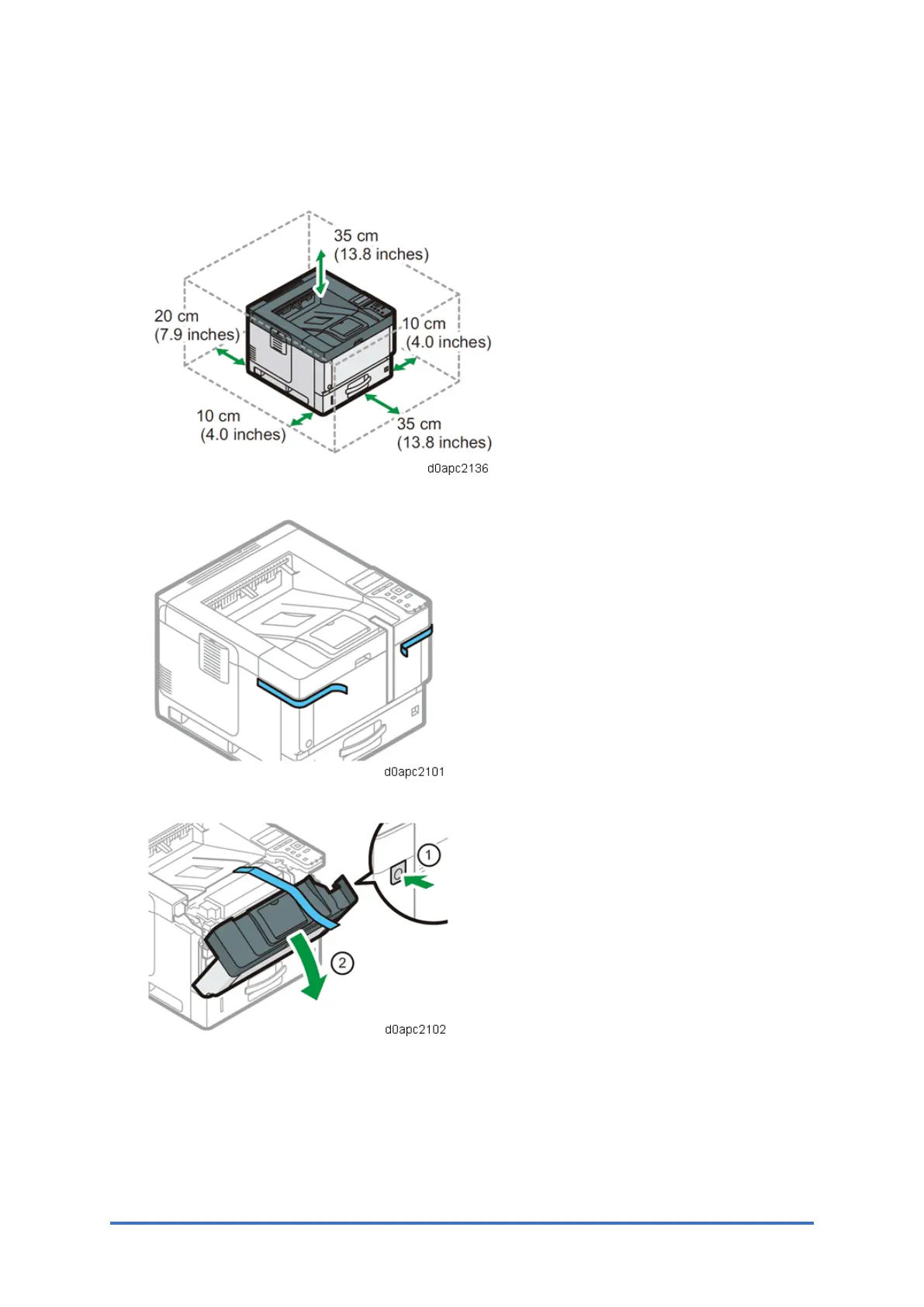
1. Do not put anything in the space around the machine, so that you can load paper, replace
consumables, and clear paper jams easily.
2. Remove all the adhesive tapes and protective sheet from the outside of the machine.
3. Press the front cover button on the right side of the machine, and then open the front cover.



 To Next Page