Image Transfer
SM 4-89 D0AP/D0C4/D0C5/D0C6/M0BQ/M0D1
&
4.13 IMAGE TRANSFER
4.13.1 IMAGE TRANSFER ROLLER
Before Replacing the Image Transfer Roller
User maintenance model:
Replace with an image transfer roller provided by the Maintenance Kit. The PM counter for the
fusing unit is reset automatically, and at the same time, the counter for the image transfer roller
is also reset.
Service maintenance model:
Before replacing the image transfer roller, reset the PM counter.
1. Turn the power ON and enter the SP mode.
2. Execute the SP7-804-004 (Reset PM Counter: Trans.) to reset the PM counter.
3. Turn the power O F F.
Replacing the Image Transfer Roller
Do not touch the surface of the new image transfer roller.
1. Remove the PCDU. (PCDU)
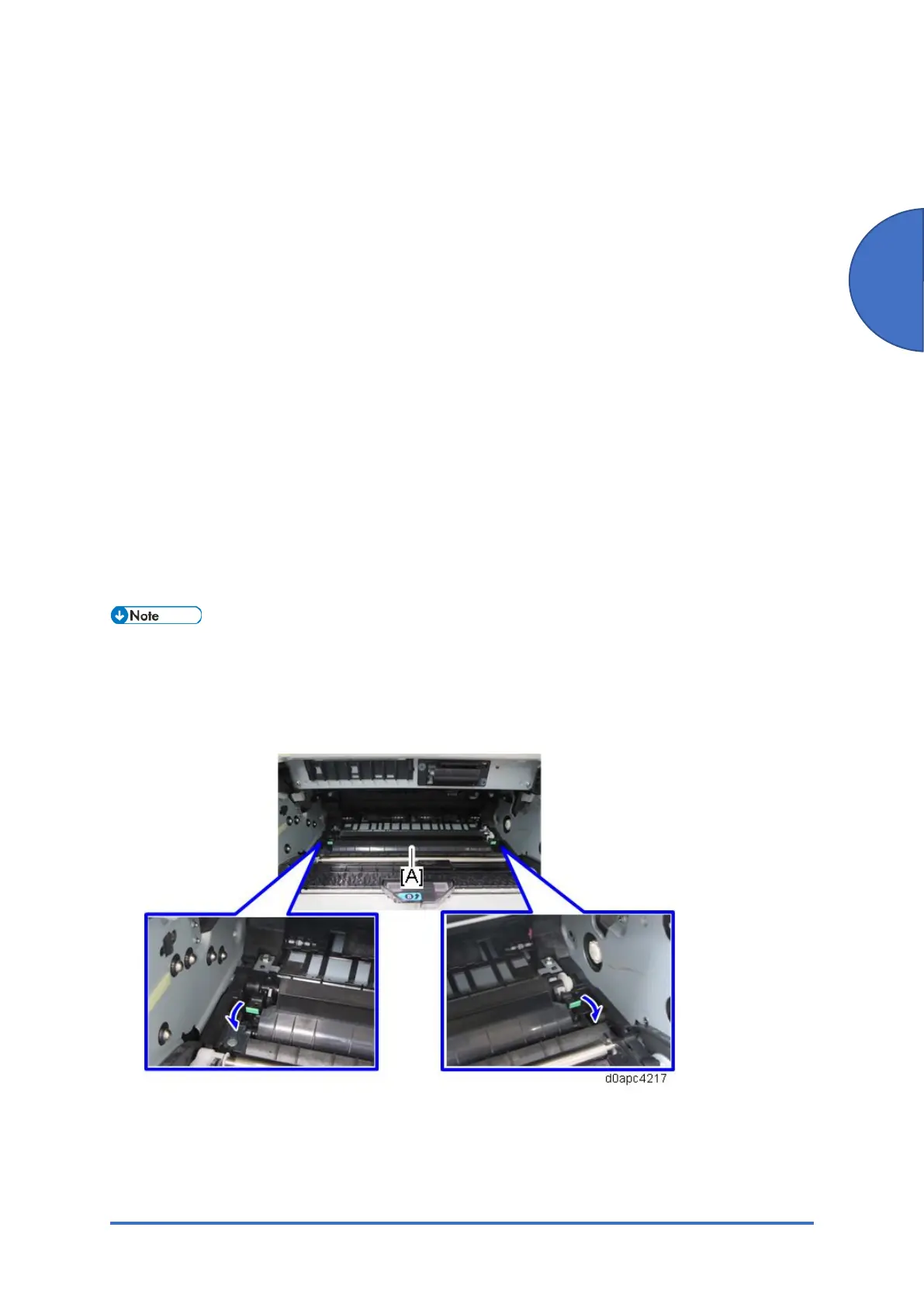
2. Pinch both green ends of the guide [A], and then pull it towards you.



 To Next Page