Paper Exit/ Duplex
D0AP/D0C4/D0C5/D0C6/M0BQ/M0D1 4-118 SM
4.16 PAPER EXIT/ DUPLEX
4.16.1 PAPER EXIT FULL SENSOR (S10)
1. Remove the upper cover. (Upper Cover (Printer), Upper Cover (MF))
2. Remove the Paper exit full sensor (S10) [A].
4.16.2 PAPER EXIT/REVERSE SENSOR (S1)
1. Remove the rear cover. (Rear Cover (Printer), Rear Cover (MF))
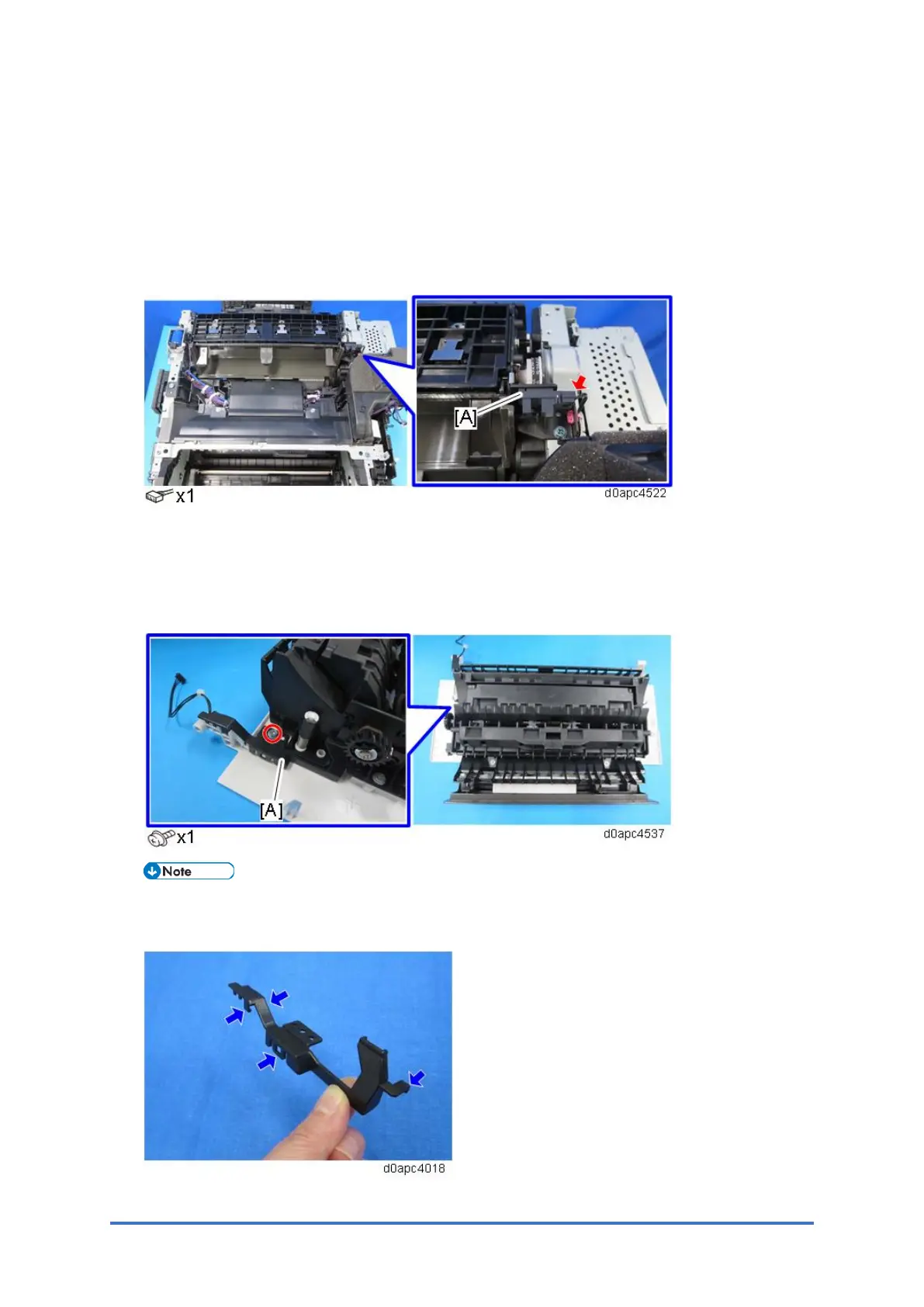
2. Remove the harness cover [A] and release the harness.
There are four hooks inside the harness cover. Before removing the harness cover, check
the locations of the hooks in the photo below.



 To Next Page