Electrical Components
SM 4-163 D0AP/D0C4/D0C5/D0C6/M0BQ/M0D1
&
4.18.17 NFC BOARD
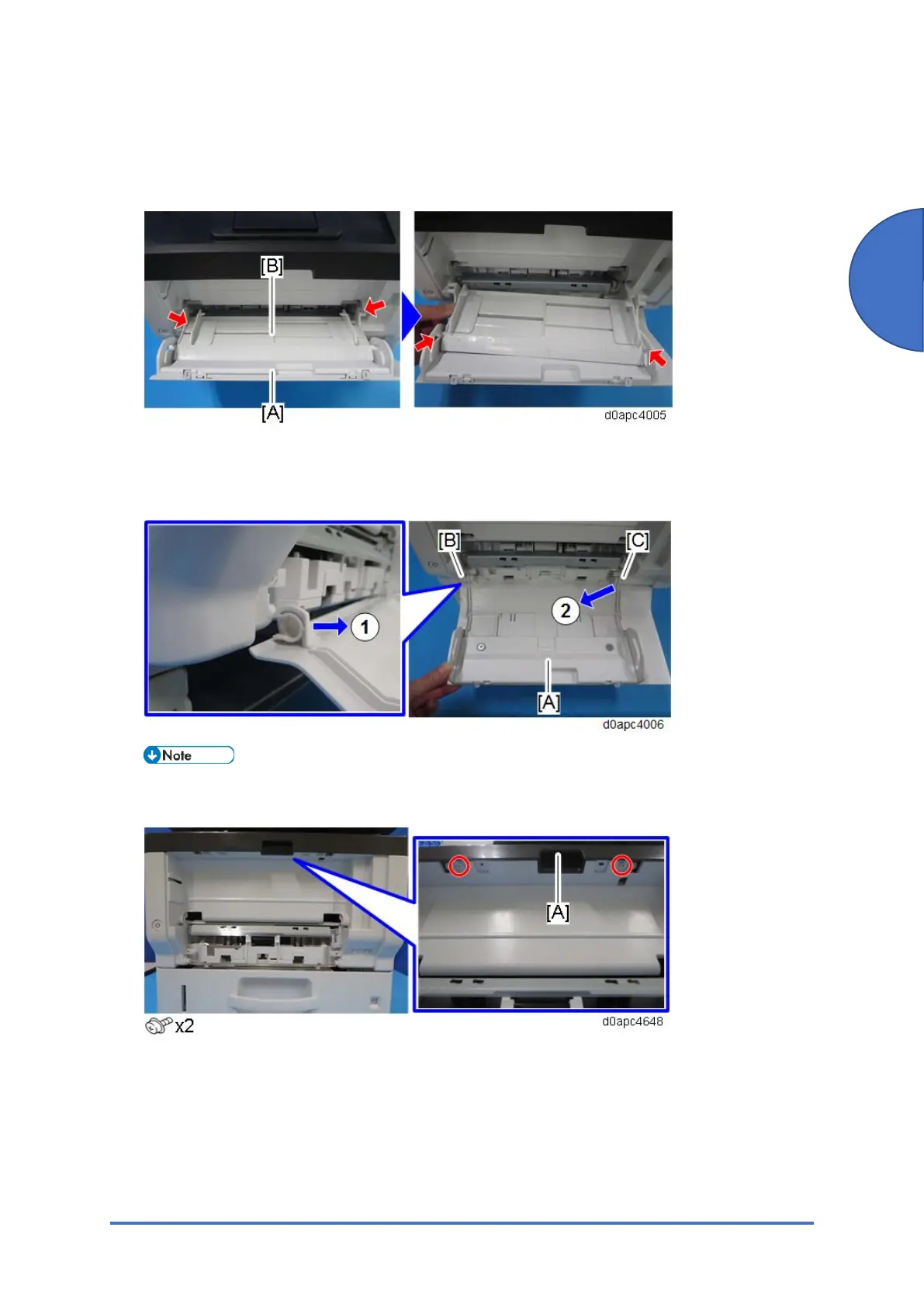
1. Open the bypass tray [A].
2. Release the four hinges to detach the paper guide plate [B].
3. Open the bypass tray about 90 degrees, and then remove the bypass tray [A].
Release the left hinge [B] first (which is C-cut) by pulling forward, and then release the right
hinge [C] by pulling obliquely toward the left, front.
When re-installing the bypass tray, first set the right hinge with the bypass tray wide open.
4. Remove the screws of the front upper cover [A].
5. Open the front cover [A] by pressing the front cover button.



 To Next Page