Main Machine Installation (IM 350F/350/430F)
SM 2-17 D0AP/D0C4/D0C5/D0C6/M0BQ/M0D1
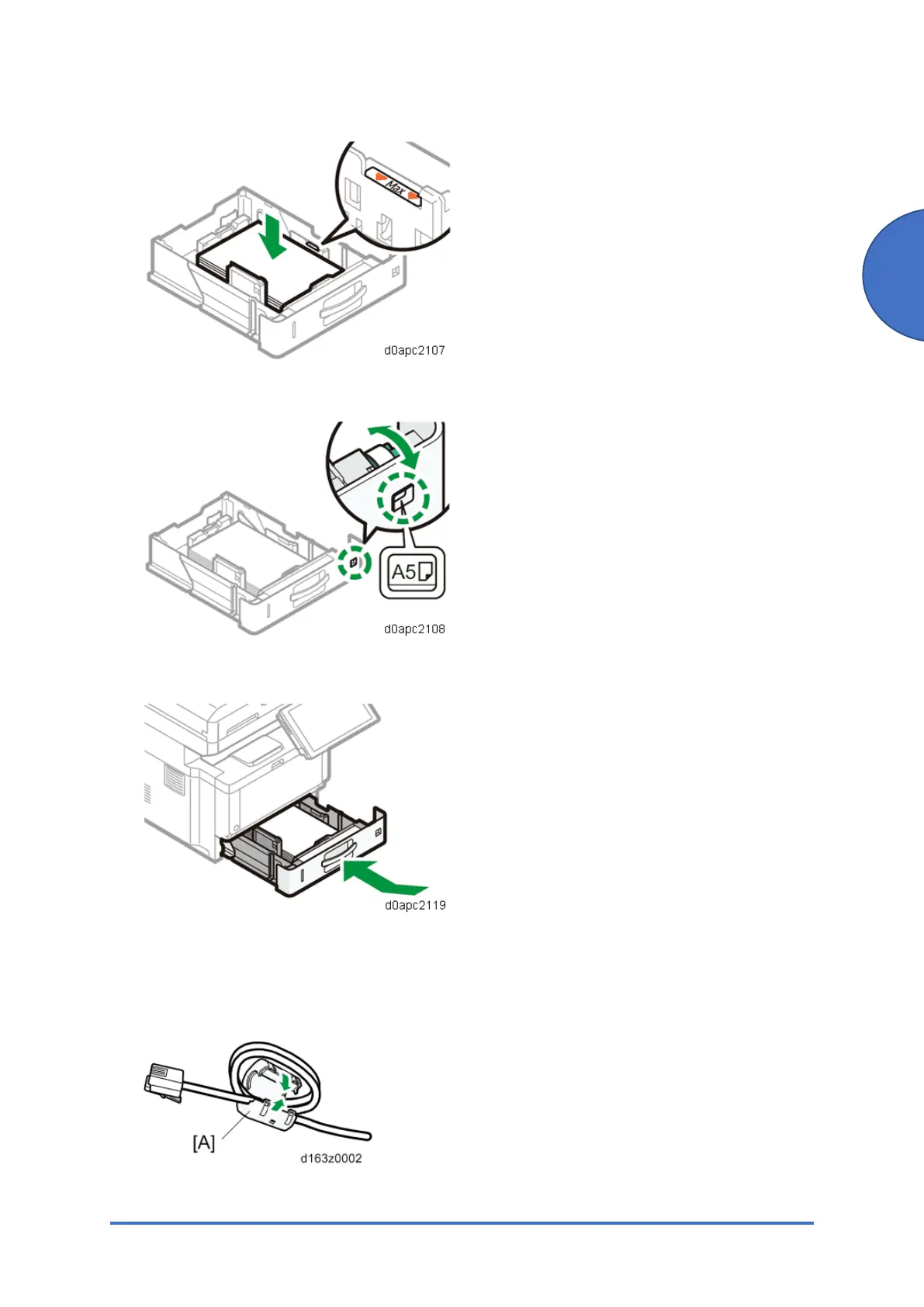
Do not stack paper over the limit mark (the mark in the balloon shown above).
4. Rotate the paper size dial, which is located at the front right of the tray, so that the size and
the feed direction of the paper in the paper tray can be seen from the window.
5. Lift the front side of the tray, insert it into the machine, and then push it in carefully until it
stops.
Connecting the Modular Cable (Only Using the Fax)
1. Make two loops with the modular cord, and then attach the ferrite core [A] (this step is not
needed for NA).
2. Connect the modular cable to the “LINE” connector.



 To Next Page