Scanner (MF Model Only)
SM 4-77 D0AP/D0C4/D0C5/D0C6/M0BQ/M0D1
&
4.9.6 SCANNER CARRIAGE
1. Remove the SPDF unit. (SPDF Unit)
2. Remove the scanner front cover. (Scanner Front Cover)
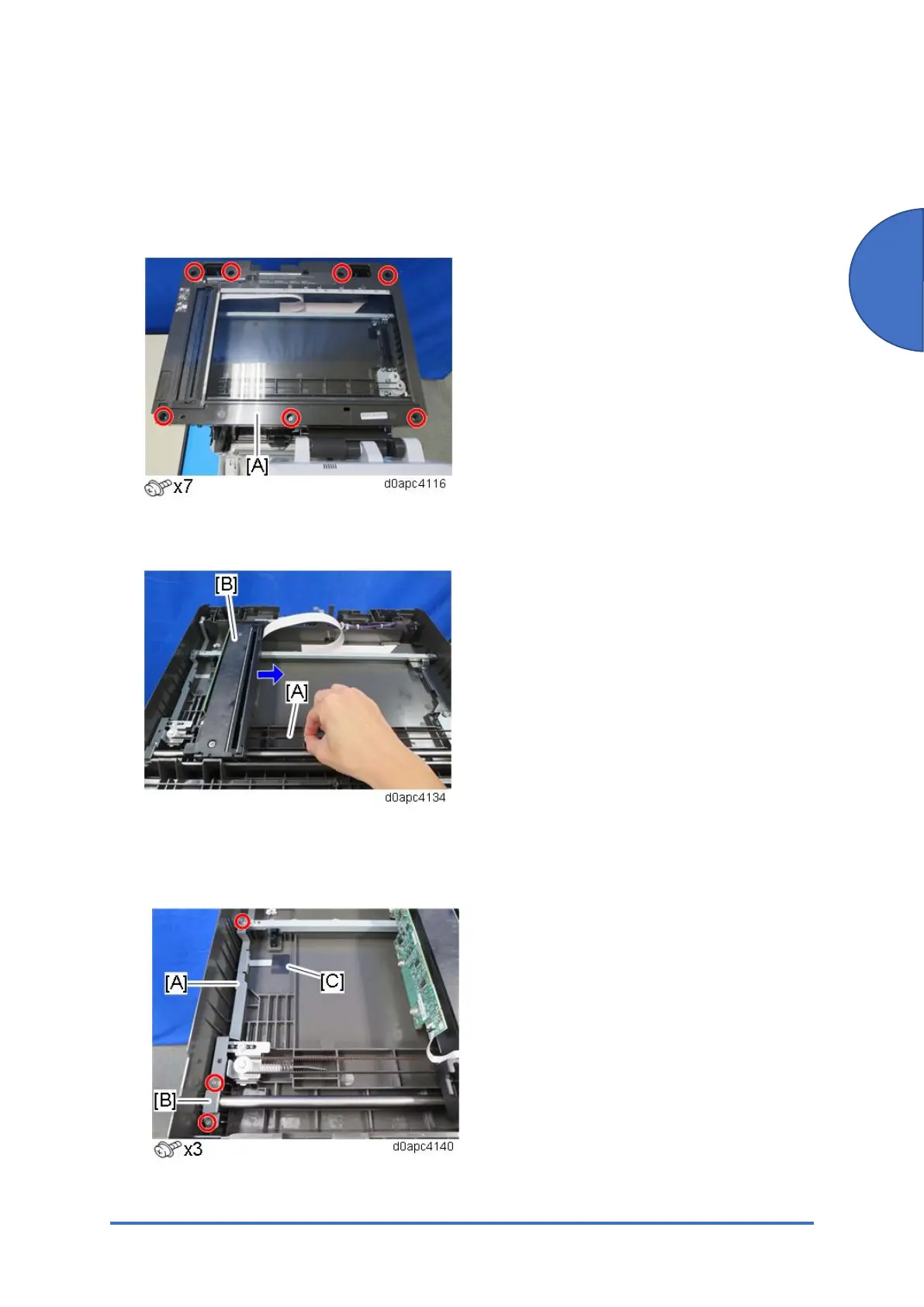
3. Remove the scanner upper cover [A].
4. Pull the carriage belt [A] slowly to move the scanner carriage unit [B] to the right. Never
push or pull on the carriage unit directly.
5. Remove the screw of brackets [A] and then remove bracket [B].
Bracket [A] is attached with tape [C] and cannot be removed. Let bracket [A] float free
slightly, and then remove bracket [B].



 To Next Page