Paper Feed
SM 4-105 D0AP/D0C4/D0C5/D0C6/M0BQ/M0D1
&
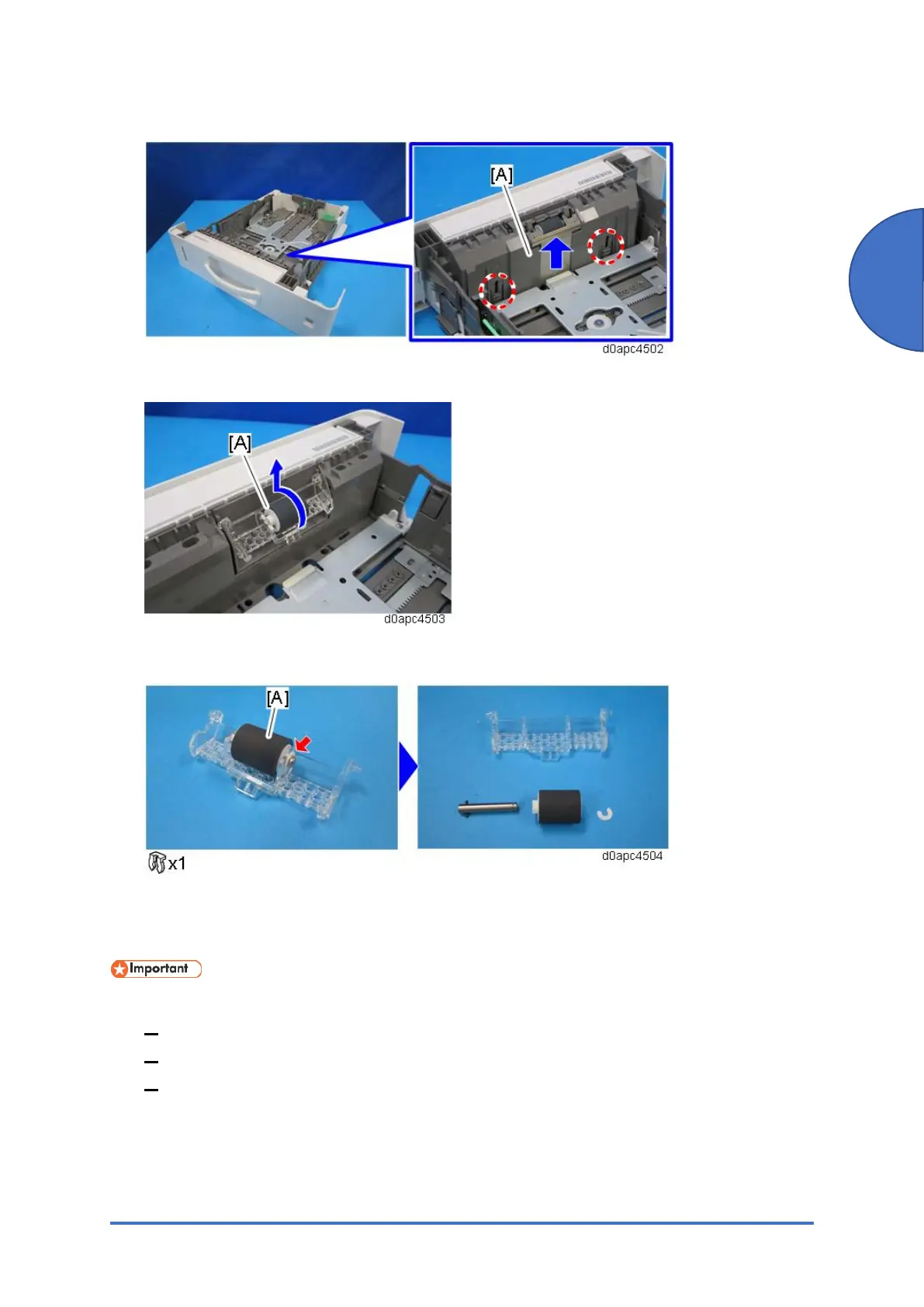
2. Remove the inner cover [A] while pressing the two lock buttons in the paper tray.
3. Raise the holder of the separation roller [A] and remove it.
4. Remove the separation roller [A] from the holder.
4.15.3 BYPASS FEED ROLLER
Before replacing the bypass feed roller, reset the PM counter.
1. Turn the power ON and enter the SP mode.
2. Execute the SP7-804-057 (Reset PM Counter: Feed Bypass) to reset the PM counter.
3. Turn the power O F F.
1. Remove the PCDU. (PCDU)


 To Next Page