Exterior Covers (MF Model)
SM 4-43 D0AP/D0C4/D0C5/D0C6/M0BQ/M0D1
&
4.6.6 REAR COVER (MF)
1. Remove the rear lower cover. (Rear Lower Cover (MF))
2. Remove the SCB with bracket. (SCB with the Controller Box (MF Model))
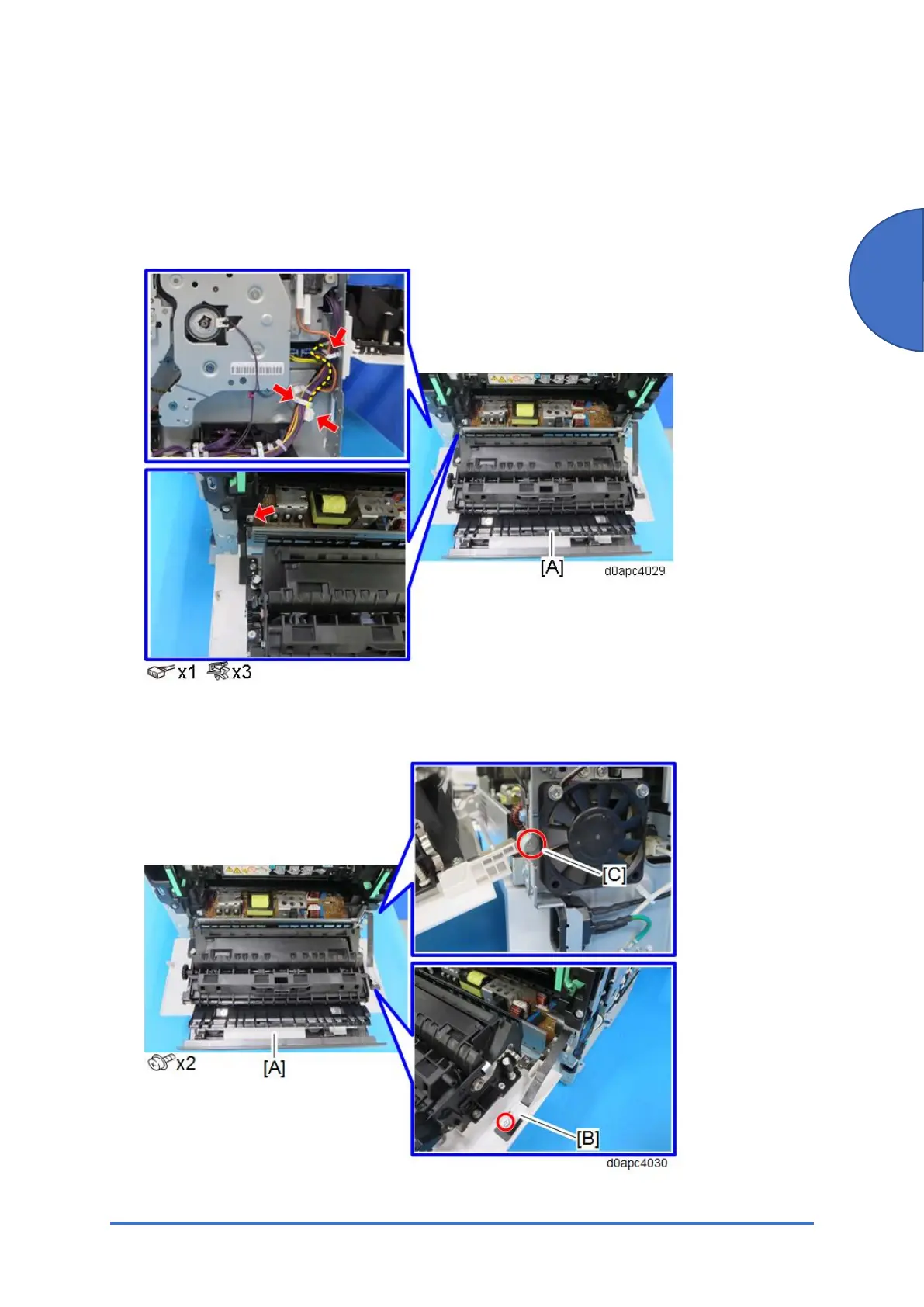
3. Release the harness from rear cover [A].
4. Remove the fastened part [B] for the belt of rear cover [A], and then remove the screw [C]
holding the hinge.



 To Next Page