Electrical Components
D0AP/D0C4/D0C5/D0C6/M0BQ/M0D1 4-142 SM
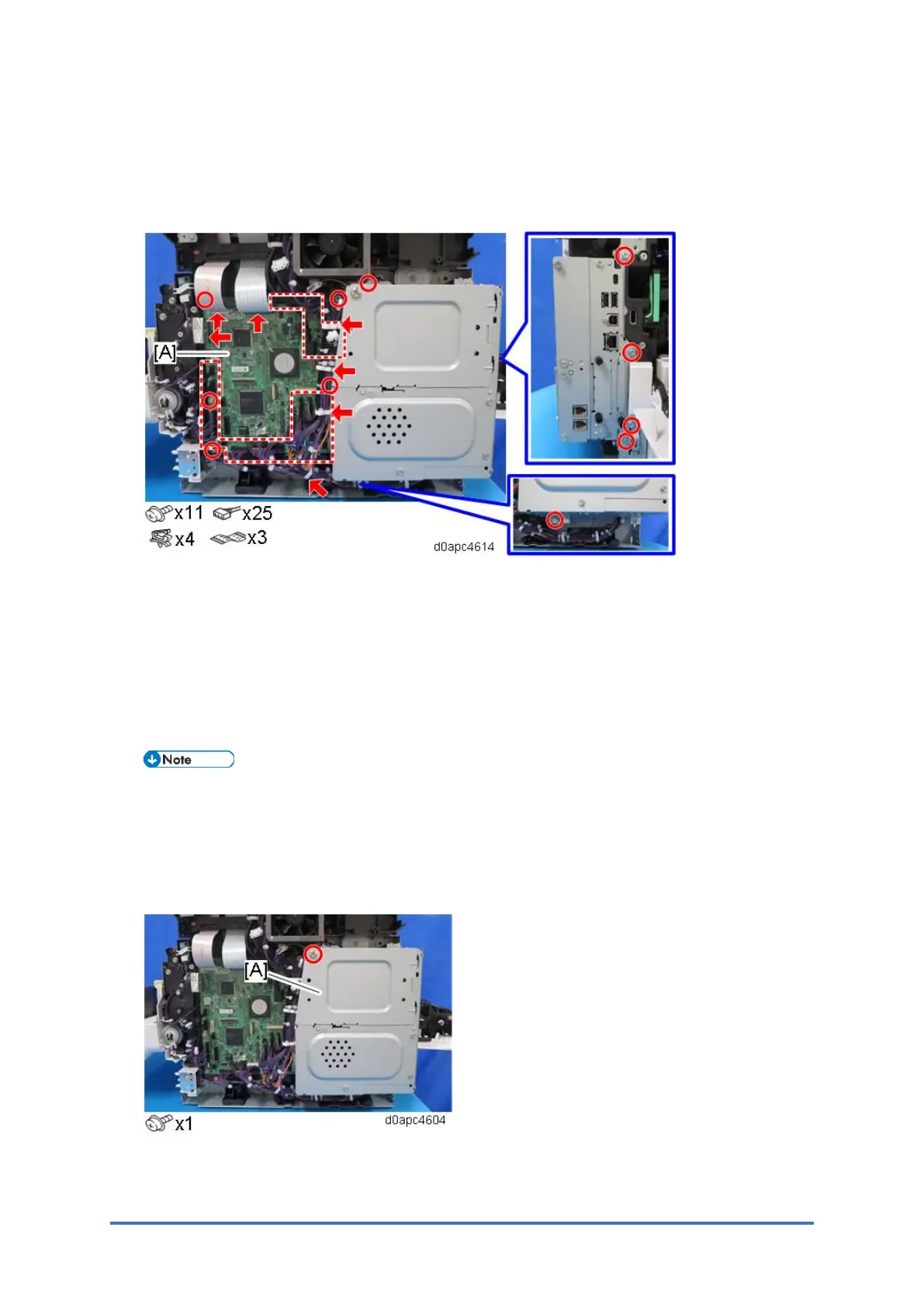
4.18.2 SCB WITH THE CONTROLLER BOX (MF MODEL)
1. Remove the right cover. (Right Cover (MF))
2. Remove the SCB [A] with the controller box.
4.18.3 HDD (MF MODELS)
Before HDD Replacement
1. Insert an SD card in SD Card Slot 2 (lower slot).
2. Enter the SP mode.
3. Execute SP5-846-051 to upload the address book data to the SD card.
If the HDD is damaged, you may not be able to retrieve this data from the HDD.
Replacement Procedure
1. Remove the right cover. (Right Cover (MF))
2. Remove the HDD cover [A].



 To Next Page