Electrical Components
SM 4-143 D0AP/D0C4/D0C5/D0C6/M0BQ/M0D1
&
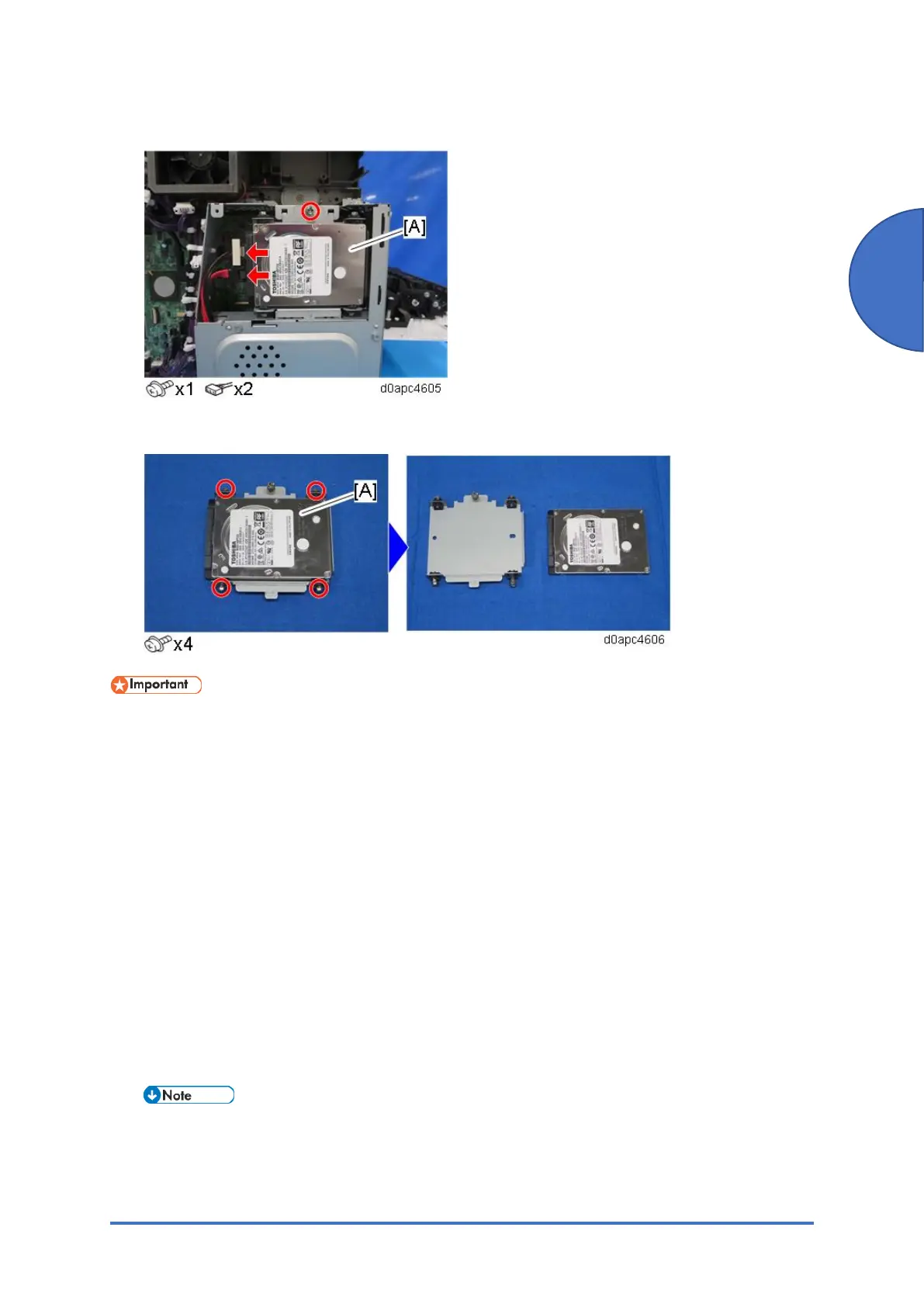
3. Remove the HDD [A] with the bracket.
4. Remove the HDD [A] from the bracket.
• HDD units must not be removed without the consent of owner from the machine under
no circumstances, even if you suspect that it has been damaged.
• For the safekeeping or disposal reasons, leave the HDD unit with the customer.
• The HDD may contain proprietary or classified information (confidential, personal or
sensitive data). Such as Document Server data and/or temporary files created
automatically during copying, job sorting, and jam recovery. This data stored on the
HDD is encrypted and cannot be read directly however it is possible to access via 3rd
party.
After HDD Replacement
When you turn the main power ON after installing the new HDD, initialization of the disk starts
automatically.
1. Enter the SP mode.
2. Execute SP5-846-052 to restore the address book data from the SD card to the HDD.
If the customer is using Data Overwrite Security, the Data Encryption feature or the
Searchable PDF feature, these applications must be installed again.



 To Next Page