Fans/ Filters
SM 4-165 D0AP/D0C4/D0C5/D0C6/M0BQ/M0D1
&
4.19 FANS/ FILTERS
4.19.1 PCDU COOLING FAN (RIGHT) (FAN1)
1. Remove the right cover. (Right Cover (Printer), Right Cover (MF))
2. Printer model: Remove the upper cover. (Upper Cover (Printer))
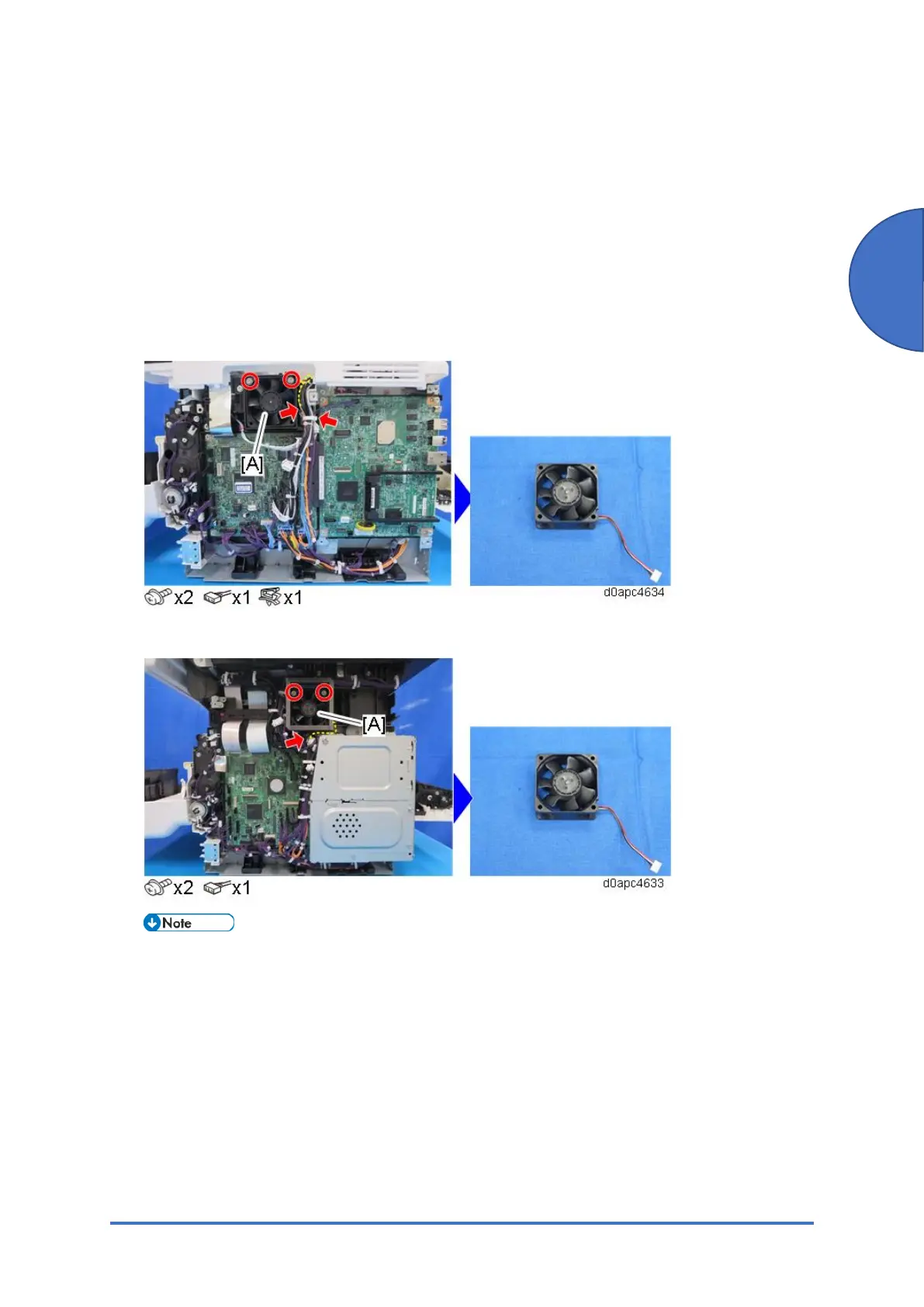
3. Remove the PCDU cooling fan (right) (FAN1) [A].
Printer model:
MF model:
Fasten the cooling fan with its decal facing inside the machine.
MF model: When you remove or install a fan, pass the fan connector [A] through the
sponge hole on the side of the duct. The sponge hole slightly is smaller than the connector,
so work carefully to avoid tearing the sponge.



 To Next Page