Fax Unit Options
SM 3 D0C5/D0C6/D0C4/D0AP FAX UNIT
(D0C5/D0C6
/D0C4/D0AP)
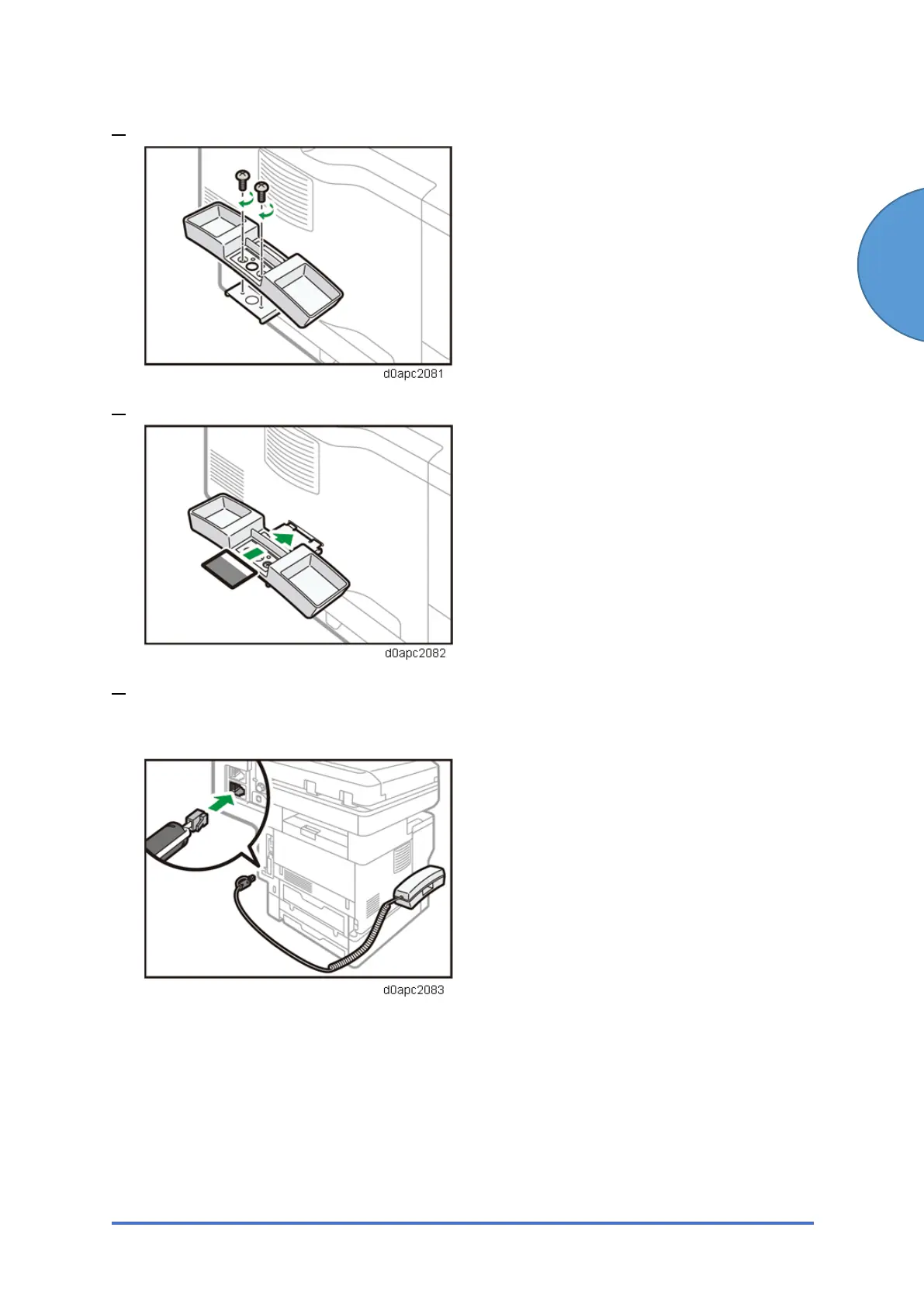
4. Fix the handset cradle to the handset bracket by turning the screws with a coin.
5. Place the inquiry card back in the handset cradle.
6. Place the handset on the handset cradle, and connect the handset cord to the external
telephone connector.
Configuring the Handset
Selecting a telephone line type for the handset.
With a thin, pointed object, set the switch on the handset to the line type you are using.
• Push button phone: Push
• Dial phone: 10/20


 To Next Page