Drive Units
D0AP/D0C4/D0C5/D0C6/M0BQ/M0D1 4-126 SM
4.17.3 BYPASS LIFT CLUTCH (CL3)
1. Remove the right cover. (Right Cover (Printer), Right Cover (MF))
2. Remove the front cover. (Front Cover (Printer), Front Cover (MF))
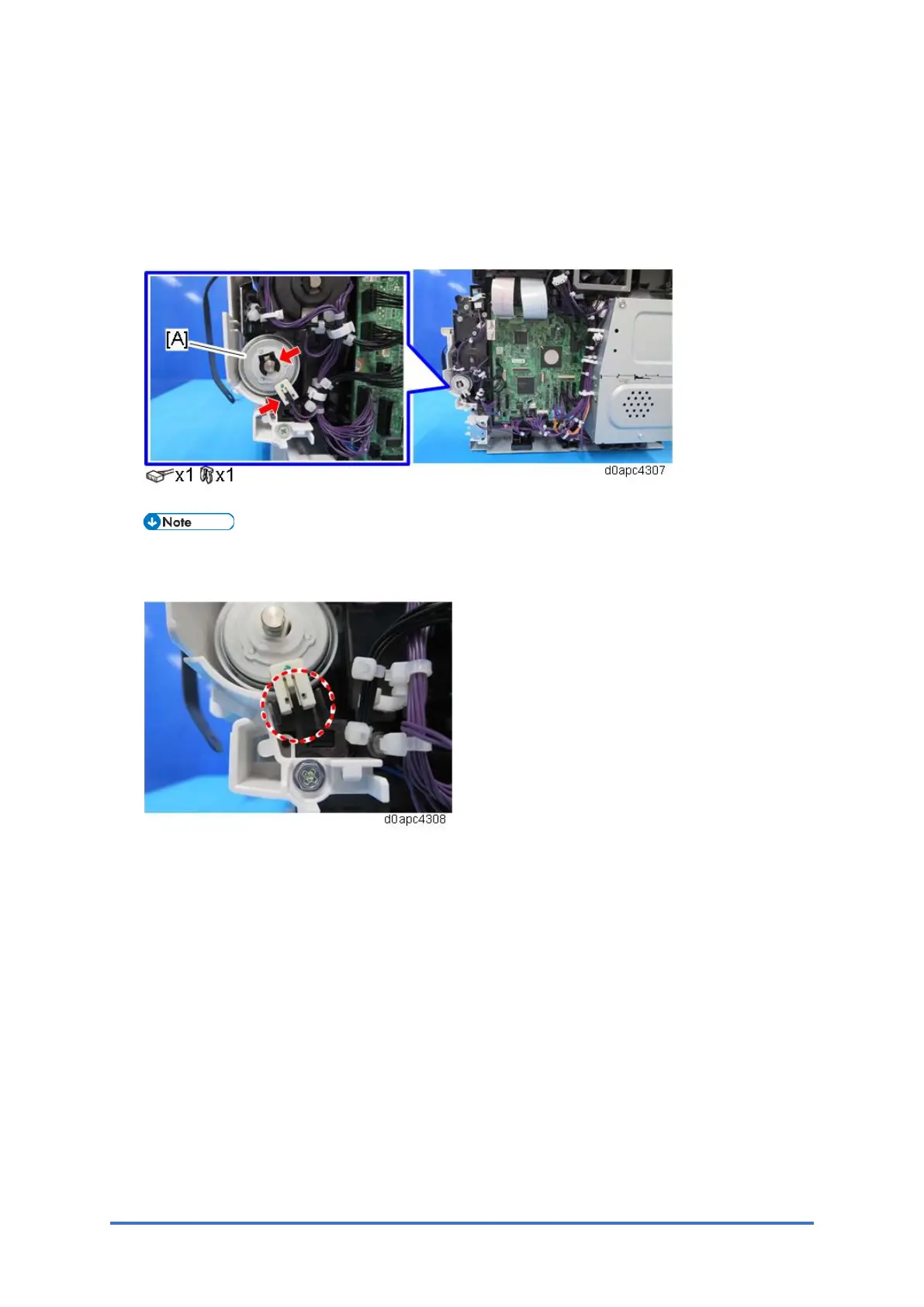
3. remove the bypass lift clutch (CL3) [A].
When attaching the bypass lift clutch (CL3), make sure that the connector of the clutch is
set over the holder as shown below.



 To Next Page