Smart Operation Panel (MF Model)
SM 4-45 D0AP/D0C4/D0C5/D0C6/M0BQ/M0D1
&
4.7 SMART OPERATION PANEL (MF MODEL)
4.7.1 OPERATION PANEL UNIT
Application settings and additional applications installed on the Smart Operation panel can be
backed up automatically and can be restored. For details, refer to Automatic Backup/Restore
for Application and Settings of SOP.
1. Remove the right cover. (Right Cover (MF))
2. Remove the scanner front cover. (Scanner Front Cover)
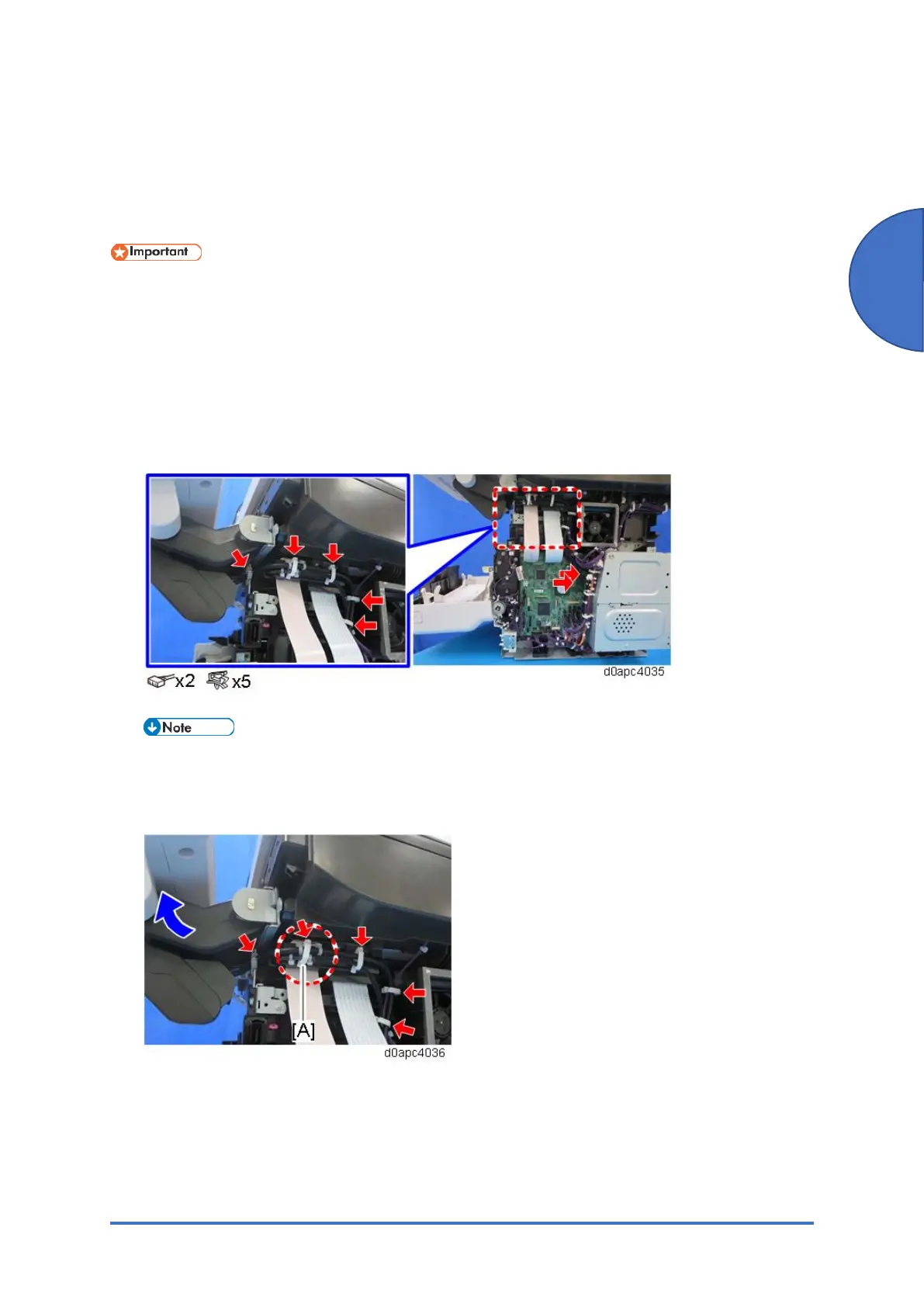
3. Disconnect the harnesses from the operation panel unit.
When reconnecting the harnesses, route the harnesses with the operation panel unit
horizontal and clamp the harnesses. The clamp [A] fixes between the bands of the
harnesses.



 To Next Page