Drive Units
D0AP/D0C4/D0C5/D0C6/M0BQ/M0D1 4-128 SM
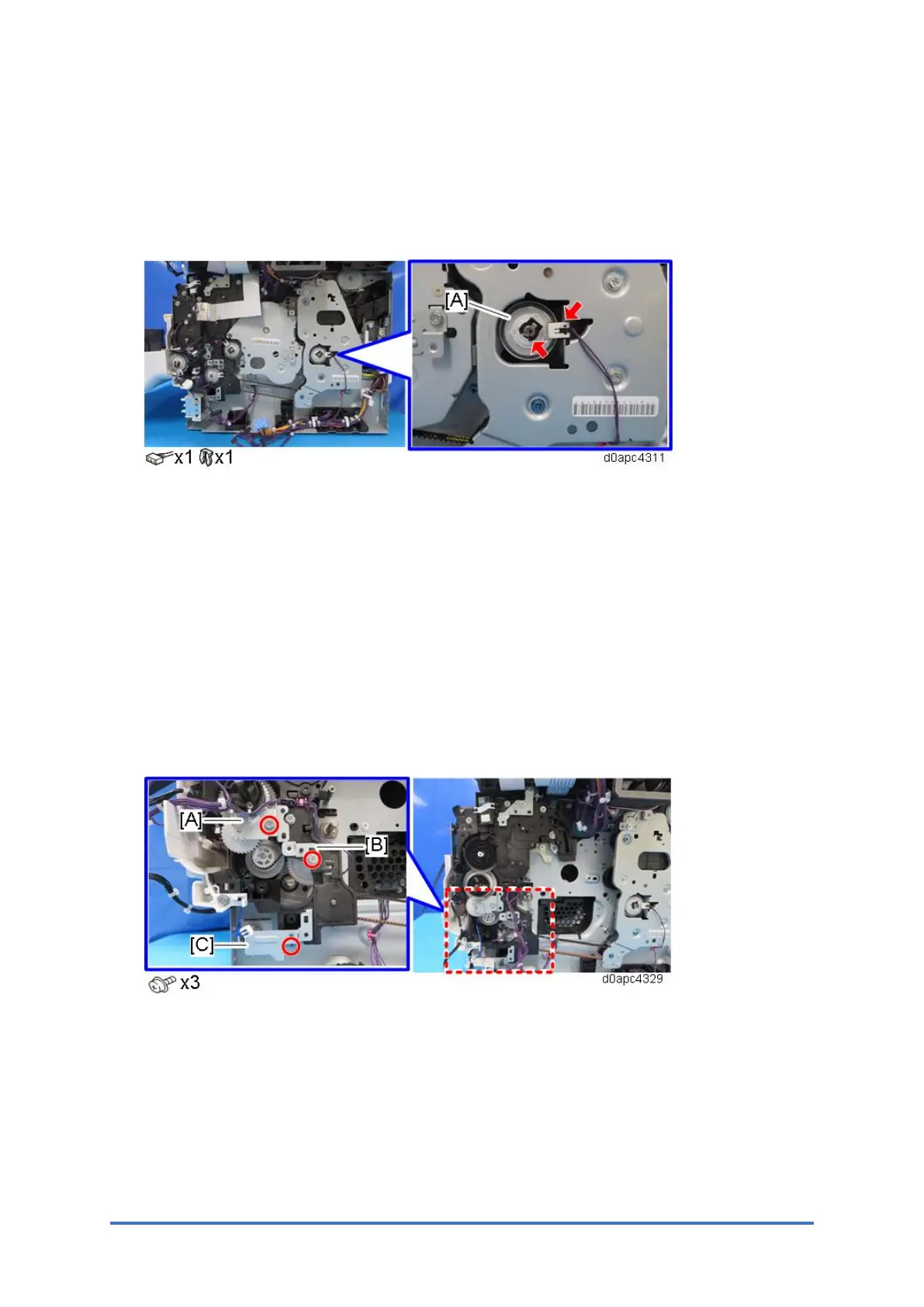
4.17.6 DUPLEX CLUTCH (CL1)
1. MF model: Remove the SCB with the bracket. (SCB with the Controller Box (MF Model))
Printer model: Remove the controller board. (Controller Board (Printer Model))
2. Remove the duplex clutch (CL1) [A].
4.17.7 RELAY CLUTCH (CL7)
1. Remove the toner supply clutch (CL2). (Toner Supply Clutch (CL2))
2. Remove the bypass feed clutch (CL4). (Bypass Feed Clutch (CL4))
3. Remove the bypass lift clutch (CL3). (Bypass Lift Clutch (CL3))
4. Remove the registration clutch (CL5). (Registration Clutch (CL5))
5. Remove the paper feed clutch (CL6). (Paper Feed Clutch (CL6))
6. Remove the drum motor unit. (Drum Motor (M3))
7. Remove the paper size switch (SW4). (Paper Size Switch (SW4))
8. Remove the brackets [A], [B], and [C].



 To Next Page