Exterior Covers (Printer Model)
SM 4-31 D0AP/D0C4/D0C5/D0C6/M0BQ/M0D1
&
4.5.4 OPERATION PANEL (PRINTER)
1. Remove the right cover. (Right Cover (Printer))
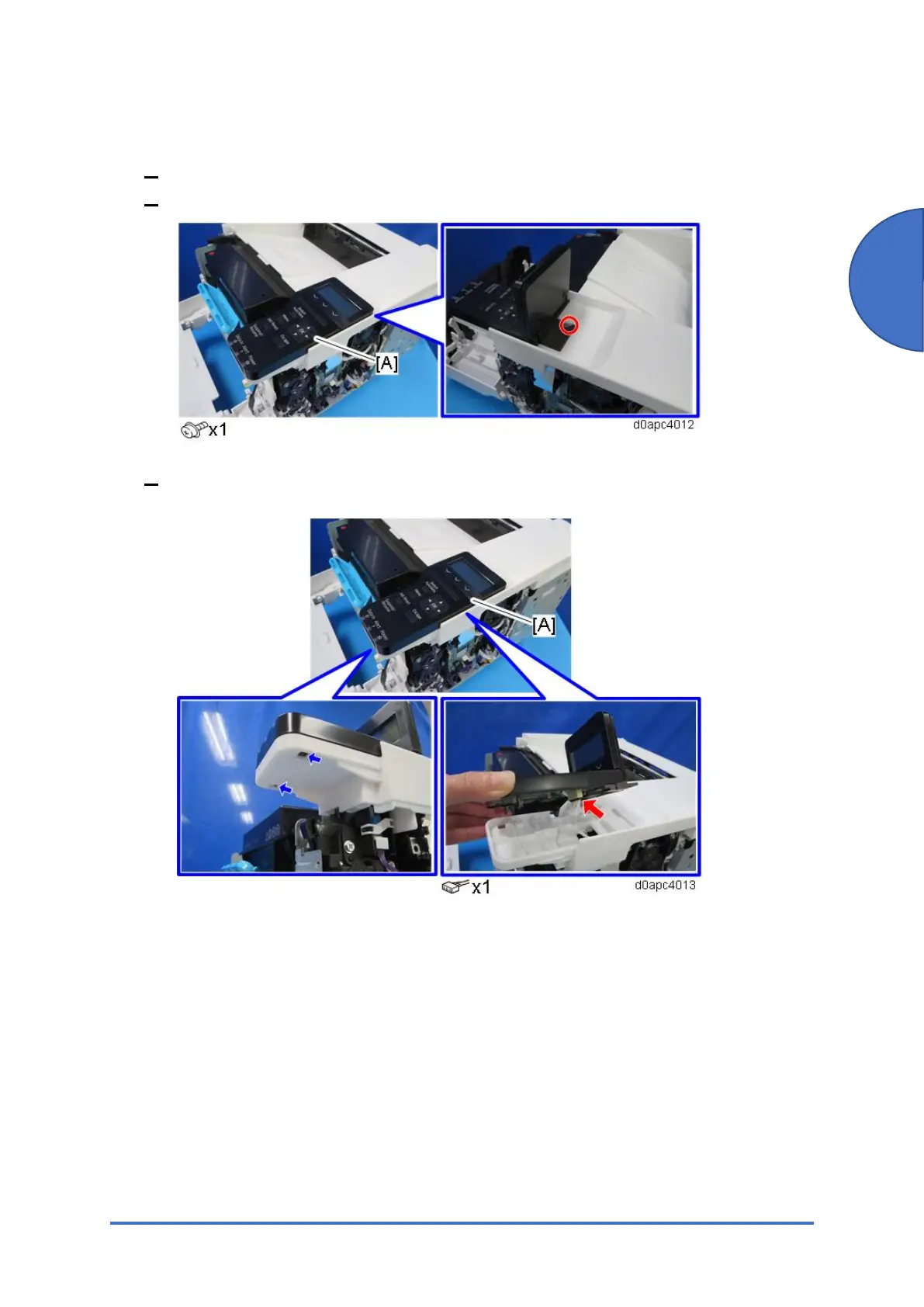
2. Lift up the display [A], and then remove the screw.
3. Release the two hooks to remove the operation panel [A], and then disconnect the
harness from the operation panel.


 To Next Page