Electrical Components
SM 4-149 D0AP/D0C4/D0C5/D0C6/M0BQ/M0D1
&
20. Enter the SP mode.
21. Print the system parameter list from SP6-101 in the Fax SP menu, and then check the list
to see whether the SRAM data has been transferred correctly.
22. Set the correct date and time from the [User Too l s].
User Too ls > Machine Features > System Settings > Timer Setting > Set Date/Time
If any of the SRAM data was not transferred, input those settings manually.
4.18.5 SPEAKER (FAX MODEL)
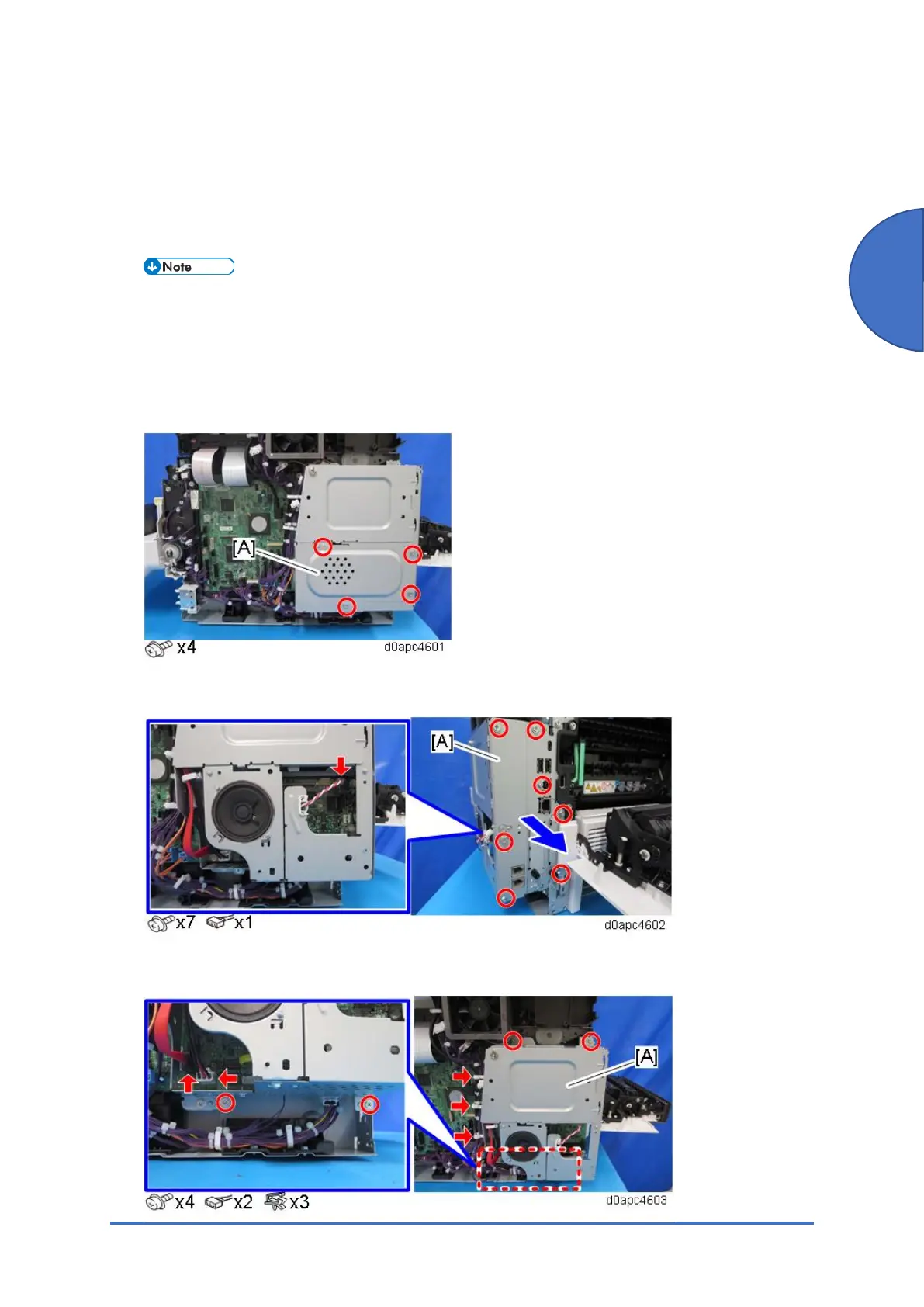
1. Remove the right cover. (Right Cover (MF))
2. Remove the controller box lower cover [A].
3. Disconnect the harness, and then pull out the interface cover [A] to remove it.
4. Remove the controller box [A].



 To Next Page