Electrical Components
D0AP/D0C4/D0C5/D0C6/M0BQ/M0D1 4-148 SM
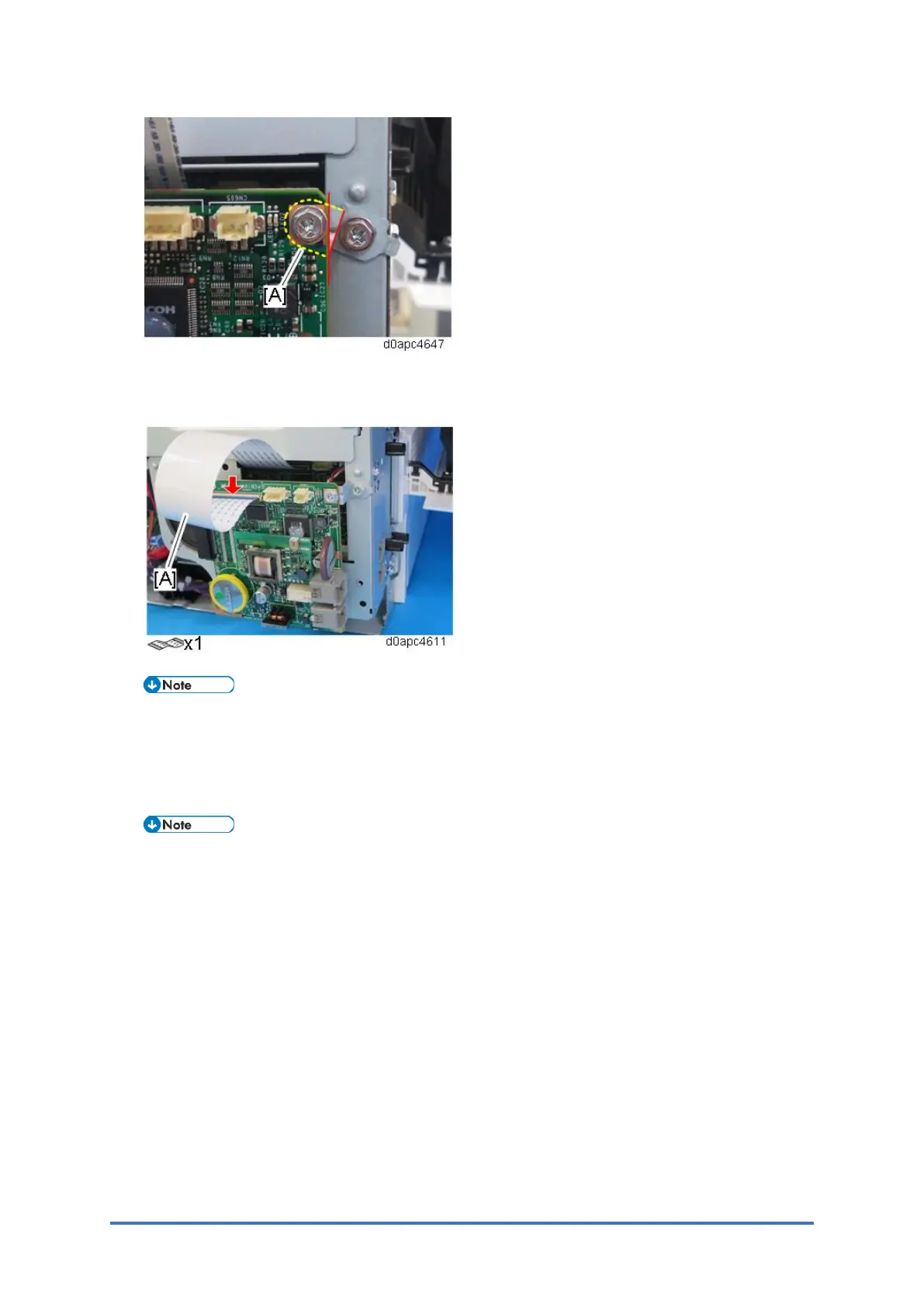
13. Connect the other end of the FFC [A] into the CN603 connector on the old FCU board.
Make sure that the blue tape of the flat cable faces outward.
The FFC connector has the lock lever [A], so tilt the lever to lock the FFC.
14. Turn the main power ON.
15. The SRAM data transfer begins. Once the transfer is completed, it will beep to indicate that
the process has been completed.
• The volume of the beeping is set to the same level as the speaker volume.
• If the speaker volume is set to off, the volume of the beeping is set to its initial
factory-set level.
• If the machine does not beep, turn the main power OFF and then ON, and attempt
data transfer again. Try several times if necessary.
• Be sure to check the transfer result after executing data transfer. If the transfer
has failed, you need to specify settings manually in the SP mode.
16. When "Ready" is displayed on the control panel, turn the power O F F, and remove the AC
power plug from the receptacle.
17. Disconnect the FFC from both FCU boards, and then remove the old FCU board with the
bracket.
18. Reattach the covers.
19. Turn the main power ON.



 To Next Page