Electrical Components
SM 4-147 D0AP/D0C4/D0C5/D0C6/M0BQ/M0D1
&
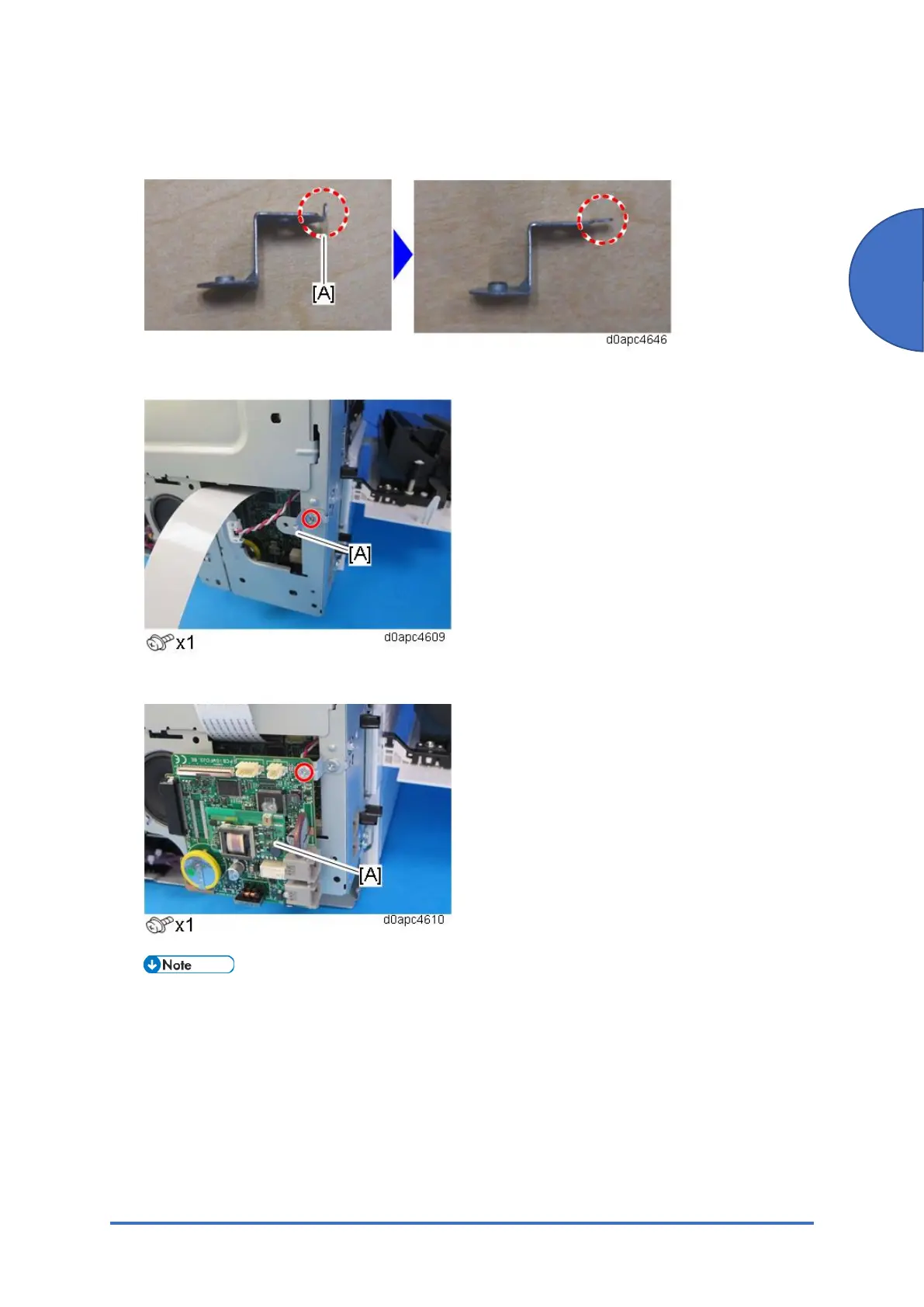
10. Use a pair of radio pliers to flatten the marked tab [A] against the bracket provided with the
new FCU board.
11. Attach the bracket [A] above to the controller box.
12. Attach the old FCU board [A] to the bracket temporarily.
Mount the PCB and bracket so both are horizontal.
If the contact surface of bracket [A] cuts into the base plate as shown below, this could
cause a short circuit between the element and the bracket and damage the PCB.


 To Next Page
 Loading...







