Electrical Components
D0AP/D0C4/D0C5/D0C6/M0BQ/M0D1 4-158 SM
4.18.9 PSU
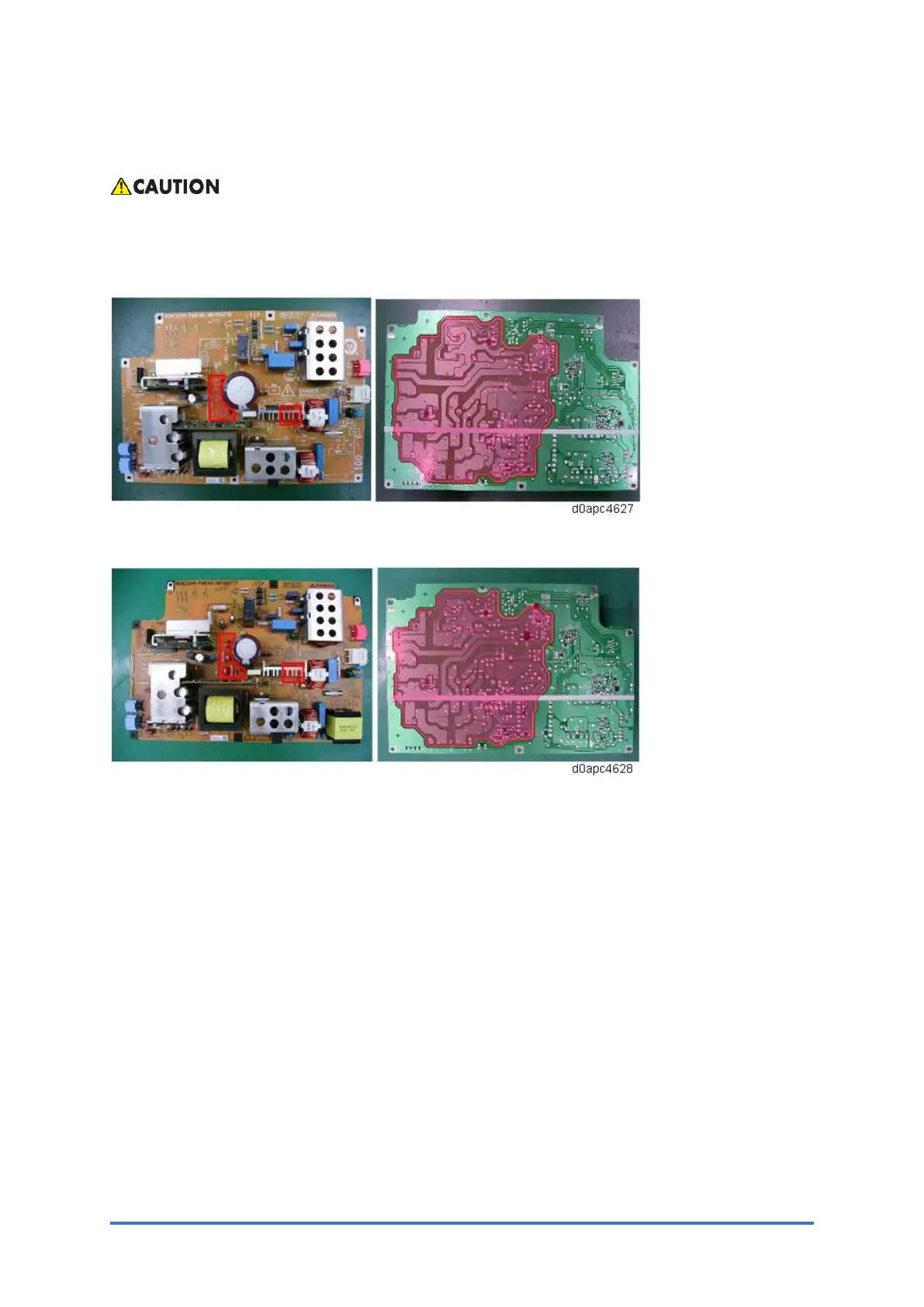
Do not touch the areas outlined in red in the following diagrams when replacing the PSU.
Residual charge on the board may cause electric shock.
100V models:
200V models:
1. Remove the rear lower cover. (Printer models: Rear Lower Cover (Printer), MF models:
Rear Lower Cover (MF))
2. For MF models, remove the SCB with the bracket. (SCB with the Controller Box (MF
Model))
For printer models, remove the controller board. (Controller Board (Printer Model))



 To Next Page