LED Optics
D0AP/D0C4/D0C5/D0C6/M0BQ/M0D1 4-80 SM
4.10 LED OPTICS
4.10.1 LED HEAD
1. Remove the PCDU. (PCDU)
2. Remove the upper cover. (Upper Cover (Printer), Upper Cover (MF))
3. MF model: Remove the SCB with bracket. (SCB with the Controller Box (MF Model))
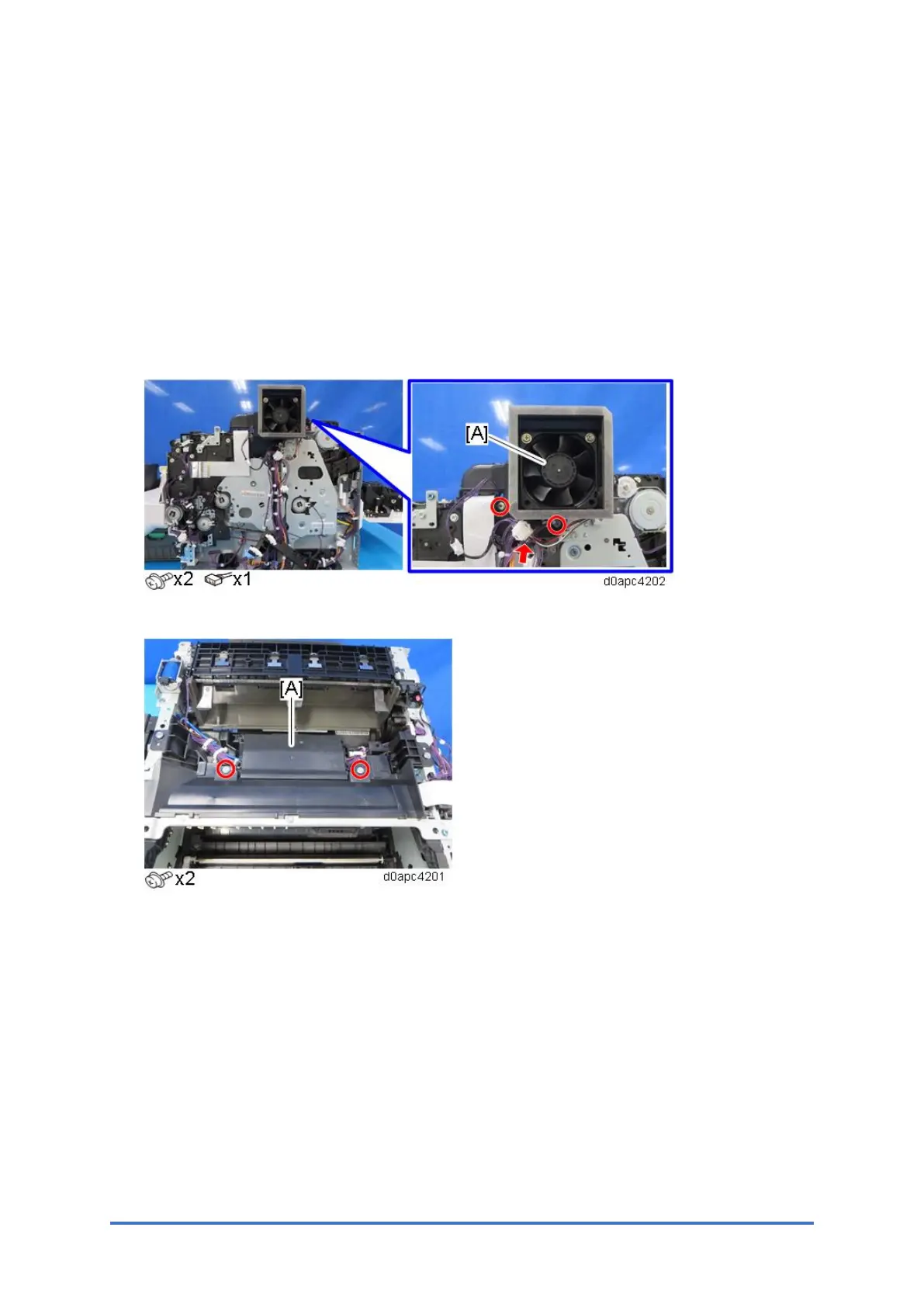
4. MF model: Remove the PCDU cooling fan (right) (FAN1) (right) with duct [A].
5. Remove the inner cover [A].
6. Push the LED unit [A] in.
Close the front door, or push the link on the left and right to push the LED unit in.



 To Next Page