Main Machine Installation (IM 350F/350/430F)
D0AP/D0C4/D0C5/D0C6/M0BQ/M0D1 2-16 SM
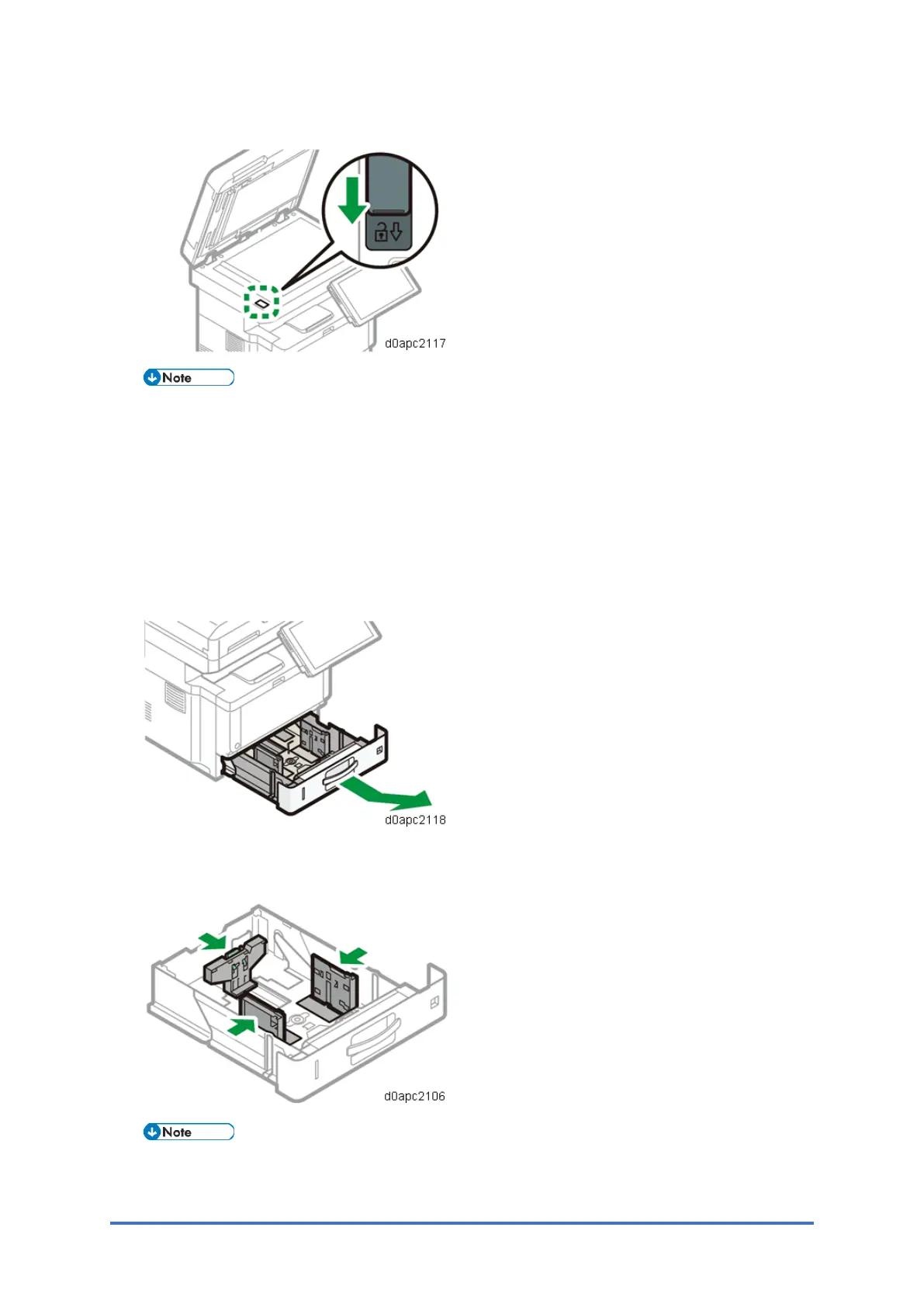
8. Slide the scanner carriage lock switch toward you.
SC120-00 is displayed when the machine is turned ON without scanner carriage unlock.
Loading Paper
1. Pull out the paper tray carefully until it stops. Lift the front side of the tray, and then pull it
out of the machine.
2. Pinch the lever of the back fence and align it with the paper size. Next, pinch the lever of
the right fence and align the right and left fences with the paper size.
Before setting the paper, set the side fences. Otherwise skew may occur.
3. Load the paper print side down.



 To Next Page