Fax Unit Options
SM 5 D0C5/D0C6/D0C4/D0AP FAX UNIT
(D0C5/D0C6
/D0C4/D0AP)
Order of Fax Connection Unit installation procedure:
1. Install the Fax Connection Unit in the Remote Machine (fax unit installed).
2. Install the Fax Connection Unit in the Client-side Machine (no fax unit installed).
3. Register the Client-side Machine in the Remote Machine.
• Do not register the Remote Machine before the Client-side Machine is registered
in the Remote Machine. Otherwise, registering the Remote Machine fails.
4. Register the Remote Machine in the Client-side Machine.
Installing the Fax Connection Unit in the Client-side and Remote Machines
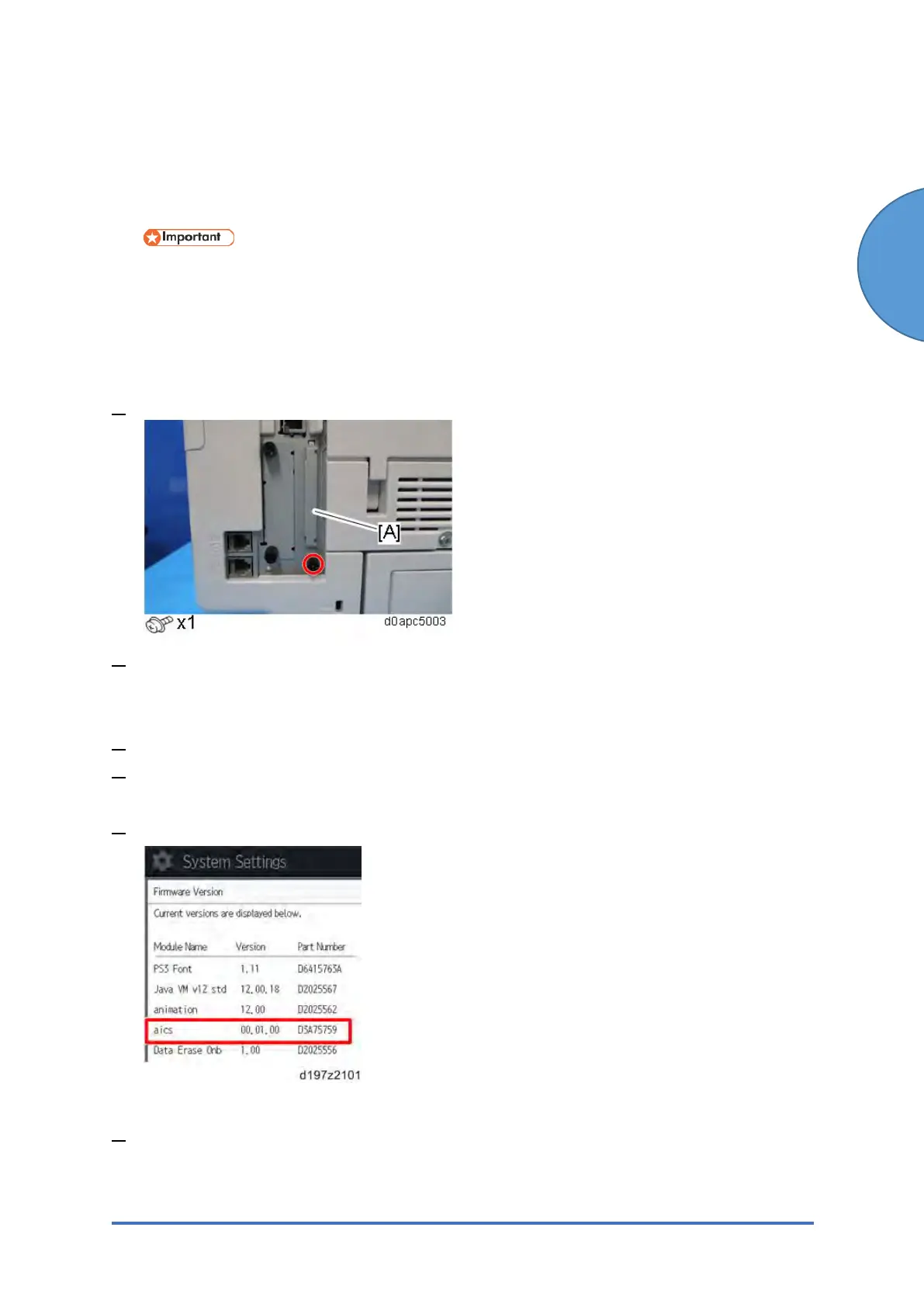
1. Remove the SD card slot cover [A] from the SD card slots.
2. Insert the SD card (Fax Connection Unit Type M34) in SD slot 1 (upper) with its label face
towards the front of the machine if SD slot 1 is vacant. If slot 1 is not vacant, follow “Moving
a Fax Communication application into an SD card in SD slot 1” described below.
3. Plug in, and then turn ON the main power.
4. Press [Firmware Version] in the [Administrator Tools].
[User Tool s] > [Machine Features] > [System Settings] > [Administrator Tools]
5. Check whether the aics version is displayed.
Moving a Fax Communication application into an SD card in SD slot 1
1. Insert the SD card (Fax Connection Unit Type M34) SD slot 2 (lower) with its label face
towards the front of the machine. Then push it slowly into SD slot 2 (lower) until you hear a
click.


 To Next Page