SD Card Appli Move
SM 2-105 D0AP/D0C4/D0C5/D0C6/M0BQ/M0D1
2.21.3 MOVE EXEC
"Move Exec" (SP5-873-001) lets you move application programs from the original SD card to
another SD card.
• Do not turn ON the write protect switch of the system SD card or application SD card
on the machine. If the write protect switch is ON, a download error (e.g. Error Code 44)
will occur during a firmware upgrade or application merge.
1. Turn the power O F F.
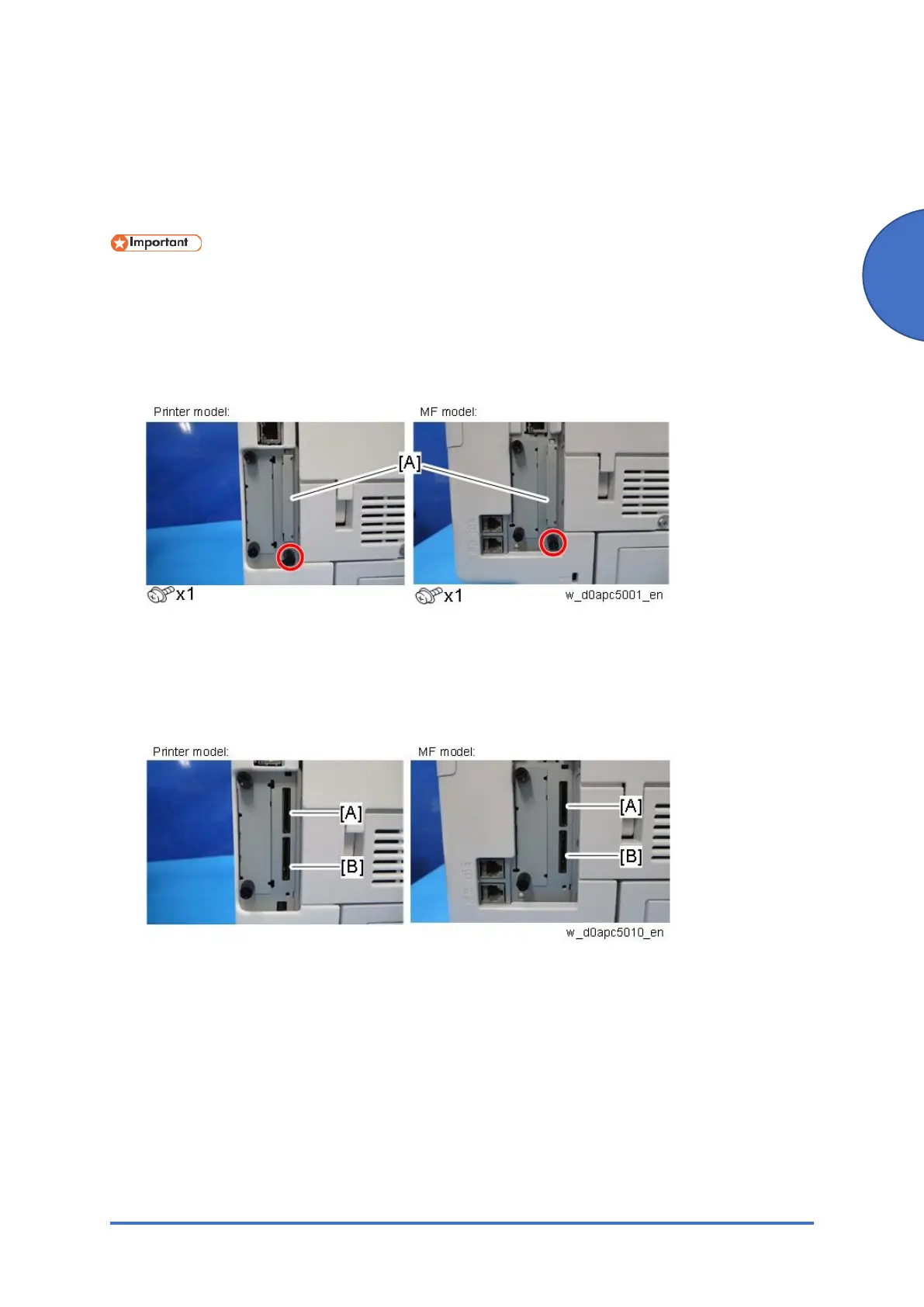
2. Remove the SD card slot cover [A].
3. Make sure that a target SD card is in SD Card Slot 1 [A] (Upper). The application program
is moved to this SD card.
4. Insert the source SD card with the application program into SD Card Slot 2 [B] (Lower).
The application program is copied from this source SD card.
5. Turn the power ON.
6. Enter the SP mode.
7. Select SP5-873-001 (SD Card Appli Move: Move Exec).
8. Follow the messages shown on the operation panel.
9. Turn the power O F F.
10. Remove the source SD card from SD Card Slot 2.
11. Attach the SD card slot cover.
12. Turn the power ON.
13. Check that the application programs run normally.



 To Next Page