Electrical Components
D0AP/D0C4/D0C5/D0C6/M0BQ/M0D1 4-156 SM
15. Remove the SD card from SD Card Slot 2 (lower slot).
16. Turn the main power ON.
17. Check the factory settings sheet from Step 1 and the SMC data printout from Step 2, and
set the user tool and SP settings so they are the same as before.
4.18.8 BCU WITH THE BRACKET (PRINTER MODEL)
1. Remove the controller board. (Controller Board (Printer Model))
2. Remove the upper cover. (Upper Cover (Printer))
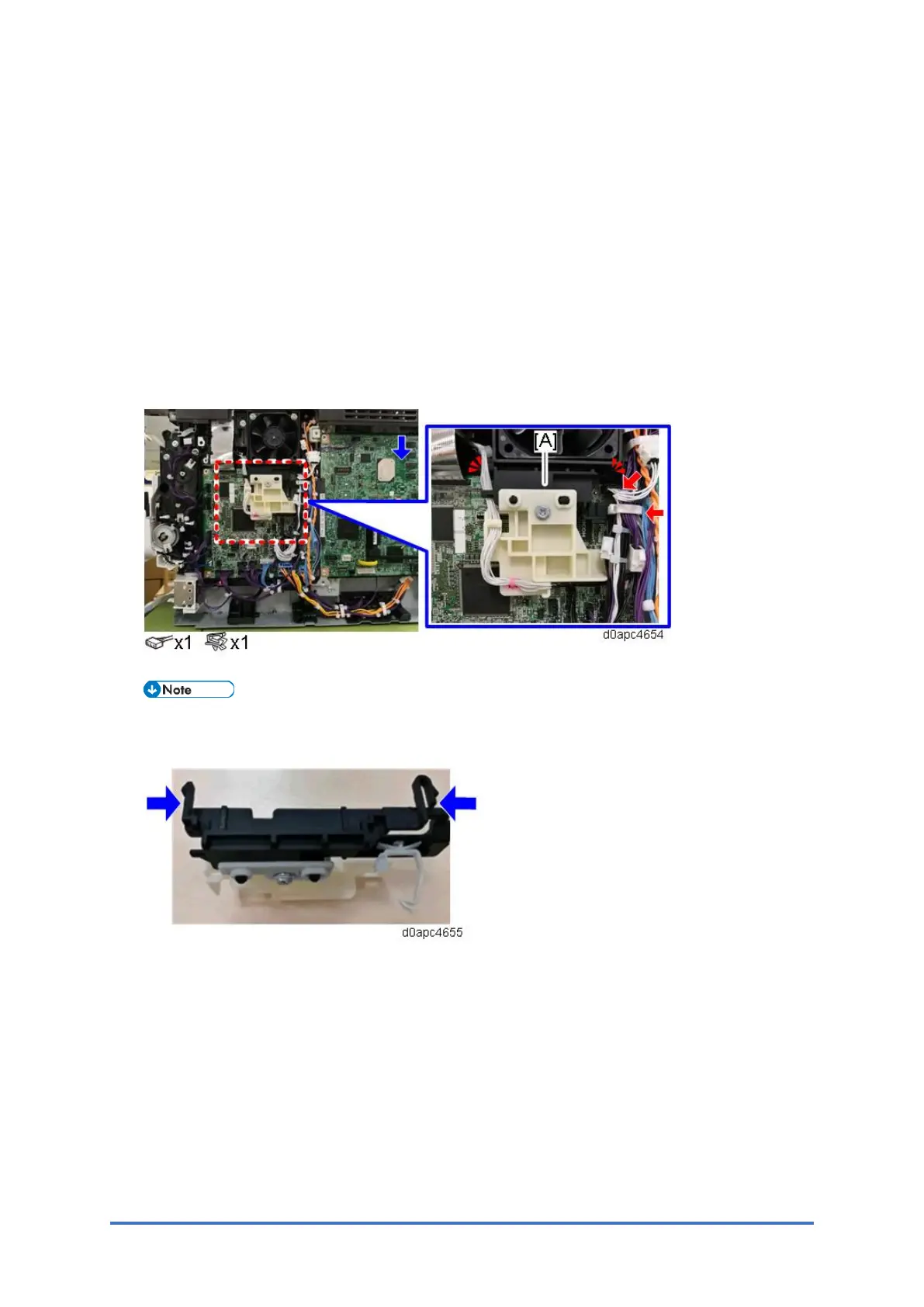
3. Release the two hooks to remove the harness guide [A].
Remove the harness guide tab from the right side. Check the position of the harness guide
tab in the photo below.



 To Next Page