Paper Feed
SM 4-117 D0AP/D0C4/D0C5/D0C6/M0BQ/M0D1
&
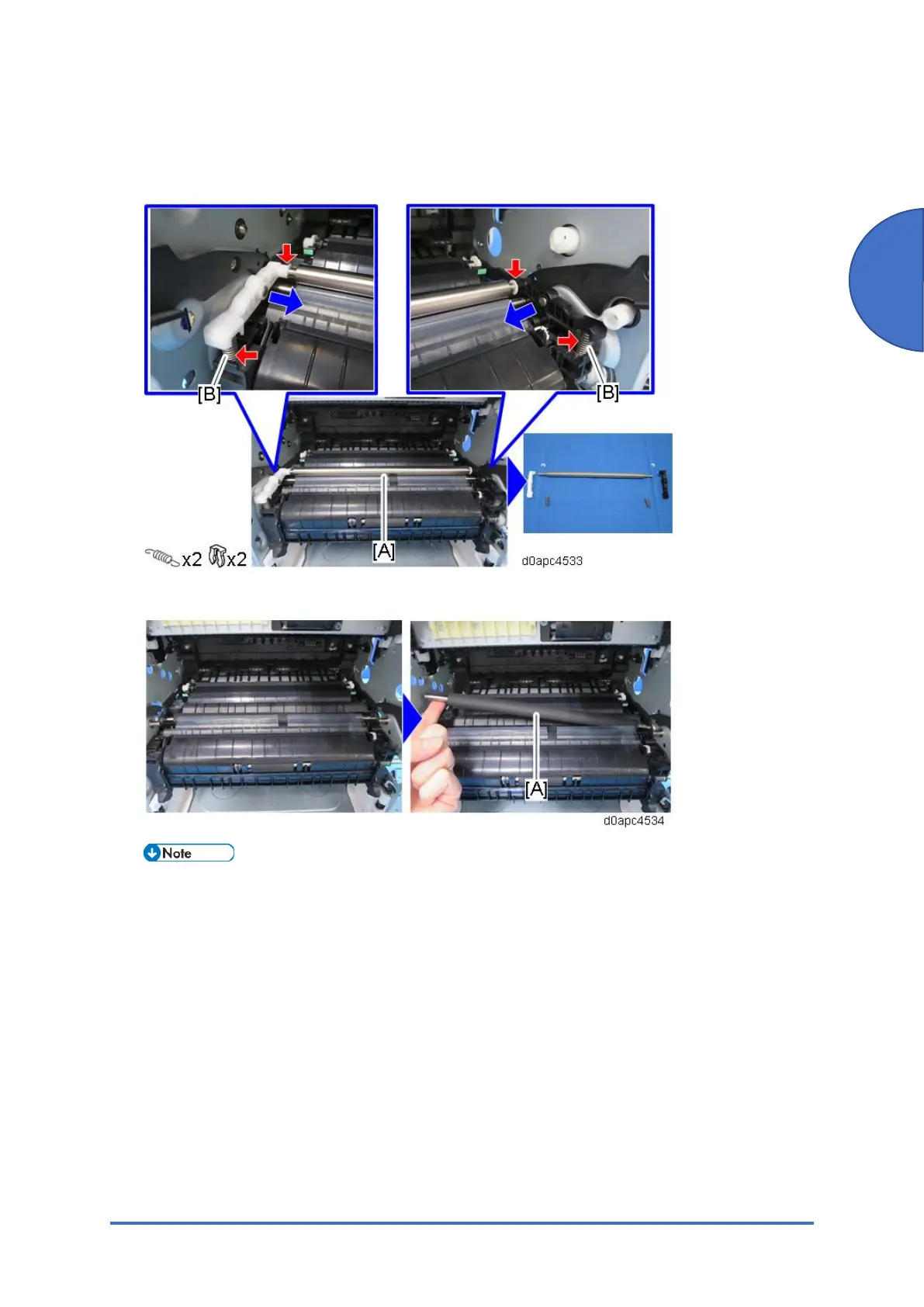
7. Remove the springs [B] of the holders for registration driven roller [A] on both sides, and
then slide the holder (left end white, right end black) to remove the registration driven roller
with the holders.
8. Remove the registration drive roller [A].
When attaching/removing the registration drive roller, be careful not to damage it with the
edge of the cover sheet.



 To Next Page