RemoteConnect Support Settings (MF Model Only)
SM 2-153 D0AP/D0C4/D0C5/D0C6/M0BQ/M0D1
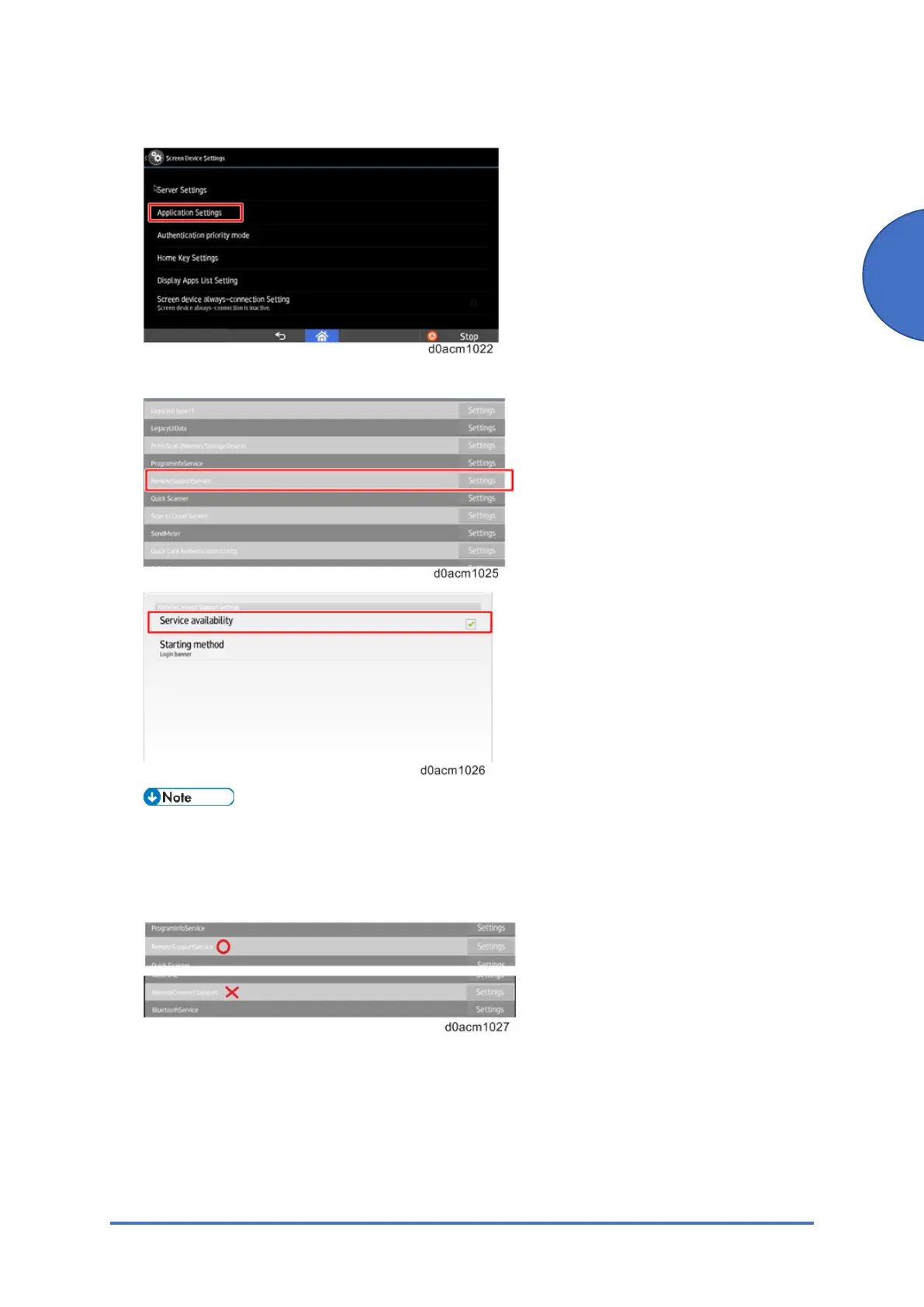
3. Select "Application Settings".
4. Select "Settings" in "RemoteSupportService" and check "Service availability".
The setting is located in RemoteSupportService. However, the name of settings menu is
RemoteConnect Support settings,
You can find “RemoteConnectSupport” in the applications list, however, it does not have
any settings, be sure to open the settings of “RemoteSupportService”.
5. Return the Home screen.
6. Confirm if a connection can be established.
To confirm if RemoteConnect Support is working properly, open the application from
"Check Status" menu or by pressing down on the status bar on the Smart Operation Panel
for over five seconds and RemoteConnect Support will open.



 To Next Page