RemoteConnect Support Settings (MF Model Only)
D0AP/D0C4/D0C5/D0C6/M0BQ/M0D1 2-154 SM
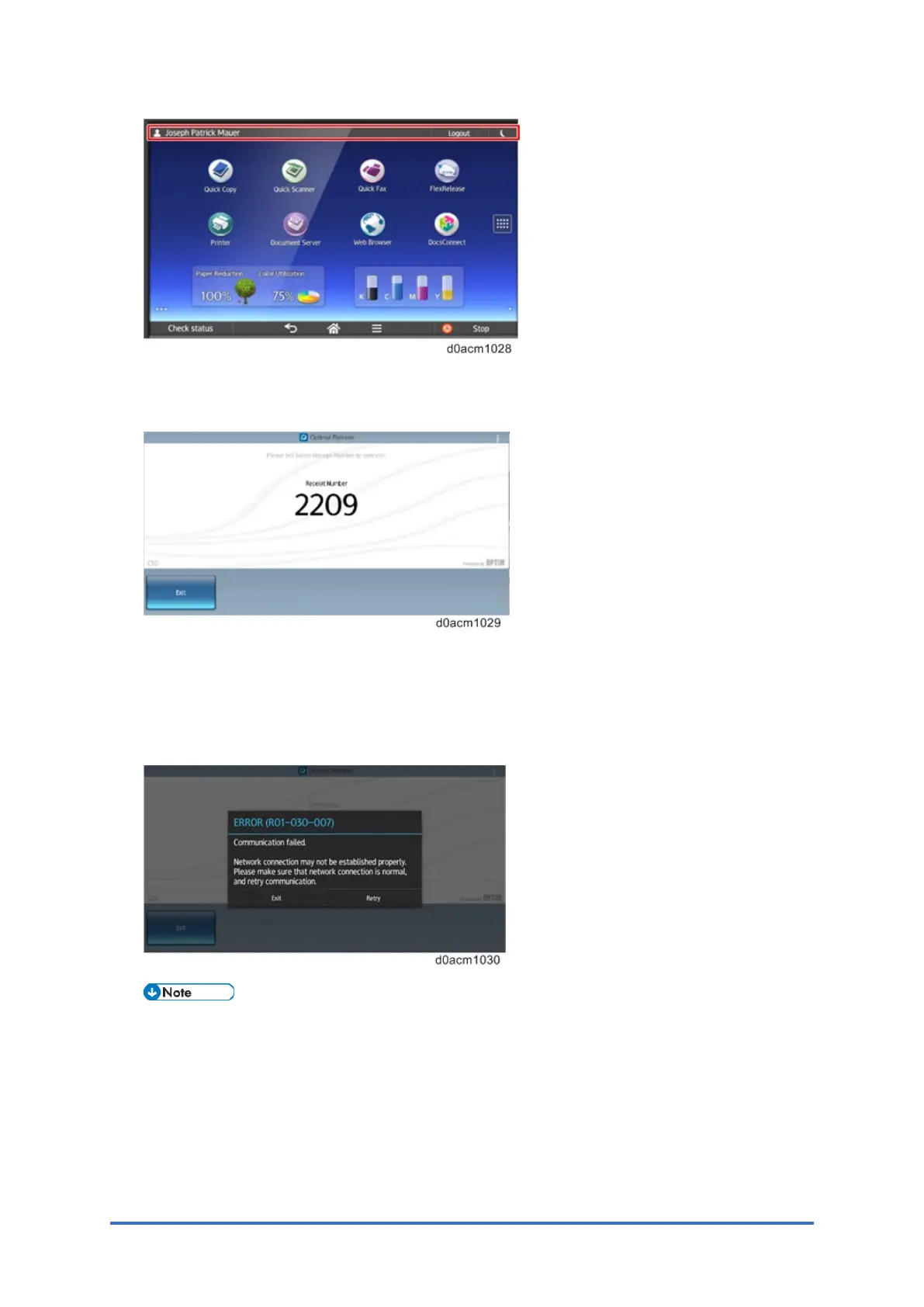
7. If setup was done correctly, four digits will be displayed on the panel. Press the Exit key.
If the setup was not done correctly, the four digits will not be displayed.
RemoteConnect Service needs an Internet connection, so the following error message
might appear after long-pressing the status bar if an Internet connection is not detected. To
check the connection, open the web browser in Smart Operation Panel and navigate to a
webpage to confirm that the machine is connected to the Internet.
If a webpage cannot be connected to via the web browser, check the general network
configuration settings, such as the IP address and proxy settings.



 To Next Page