PCDU
SM 4-87 D0AP/D0C4/D0C5/D0C6/M0BQ/M0D1
&
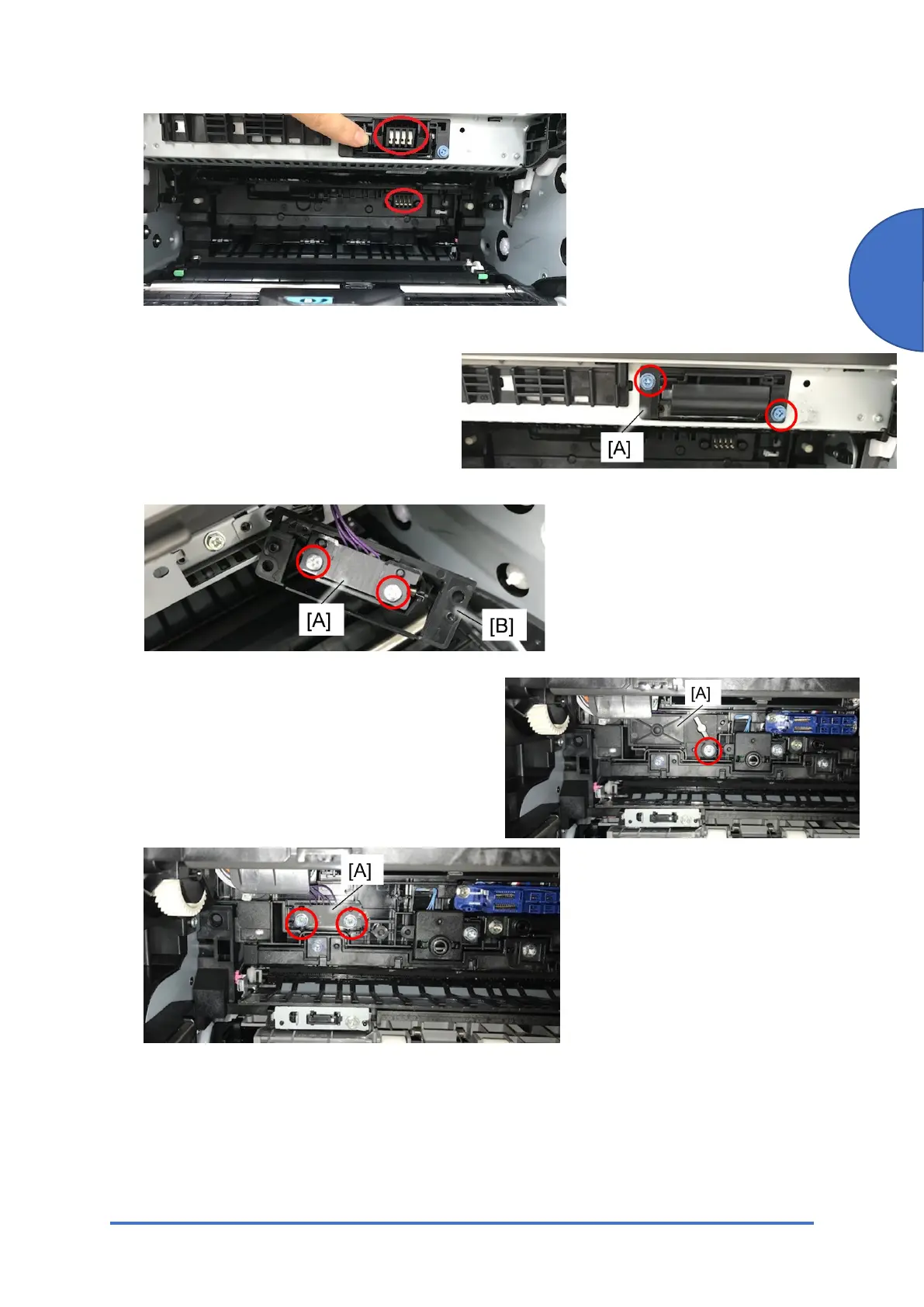
Toner ID Chip Connector Removal
1. Open the front cover and remove the toner
cartridge.
2. Remove the ID chip connector holder [A].
3. Separate the ID chip connector [A] from the holder [B].
PCDU ID Chip Connector Removal
1. Open the rear cover and remove the fusing unit.
2. Remove the cover [A].
3. Remove the ID chip connector [A].
ev. 03/22/2020



 To Next Page