Enhanced Security HDD Option Type M10 (D792-09)
D0AP/D0C4/D0C5/D0C6/M0BQ/M0D1 2-78 SM
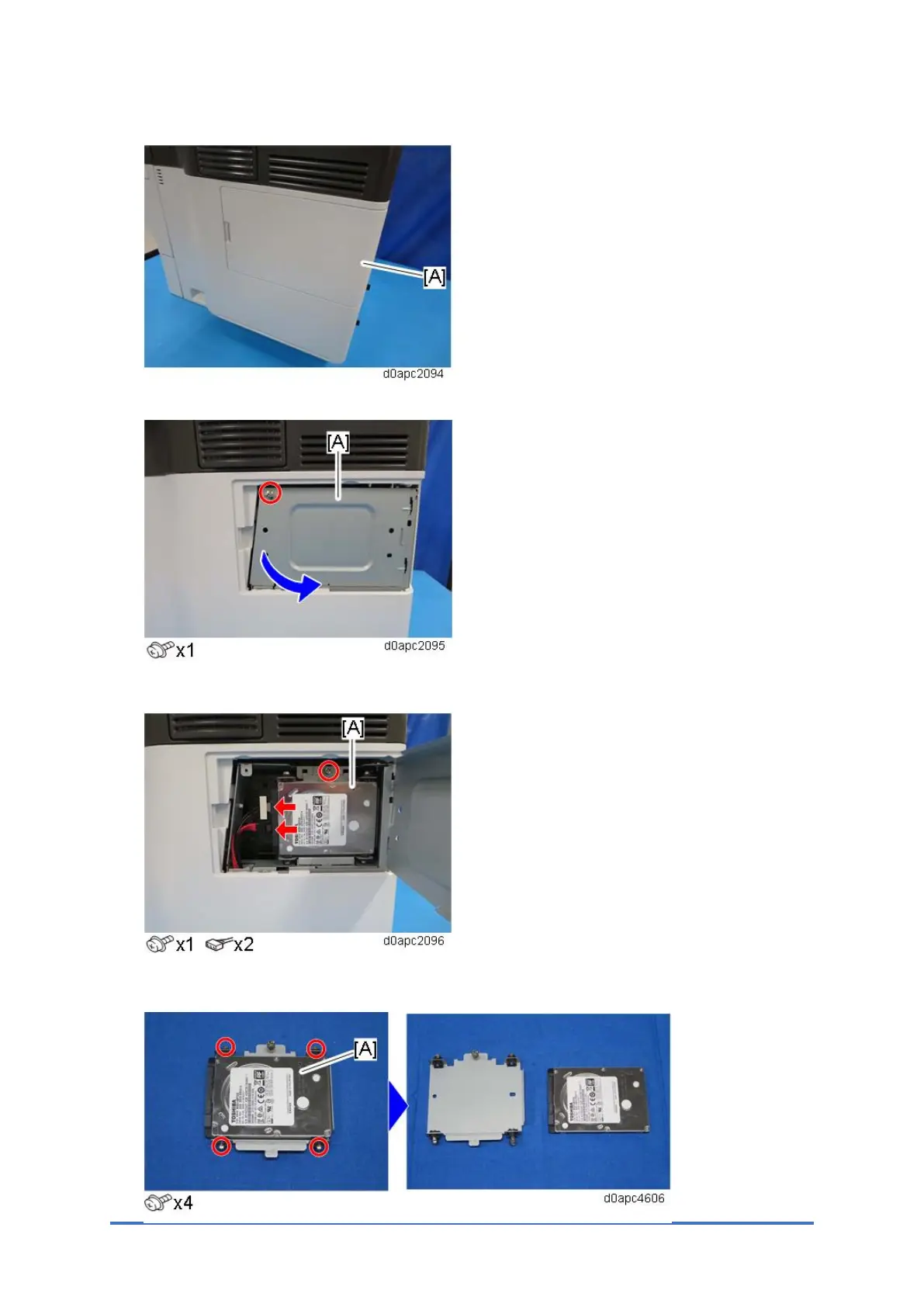
1. Remove the HDD cover [A].
2. Remove the screw, and open the HDD inner cover [A].
3. Remove the standard HDD [A] installed on the machine.
4. Separate the standard HDD [A] from the bracket.



 To Next Page