USB Device Server Option Type M19A (D3BC-33, -34)
SM 2-97 D0AP/D0C4/D0C5/D0C6/M0BQ/M0D1
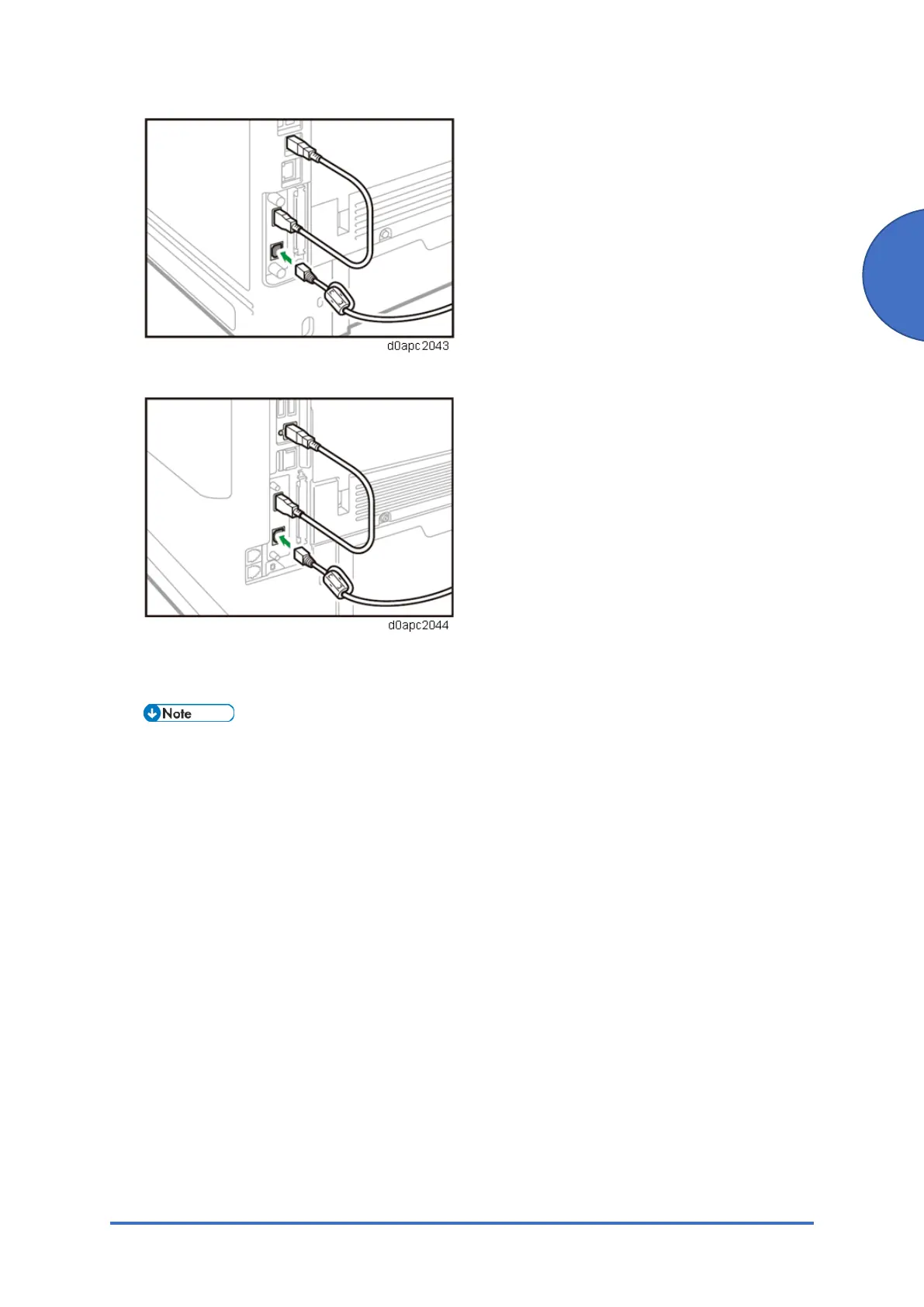
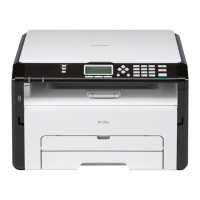
MF model:
9. Insert the other end of the Ethernet cable to a PC for network settings.
10. Plug in the power cord, and then turn on the machine.
• Do not unplug the USB cable while the machine is trying to identify the USB
Device Server Option. If unplugged, connect the cable again.
• It may take between 30 seconds to 1 minute to finish identification (the LEDs on
the Ethernet port of the option light up when identification is completed).
11. To ensure that the machine recognizes the USB Device Server Option correctly, perform
one of the following:
• Access the option’s IP address from a web browser.
• Ping the option’s IP address from a command prompt on a Windows PC in the same
network as the main machine.
If the IP address cannot be found (DHCP server), use the MAC address. This is the
number printed on the seal attached to the printed circuit board for the USB Device
Server Option.


 To Next Page