Security Settings
SM 2-129 D0AP/D0C4/D0C5/D0C6/M0BQ/M0D1
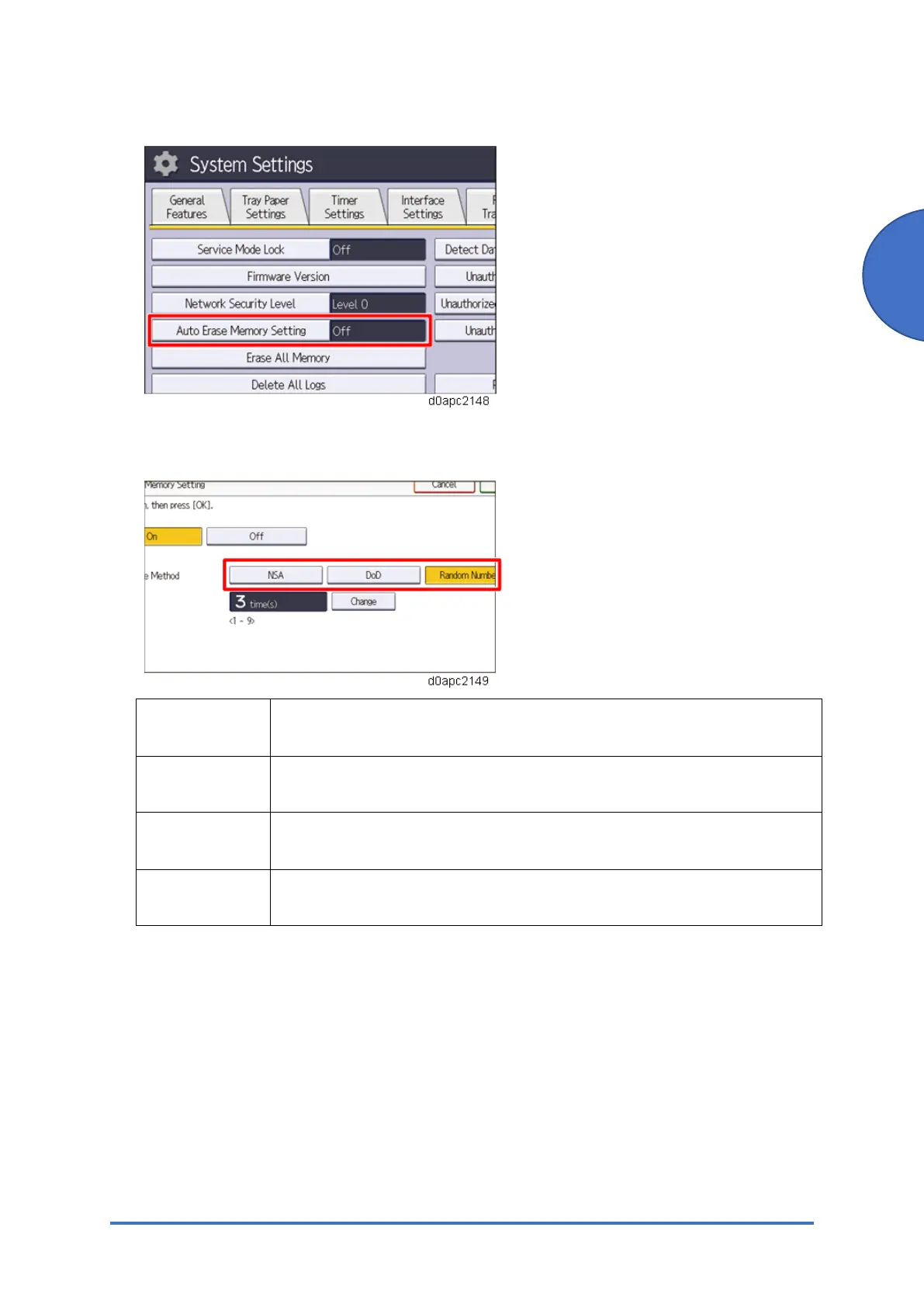
7. Press [Auto Erase Memory Setting].
8. Press [On].
9. Select the method of overwriting.
Method of
overwriting
Description
NSA Temporary data is overwritten twice with random numbers and once with
zeros.
DoD Each item of data is overwritten by a random number, then by its
complement, then by another random number, and is then verified.
Random
Numbers
Temporary data is overwritten multiple times with random numbers. The
number of overwrites can be selected from 1 to 9. (Default: 3)
If you select [NSA] or [DoD], proceed to step 12.
If you select [Random Numbers], proceed to step 10.
10. Press [Change].
11. Enter the number of times that you want to overwrite using the number keys, and then
press [#].
12. Press [OK]. Auto Erase Memory is set.
13. Log out.
14. Check the display and make sure that the overwrite erase icon appears.
15. Check the overwrite erase icon.
The icon [1] is lit when there is temporary data to be overwritten and blinks during



 To Next Page