Remote Panel Operation Settings (MF Model Only)
D0AP/D0C4/D0C5/D0C6/M0BQ/M0D1 2-158 SM
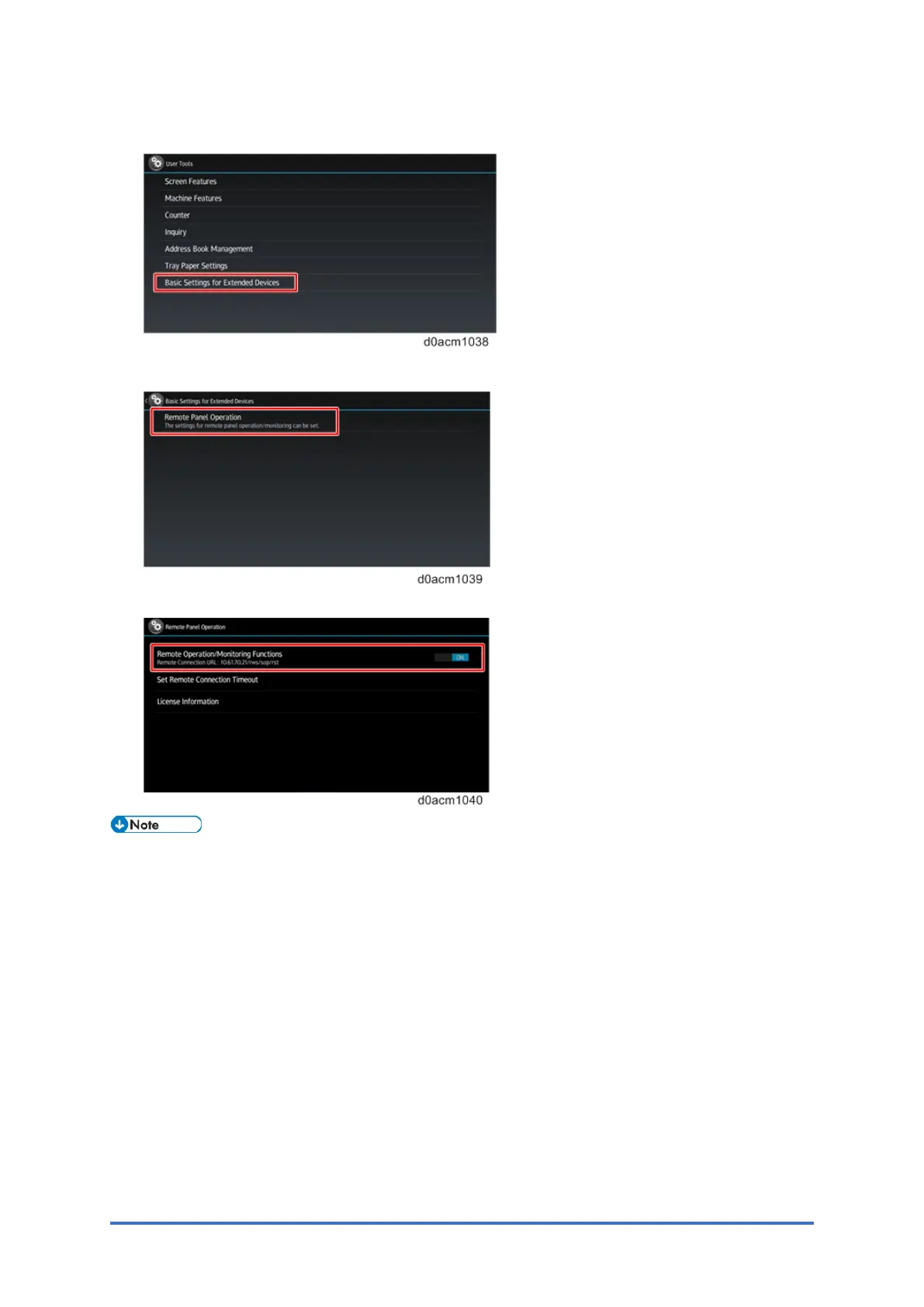
3. Press "Basic Settings for Extended Devices".
4. Press "Remote Panel Operation".
5. Enable “Remote Operation/Monitoring Functions”.
• “Remote Operation/Monitoring” Functions is disabled by default. When it is disabled,
Remote Panel Operation is not displayed in the Web Image Monitor.


 To Next Page