Drive Units
SM 4-123 D0AP/D0C4/D0C5/D0C6/M0BQ/M0D1
&
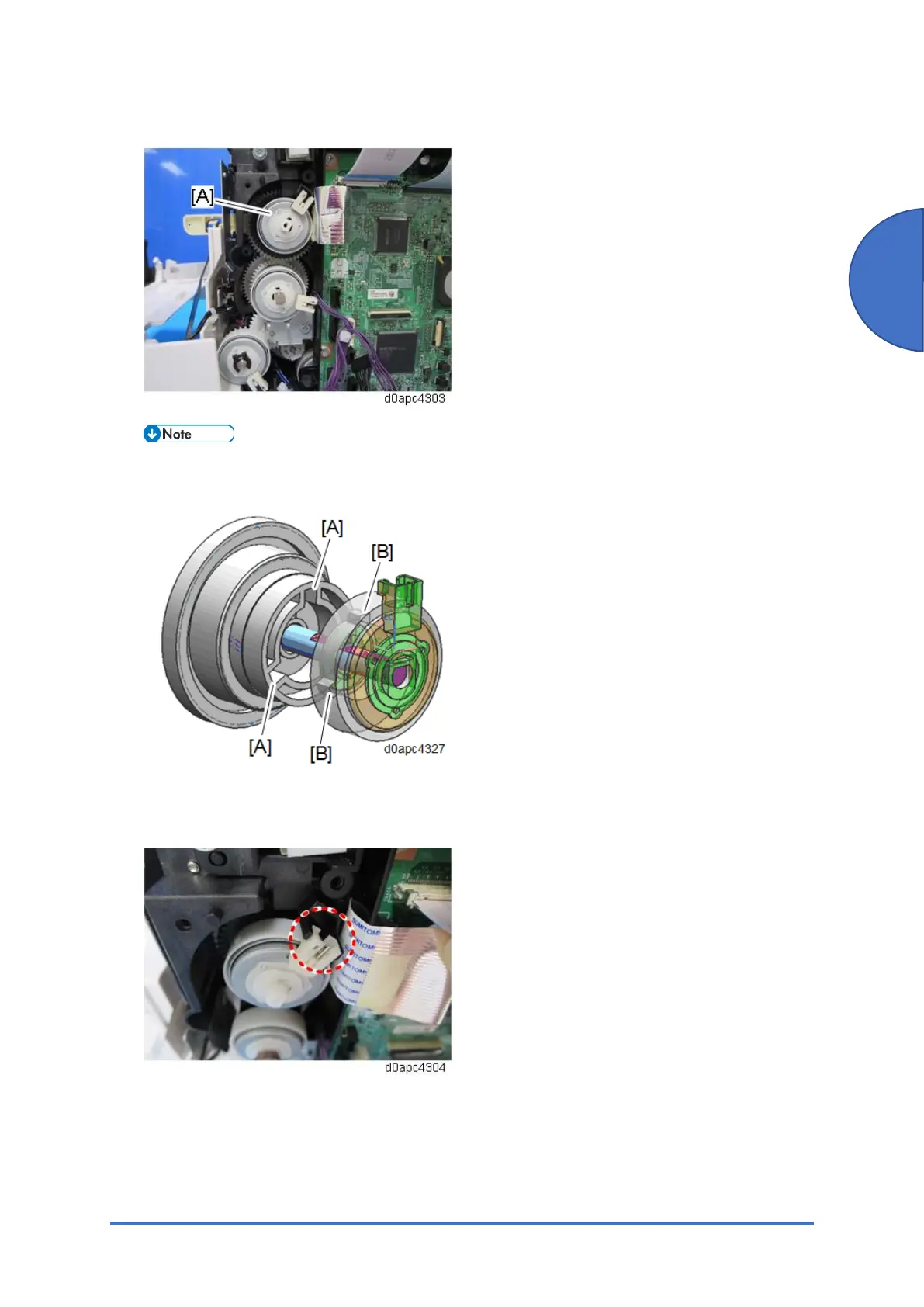
3. Remove the toner supply clutch (CL2) [A].
When you install the toner supply clutch (CL2), match the gear notches [A] (x3) with the
cogs [B] (x3). Also, the gear shaft is "D" cut so match it with the "D" cut hole of the clutch.
When attaching the toner supply clutch (CL2), make sure that the clutch connector is set
over the holder.



 To Next Page