Drive Units
D0AP/D0C4/D0C5/D0C6/M0BQ/M0D1 4-132 SM
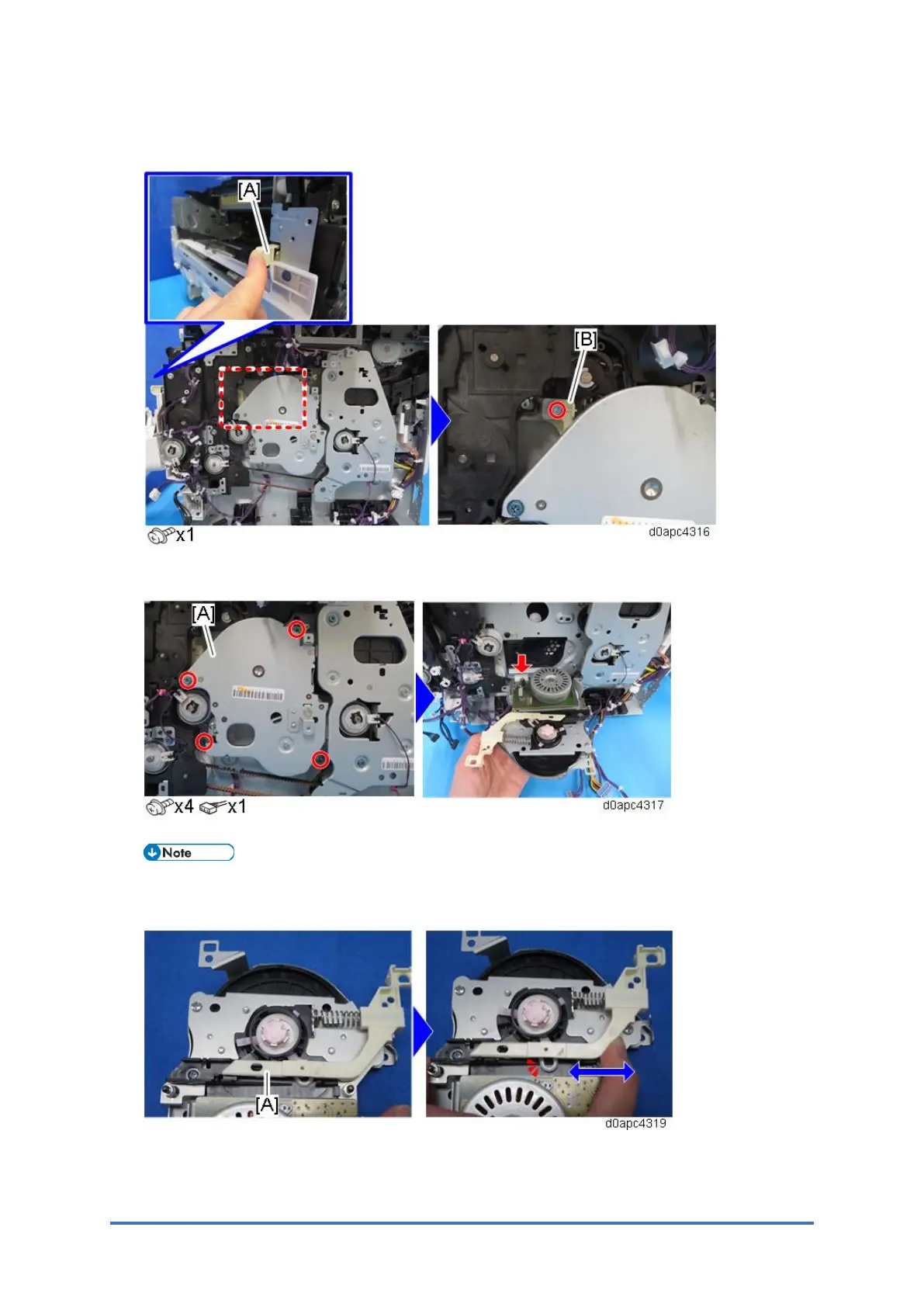
4. Close the front cover or push in the joint lever [A], then remove the screw at the joint lever
junction [B] that came out.
5. Remove the drum motor (M3) unit [A].
When you re-install the drum motor (M3) unit, confirm that the joint lever [A] is set correctly
in the drive link ring of the drum as shown below.



 To Next Page