Electrical Components
SM 4-145 D0AP/D0C4/D0C5/D0C6/M0BQ/M0D1
&
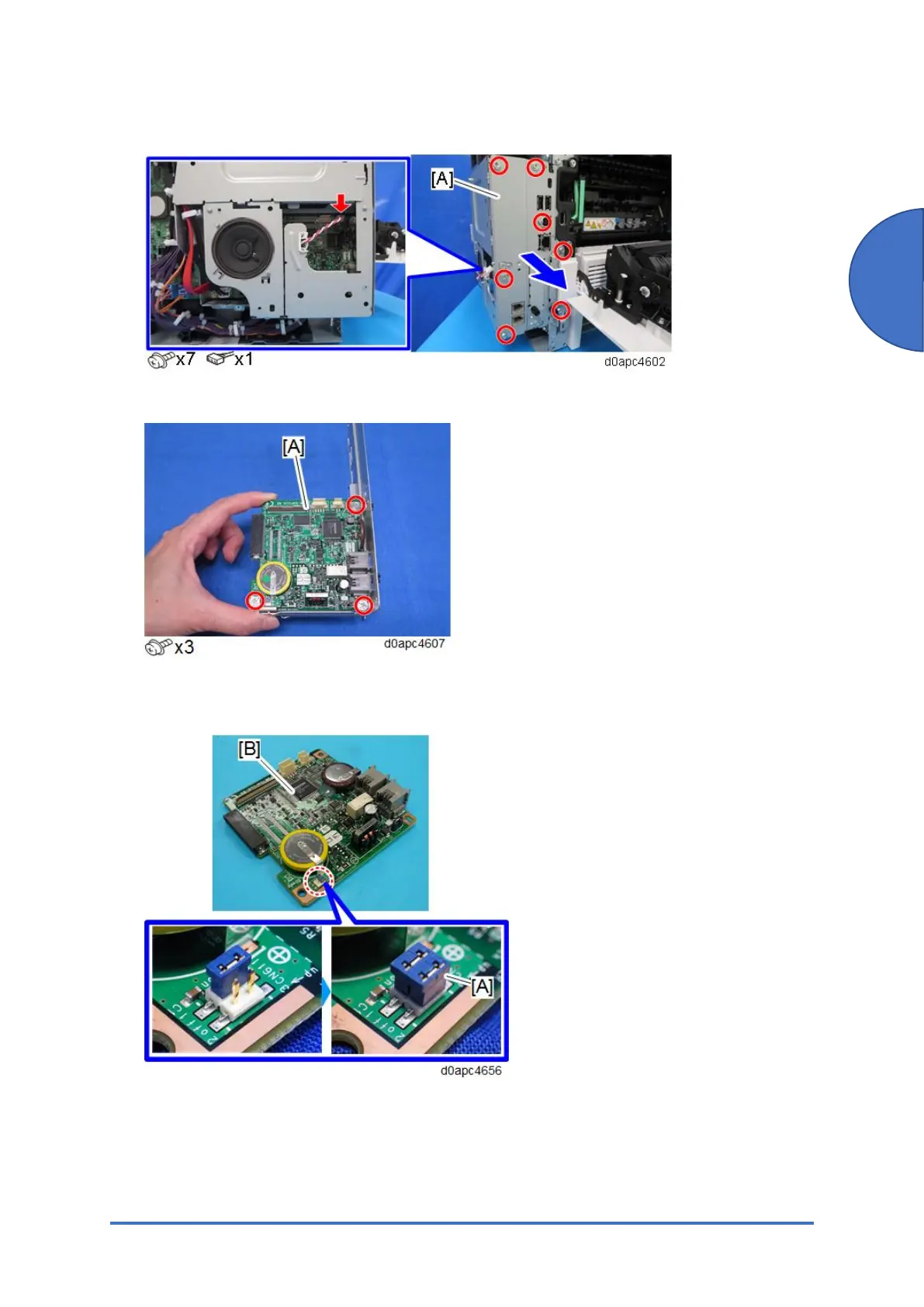
3. Disconnect the harness, and then pull out the interface cover [A] to remove it.
4. Remove the FCU [A].
5. Attach the jumper [A] on the removed FCU board [B]. The jumper comes with the new FCU
board.
6. Change the position of the battery jumper [A] on the new FCU board [B].
If the battery jumper is not in the correct position, SC820 will occur.


 To Next Page
 Loading...







