Electrical Components
SM 4-151 D0AP/D0C4/D0C5/D0C6/M0BQ/M0D1
&
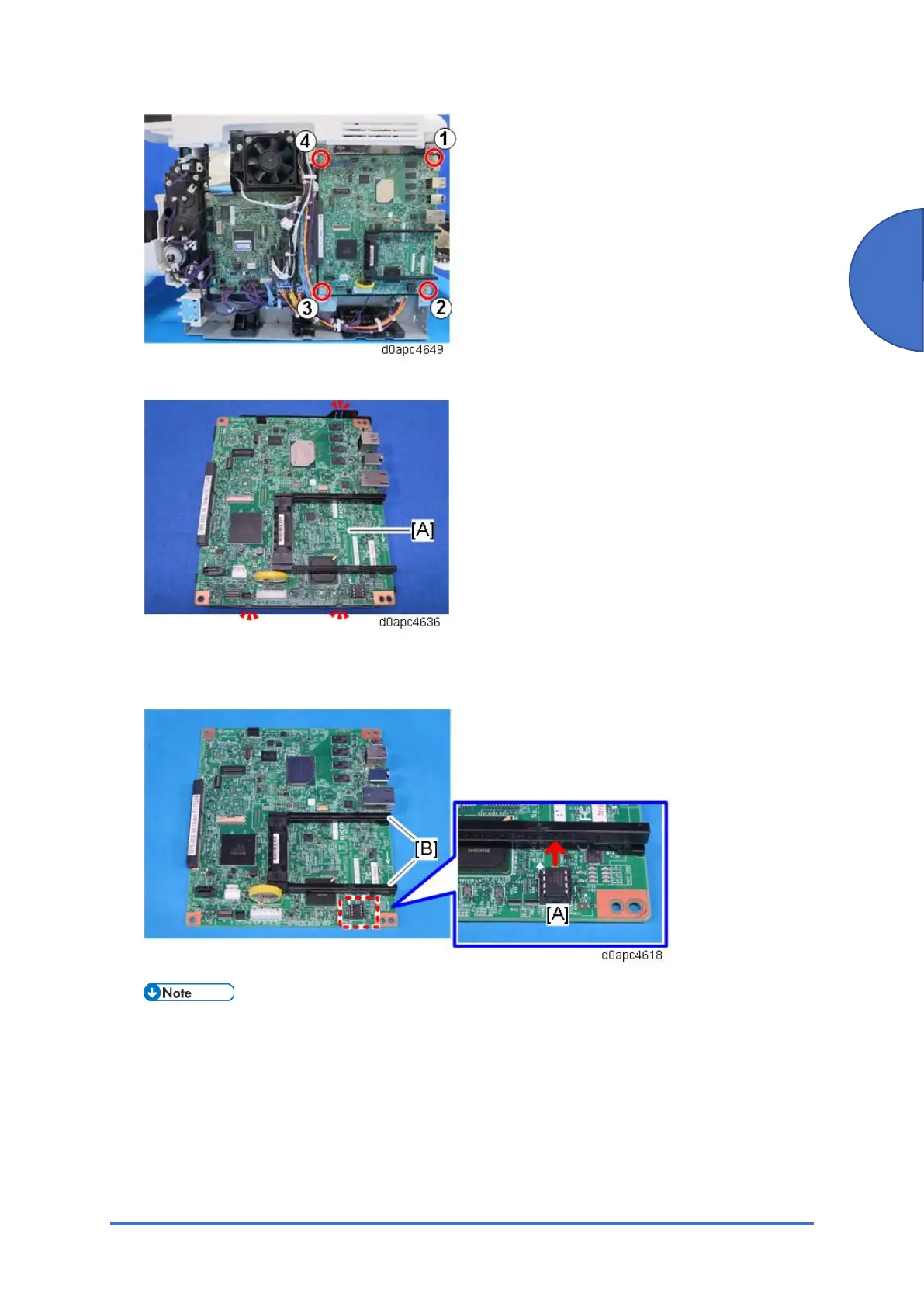
4. Release the three hooks, and then remove the controller board [A].
5. Remove the NVRAM [A] and the two guide rails [B] from the old controller board, and then
install them on the new controller board.
Install the NVRAM so that the indentation on the NVRAM face the indentation marks on the
controller board. If they are not installed correctly, the controller board may be damaged.
Make sure that the NVRAM [A] is correctly installed on the controller board by comparing
with the photo above.
If a message tells you that you need an SD card to restore settings after the NVRAM
replacement, create an “SD card for restoration”.



 To Next Page