Firmware Update by SD Card
D0AP/D0C4/D0C5/D0C6/M0BQ/M0D1 5-8 SM
inserted, a click is heard, and it is locked.
• To remove the SD, push it in to unlock the spring lock. Then release it so it pops
out of the slot.
6. Disconnect the network cable if the machine is connected to a network.
7. Turn the power on.
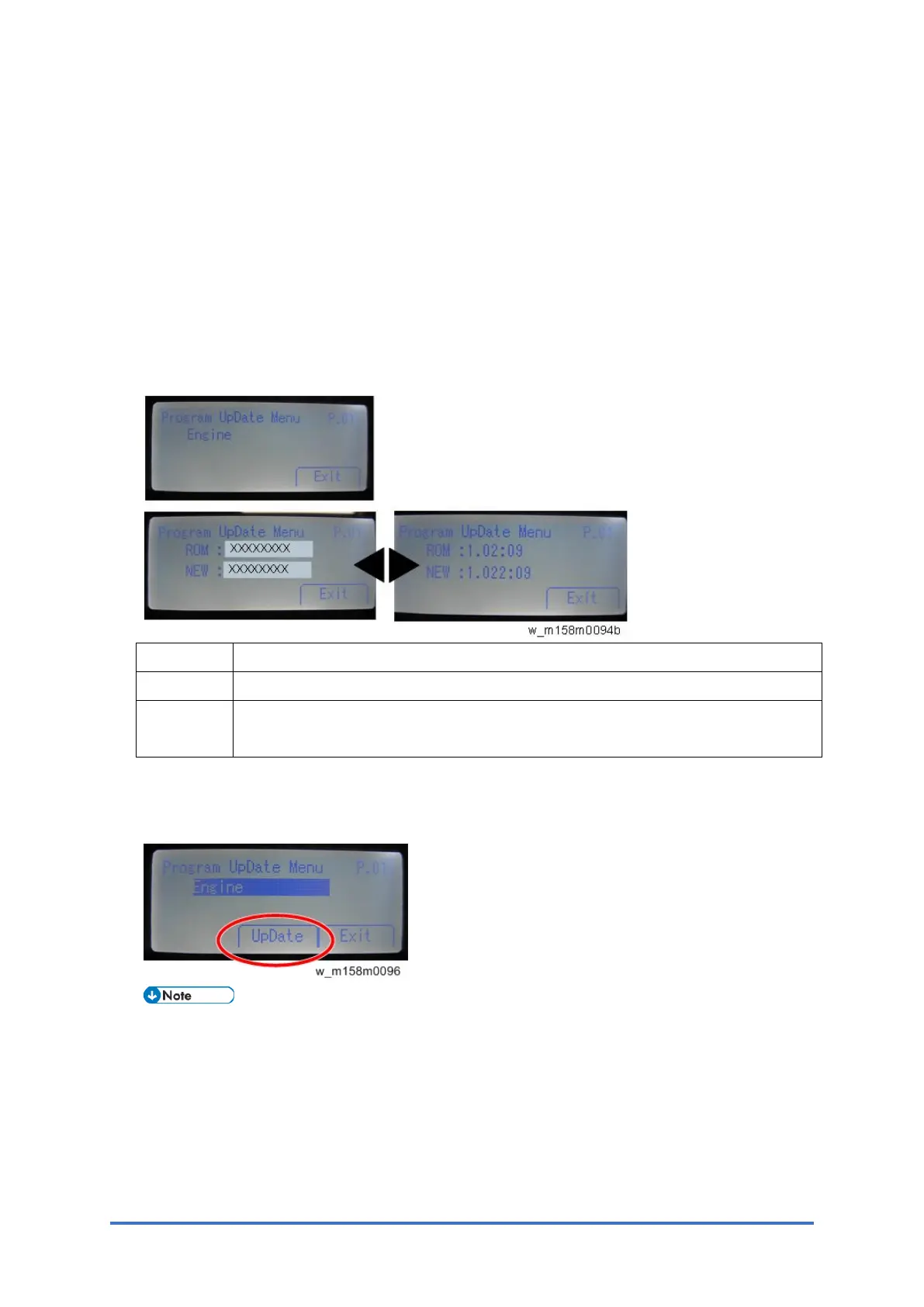
After about 45 seconds, the initial version update screen appears on the LCD in English.
8. On the screen, press the corresponding key (Up and Down keys) to select the update file
that you want to update.
You can change the module name screen or module version screen by using the left and
right keys.
ROM/NEW Contents
ROM: Display installed module number (upper row)/ version information (lower row).
NEW: Display module number (upper row)/ version information (lower row) on the SD
card.
9. Press the [OK] key after selecting the item that you want to update.
The [UpDate] button appears.
10. Press the [UpDate] key to start the update.
The progress bar appears on the LCD.



 To Next Page