Main Machine Installation (IM 350F/350/430F)
SM 2-19 D0AP/D0C4/D0C5/D0C6/M0BQ/M0D1
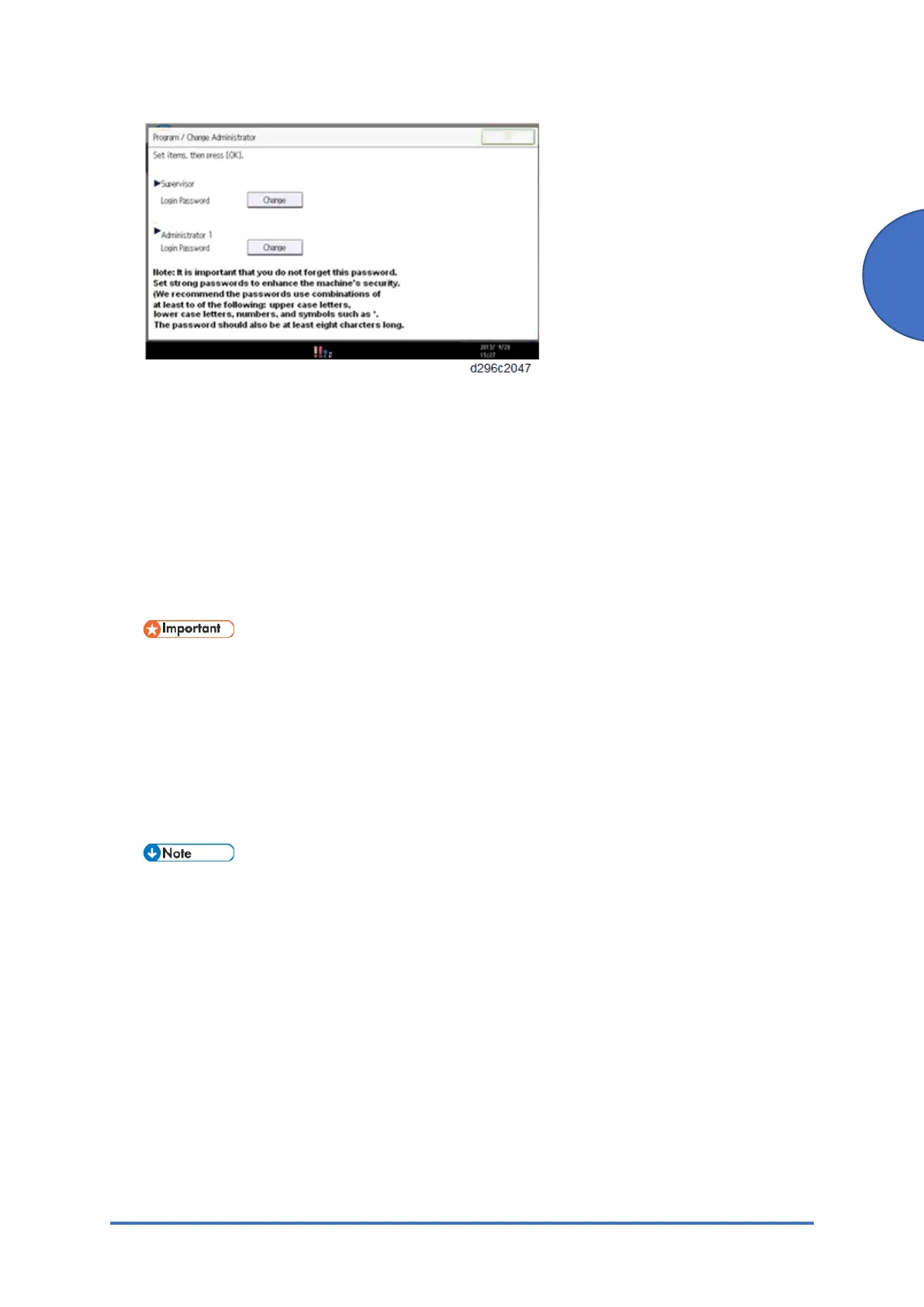
5. Ask your customer to change the login password for Supervisor and Administrator 1 as
following.
1. Enter the password, and then press [OK].
2. Enter the password again for confirming, and then press [OK] to register them.
3. Press [OK]. The home screen is displayed.
6. Execute SP5-755-002 (Display Setting: Hide Administrator Password Change Scrn) to skip
the [Program/Change Administrator] screen.
The home screen is displayed.
• The Program/Change Administrator screen will be displayed every time the power
is turned ON.
• We recommend that customers set the passwords from the Program/Change
Administrator screen.
• The passwords for Supervisor or Administrator 1 to 4 can be set via “System
Settings”. However, if the passwords are set in the Program/Change Administrator
screen, this screen will be displayed every time the power is turned ON.
If a password is not necessary, this screen can be disabled with the following procedure.
1. On the Program/Change Administrator screen, press [Change] next to Supervisor
and then press [OK] without inputting any password.
2. Press [OK] again when the Confirm password screen is displayed.
3. For Administrator 1, do the same procedure as steps 1 and 2.
4. Press [OK]. The home screen is displayed.



 To Next Page