Fax Unit Options
D0C5/D0C6/D0C4/D0AP FAX UNIT 8 SM
On the Client-side Machine(s):
1. Press [User Too l s ] > [Machine Features] > [System Setting] > [Administrator Tools].
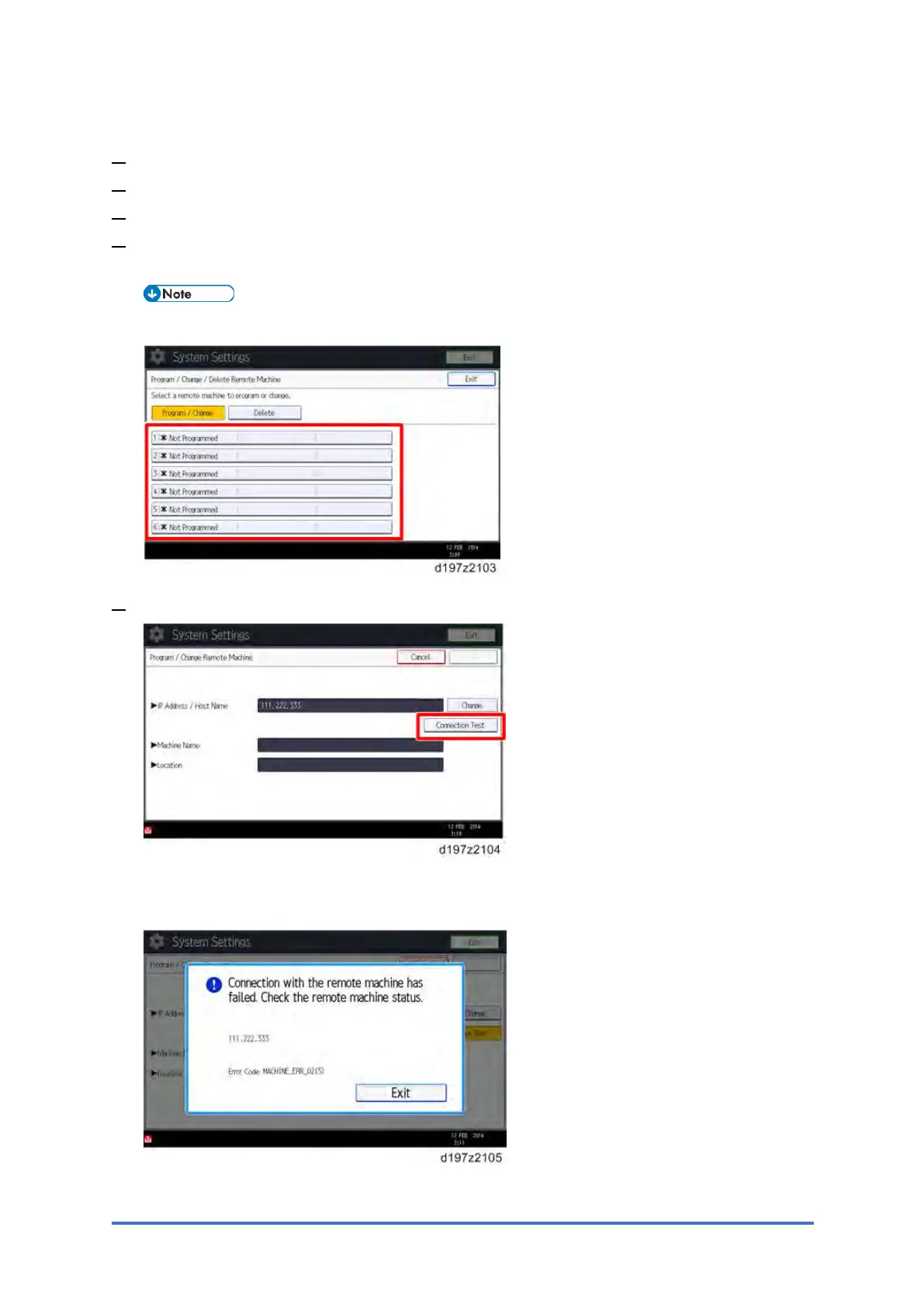
2. Press [Program/Change/Delete Remote Machine].
3. Enter the IP address or hostname of the Remote Machine.
4. Press one of the machine registration lines, and then enter the IP address or hostname of
the Remote Machine.
• Only one machine can be registered as the Remote Machine.
5. Press [Connection Test] to check the connection with the remote machine.
If an error message is displayed, check the network connection with the remote machine
and make sure that the IP address of the remote machine is correct.



 To Next Page