Fax Unit Options
D0C5/D0C6/D0C4/D0AP FAX UNIT 10 SM
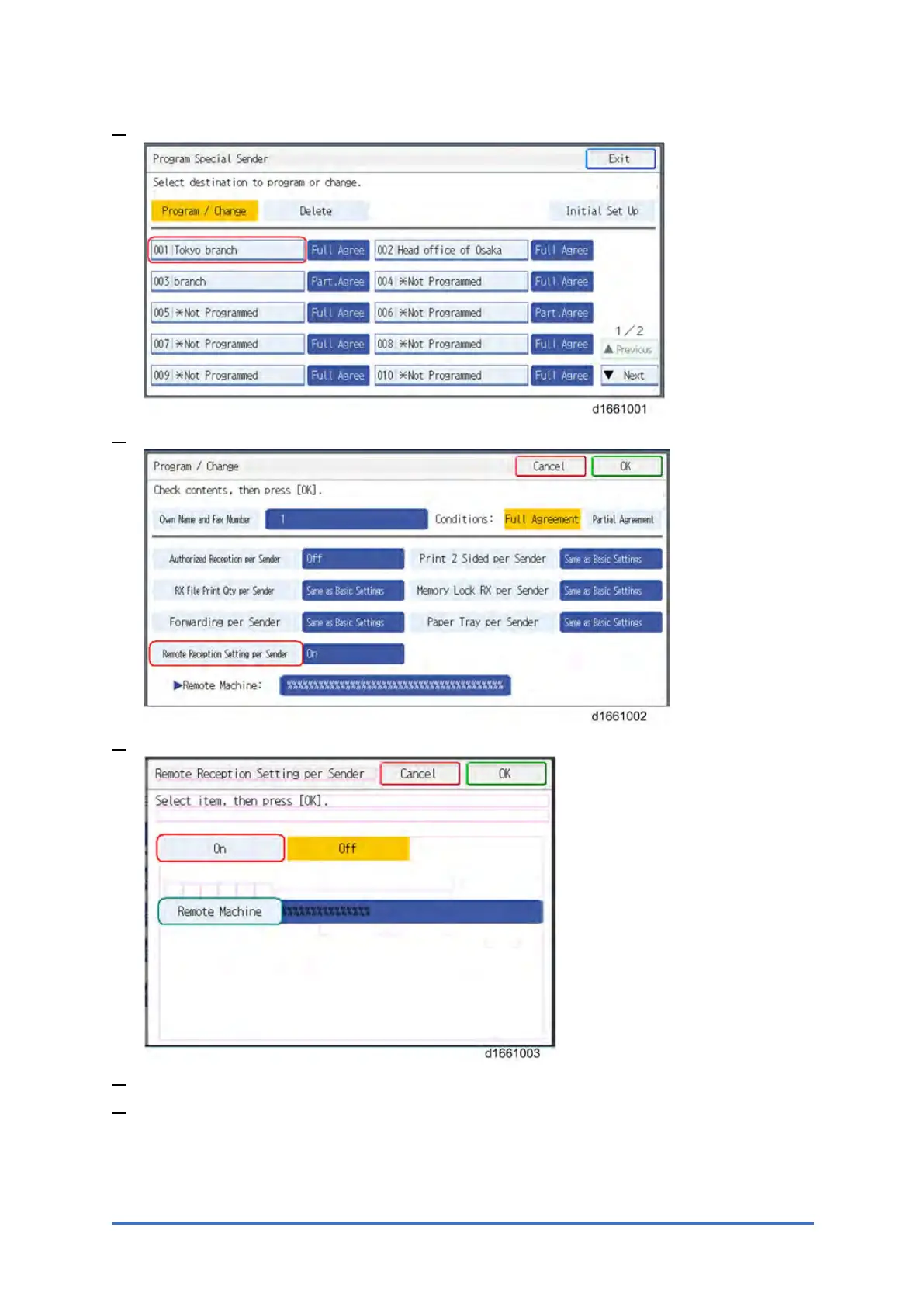
3. Select the Special Sender.
4. Press [Remote Reception Setting per Sender].
5. Press [On] and [Remote Machine].
6. Enter an IP address or a hostname of the client-side machine to connect.
7. Press [OK] to exit from the setting.


 To Next Page