Embroidering Preparation
126
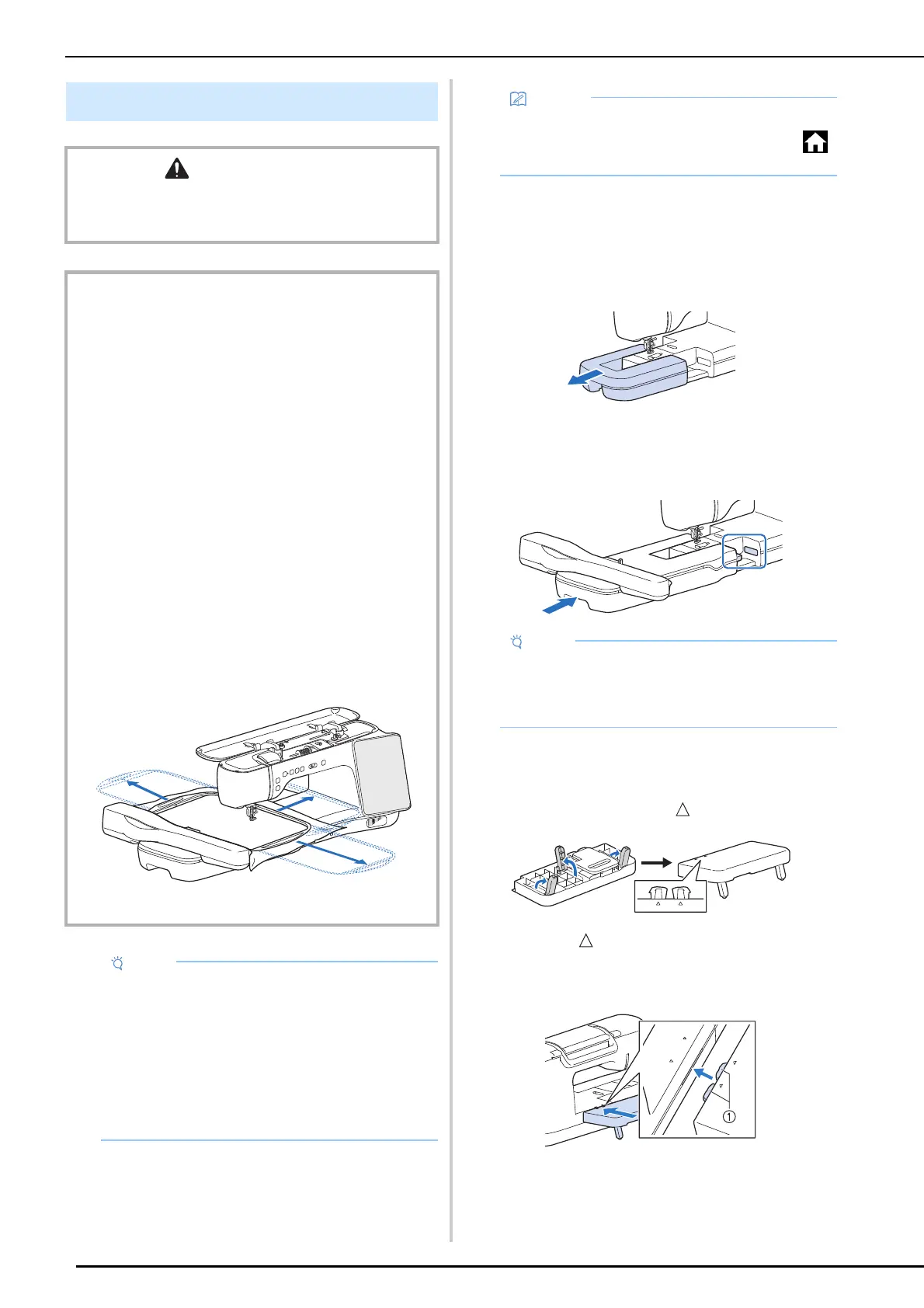
Attaching the Embroidery Unit
1
Turn the main power to OFF, and remove
the flat bed attachment.
2 Insert the embroidery unit connection
into the connection port of the machine
until it snaps into place.
3 Raise the three legs on the back of the
support table until they snap into place,
and then position the support table so
that the side with the marks face up.
4 Align the marks on the back of the
machine and on the support table, and
then insert the tab into the machine.
a Tab
5 Turn the main power to ON.
Attaching the Embroidery Unit
CAUTION
• Do not move the machine with the embroidery unit
attached. The embroidery unit could fall off and cause
injury.
IMPORTANT
• Keep your hands and foreign objects away from the
embroidery carriage and embroidery frame when the
machine is embroidering. Damage or malfunction may
result.
• Be sure to turn off the power before attaching or
removing the embroidery unit. Otherwise, the machine
may be damaged.
• Do not touch the inner connector of the embroidery unit.
The pins on the embroidery unit connection may be
damaged.
• Do not apply strong force to the embroidery unit carriage
or pick up the unit by the carriage. Otherwise, the
embroidery unit may be damaged.
• Do not push on the carriage when attaching the
embroidery unit onto the machine. Moving the carriage
may damage the embroidery unit.
• Make sure that there is enough space for the carriage of
the embroidery unit to move. If the embroidery frame
comes into contact with an object, the pattern may not
be embroidered correctly, or damage may result. 50 cm
(approx. 20 inches) clearance needed from back
embroidery unit.
• Do not touch the embroidery carriage until the
initialization finishes.
• When embroidering, install the support table.
Using the support table to support the
embroidery frame and fabric allows you to
maintain stitching quality.
• To avoid distorting your embroidery design, do
not touch the embroidery carriage and frame
when the machine is embroidering.
• Store the embroidery unit in a safe place to
prevent damage to the unit.
• You can also sew utility/decorative stitches
with the embroidery unit attached. Touch
and [Sewing] in the home page screen.
• Be sure there is no gap between the
embroidery unit and the machine. If there is a
gap, the embroidery patterns will not
embroider with the correct registration.



 To Next Page