Utility Stitches
86
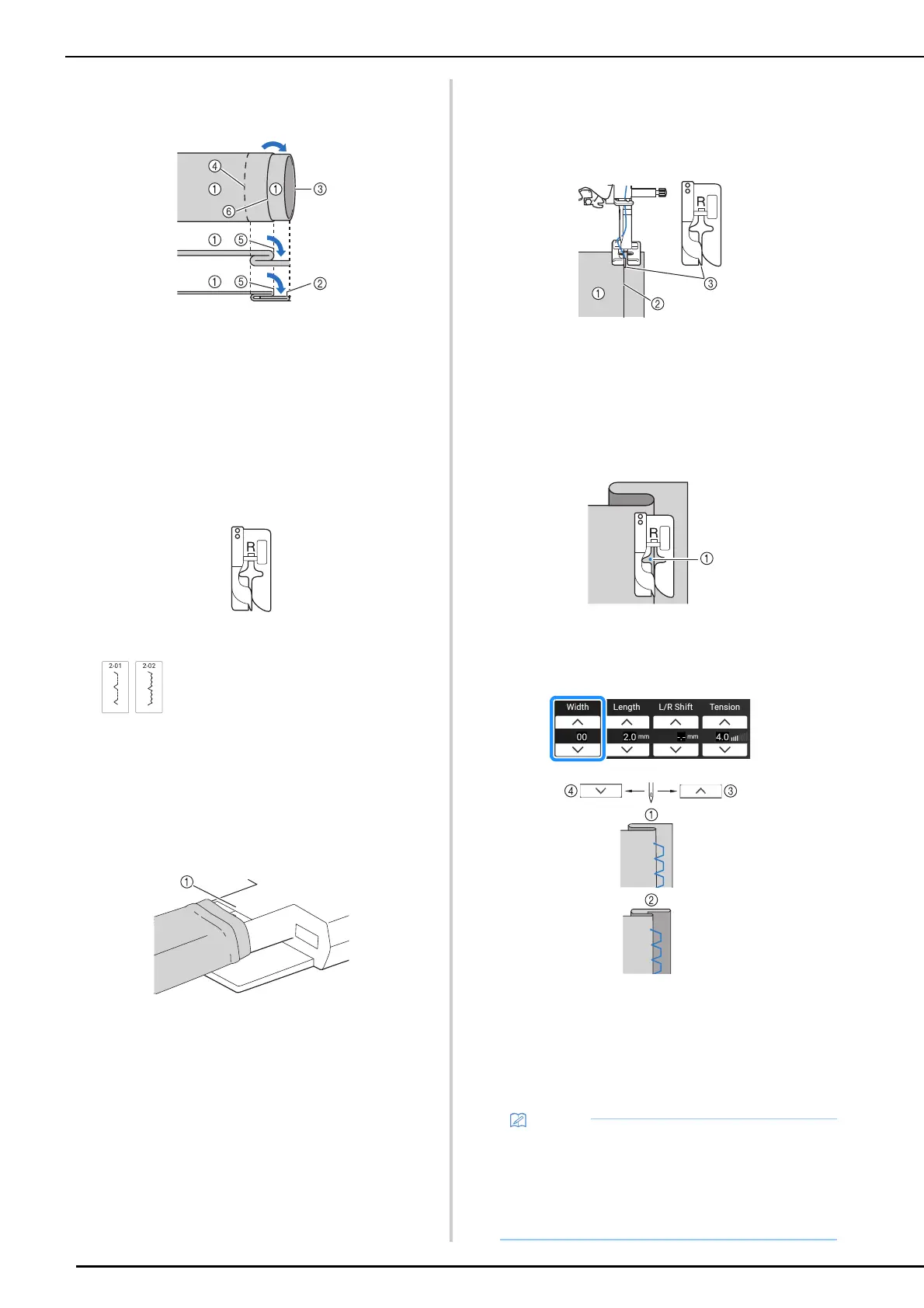
5 Unfold the edge of fabric, and position
the fabric with the wrong side facing up.
a Wrong side of fabric
b Right side of fabric
c Edge of fabric
d Desired edge of hem
e Basting point
f Basting
*1 Thick fabric
*2 Normal fabric
6 Attach blind stitch foot “R”.
7 Select a stitch.
8 Remove the flat bed attachment to use
the free arm.
9 Slide the item that you wish to sew onto
the free arm and make sure that the fabric
feeds correctly.
a Free arm
10 Position the fabric with the edge of the
folded hem against the guide of the
presser foot, and then lower the presser
foot lever.
a Wrong side of fabric
b Fold of hem
c Guide
11 Slowly turn the handwheel toward you
and check that the needle slightly
catches the fold of the hem.
a Needle drop point
When you change the needle drop point, raise the
needle, and then change the stitch width. (The stitch
width setting is in neither millimeters nor inches.)
a Thick fabric
b Normal fabric
c Touch to move the needle drop point to the right, if
the needle catches too much of the fold.
d Touch to move the needle drop point to the left, if
the needle does not catch the fold.
*1
*2
• Blind hem stitches cannot be sewn if the left
needle drop point does not catch the fold. If
the needle catches too much of the fold, the
fabric cannot be unfolded and the seam
appearing on the right side of the fabric will be
very large, leaving an unattractive finish.



 To Next Page