Included Accessories
Getting Ready
15
1
Pull the top of the flat bed attachment to open the
accessory compartment.
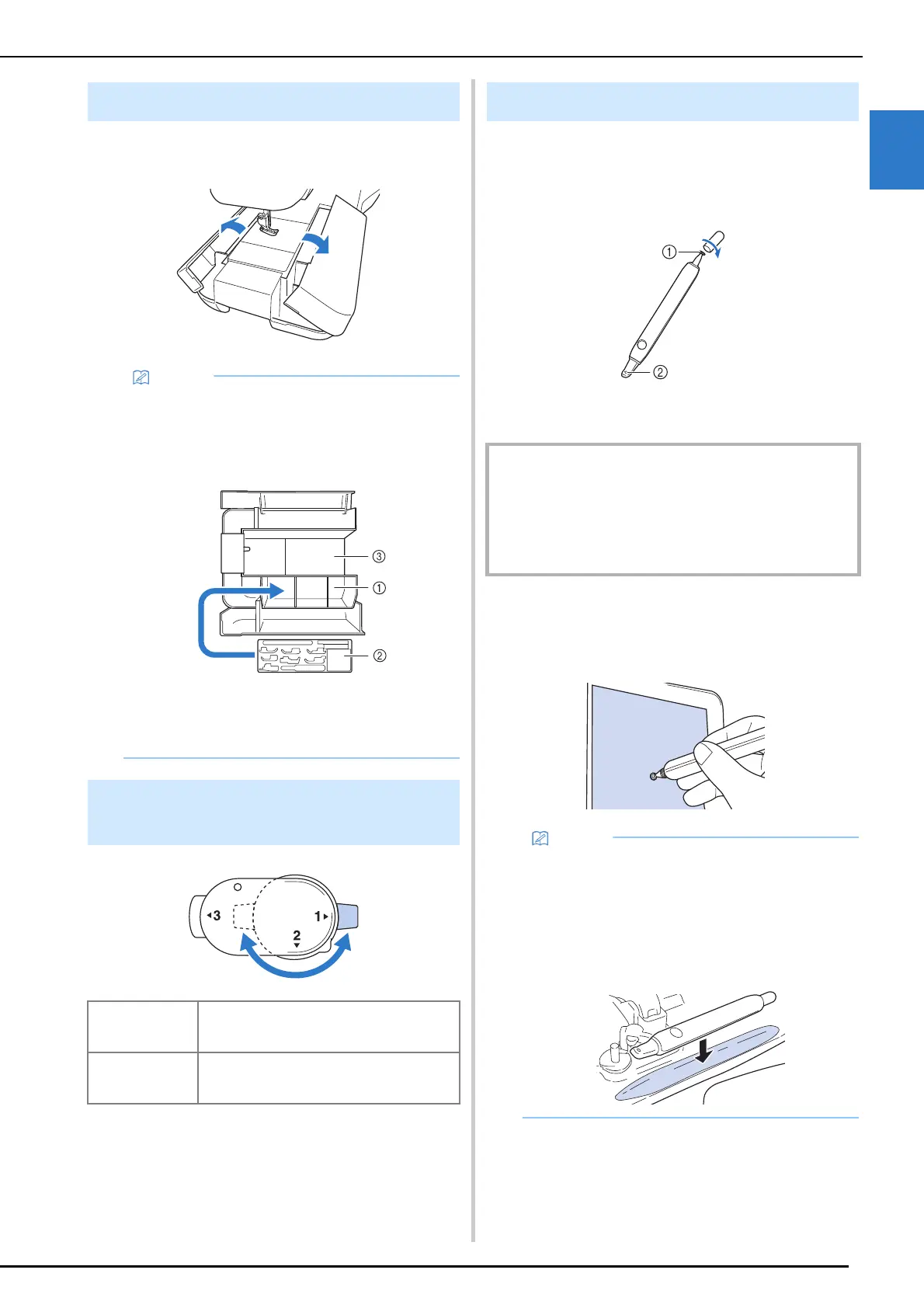
The included dual purpose stylus can be used on
both sides. Use the transparent disc to operate
the screen and the light to operate the projector.
(page 70)
a Transparent disc for operating the screen
b Light for operating the projector
Touching the Screen
Touch the LCD screen with the transparent disc on
the dual purpose stylus.
Using the Flat Bed Attachment
• Three presser foot storage trays are stored in
the included accessory case.
For your convenience, a presser foot storage
tray can be stored in the accessory
compartment of the flat bed attachment.
a Presser foot storage space of the flat bed
attachment
b Presser foot storage tray
c Needle plate storage space
Using the Multi-purpose
Screwdriver
Position “1” You can install/remove the presser foot holder
or needle clamp screw.
(page 36, page 48)
Position “3” You can tighten/loosen the frame adjustment
screw.
(page 130)
Using the Dual Purpose Stylus
IMPORTANT
• Touch the LCD screen with the transparent disc on the
dual purpose stylus. Using any other part to touch the
LCD screen may cause scratches.
• Do not pull on the transparent disc, otherwise damage
may result.
• Touching the LCD screen with the dual
purpose stylus at an excessive angle may
prevent the contact position from being
correctly detected.
• You can keep the dual purpose stylus with the
machine. Open the top cover and place the
dual purpose stylus.



 To Next Page