LCD Screen
28
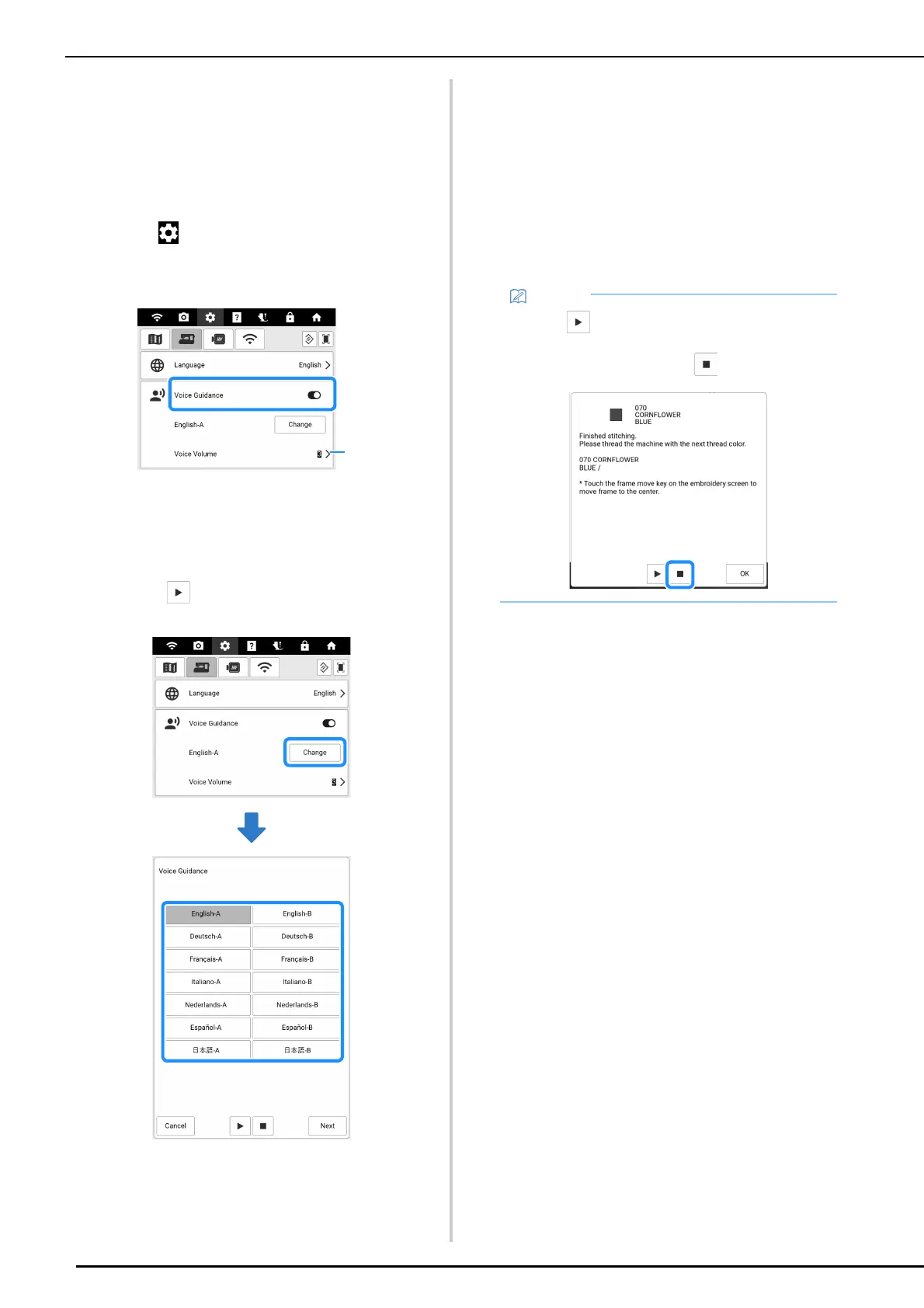
Voice Guidance
The guidance messages can be read out loud.
1 Connect the machine to your wireless
network to change voice option.
(page 32)
2 Touch to display [Voice Guidance] of
the settings screen and set the function
to on.
a Adjust the voice guidance volume.
3 Touch [Change] and then select the
language and voice of the voice
guidance.
* Touch to hear sample audio for the selected
setting.
4 Touch [Next].
A message appears, indicating that the machine is
checking for the voice guidance data. If the voice
guidance data must be downloaded, downloading
begins.
5 After a message appears, indicating that
voice guidance has been turned on,
touch [OK].
The guidance messages will now be read out loud.
• Touch in the message that was read out
loud in order to hear the message again. To
stop read out loud, touch .



 To Next Page