Editing Colors
170
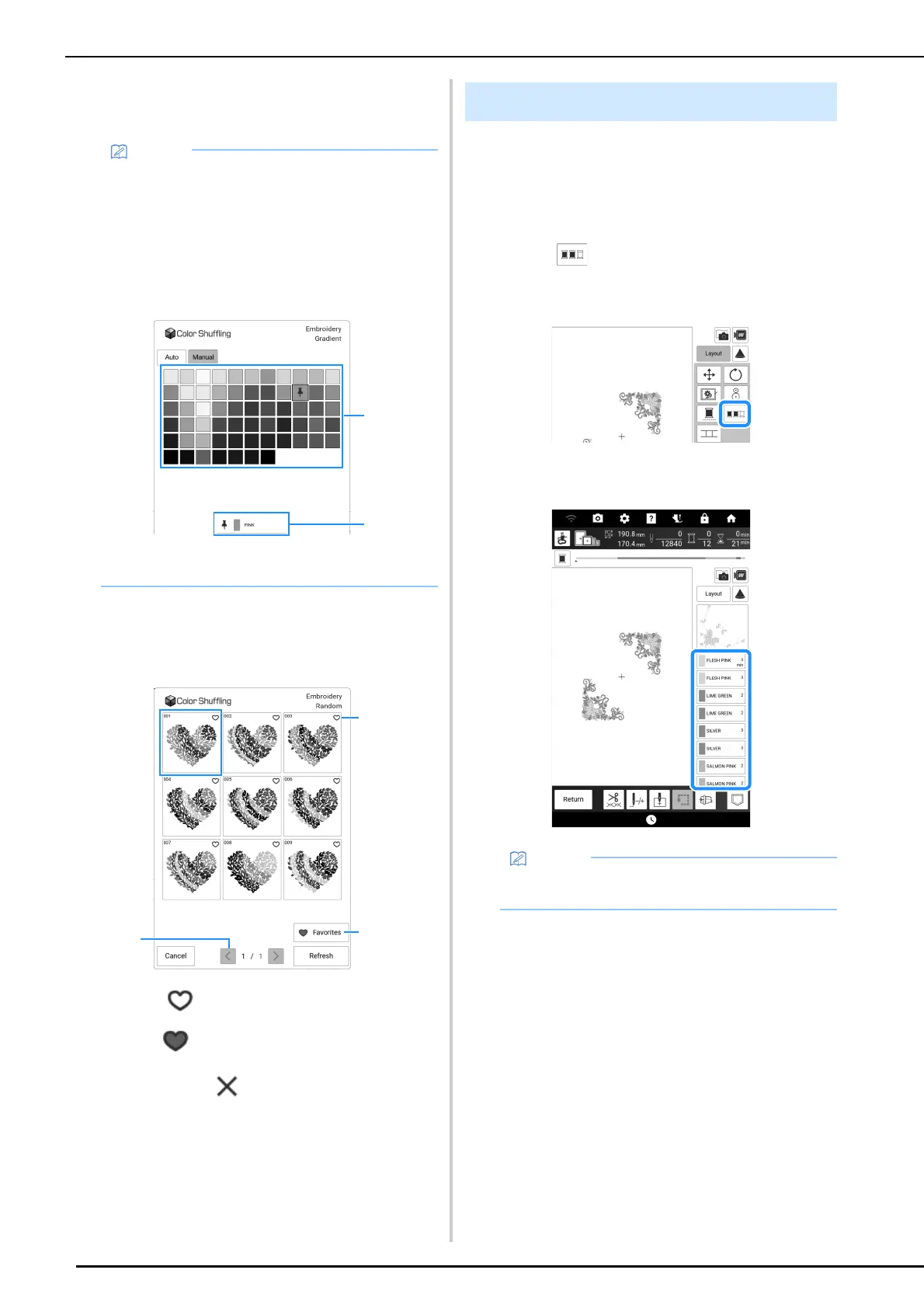
4 If you select [Random] or [Gradient],
select [Auto], and then touch [OK].
5 Touch the desired color scheme from
samples.
* Touch [Refresh] to display the new schemes.
a Touch to temporarily register your favorite
schemes. To release a favorite color scheme,
touch again.
b Touch to display the color scheme favorites
screen. Touch to remove the color scheme on
color scheme favorites screen.
c Touch to review the previous schemes.
6 Touch [Set] to select the displayed color
scheme.
This function allows you to embroider while
replacing the thread spool a minimal number of
times.
1 Touch [Layout] in the embroidery screen.
2 Touch .
* Touch the key again to return to the original
setting.
The embroidery color order is rearranged and
sorted by thread colors.
• To specify the thread colors of the color
scheme, select [Manual].
You can select up to six colors to be used with
the [Random] effect. The selected thread
colors will generate a random color scheme.
You can select one color to be used with the
[Gradient] effect. A gradient is generated with
the selected thread color.
a Select a color from the palette.
b Selected color is displayed.
Thread Color Sorting
• This function does not work on overlapping
designs.



 To Next Page